
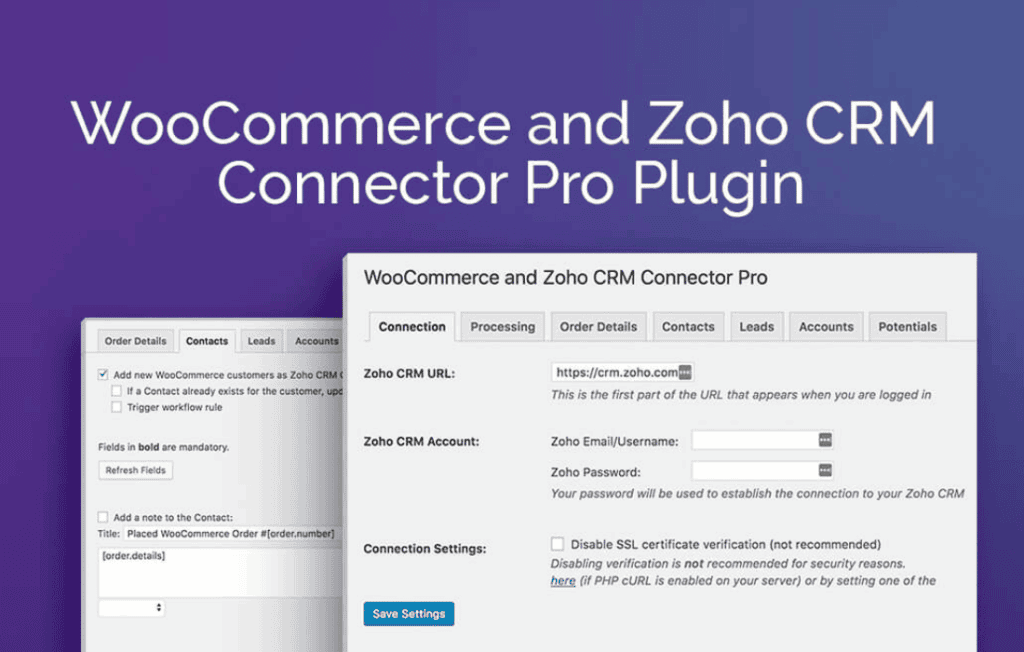
Unlock the full potential of your e-commerce data by seamlessly bridging the gap between your WooCommerce store and Zoho CRM. The Zoho CRM Connector Pro for WooCommerce is designed to eliminate manual data entry, reduce human error, and provide a unified view of your customers. By automatically syncing orders, products, and customer profiles in real-time, this plugin empowers store owners to focus on growth and personalized marketing rather than administrative data management.
Key Features
- Real-time Data Synchronization: Automatically push new orders, customers, and product updates from WooCommerce to Zoho CRM the moment they occur, ensuring your sales team always has the most current information.
- Comprehensive Mapping: Easily map WooCommerce fields to Zoho CRM modules, including Leads, Contacts, Accounts, and Deals, allowing you to customize how your data is organized to fit your specific business processes.
- Bi-directional Sync Capabilities: Keep your systems perfectly aligned by syncing data in both directions, ensuring that updates made in Zoho CRM are reflected back in your WooCommerce store.
- Order and Inventory Management: Automatically create or update deals in Zoho CRM when a new order is placed, and keep your product inventory levels synchronized to prevent overselling.
- Historical Data Migration: Effortlessly migrate your existing store data—including past orders and customer records—to Zoho CRM with a single click, ensuring no legacy information is left behind.
- Advanced Logging and Error Tracking: Monitor your sync status with detailed logs, allowing you to quickly identify and resolve any data conflicts or connection issues.
- Custom Field Support: Extend the functionality beyond standard fields by mapping WooCommerce custom checkout fields directly to custom fields within your Zoho CRM modules.
Use Cases and Who It’s For
This plugin is essential for WooCommerce store owners, sales managers, and marketing teams who rely on Zoho CRM to manage customer relationships and sales pipelines. If your team spends hours manually exporting CSV files or copying customer details from your store into your CRM, this solution is designed for you.
It is particularly beneficial for businesses running high-volume stores that require precise inventory tracking and immediate lead follow-up. By automating the hand-off between the checkout page and the sales department, you ensure that no lead goes cold and that your customer support team has instant access to a customer’s purchase history, leading to higher satisfaction and increased lifetime value.
Setup and How It Works
Getting started with the Zoho CRM Connector Pro is designed to be straightforward, requiring no advanced coding knowledge to establish a secure connection.
- Authentication: Connect your WooCommerce store to your Zoho CRM account using secure API credentials generated within your Zoho developer console.
- Module Mapping: Navigate to the settings dashboard to define how your WooCommerce data entities (Orders, Customers, Products) correspond to your Zoho CRM modules (Leads, Contacts, Deals).
- Field Configuration: Use the intuitive mapping interface to pair specific WooCommerce checkout fields with the corresponding fields in Zoho CRM.
- Sync Activation: Choose your preferred sync mode—either automated real-time updates or scheduled background tasks—and watch as your data begins to flow seamlessly between platforms.
Similar Plugins
While there are various integration tools available for Zoho CRM, alternatives include the official Zoho CRM WooCommerce plugin, as well as third-party automation platforms like Zapier or Make (formerly Integromat). However, the Zoho CRM Connector Pro for WooCommerce distinguishes itself by offering a dedicated, direct integration specifically optimized for the WooCommerce environment, avoiding the need for complex, subscription-based third-party middleware.