
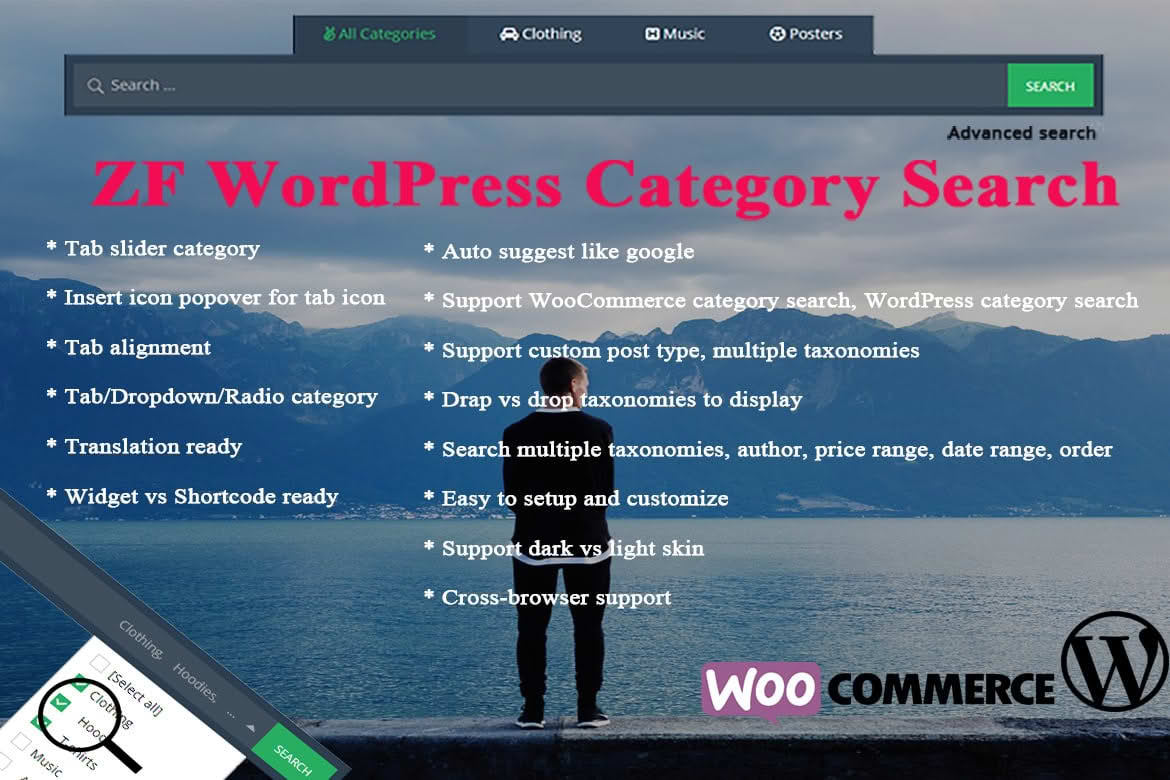
The ZF WordPress Category Search plugin is an essential tool for website owners looking to transform their site’s search functionality into a precise, user-friendly navigation experience. By default, WordPress search often returns a cluttered mix of posts, pages, and irrelevant content, which can frustrate visitors and lead to higher bounce rates. This plugin solves that problem by allowing your users to filter their search queries specifically by category, ensuring they find exactly what they are looking for with minimal effort. Whether you run a content-heavy blog, a complex news portal, or a niche directory, this plugin empowers your visitors to narrow down results instantly, improving user engagement and site usability.
Key Features
- Category-Specific Search Filtering: Empowers users to select one or more categories from a dropdown menu before or during their search, drastically increasing the relevance of the results returned.
- Seamless Integration: Designed to work effortlessly with your existing WordPress theme without requiring complex coding or template modifications.
- Customizable Search Interface: Offers flexible settings to adjust how the search form appears, ensuring it complements your site’s unique design and branding.
- Enhanced User Experience: Reduces the time spent scrolling through irrelevant search results, leading to a faster, more intuitive navigation experience for your visitors.
- Support for Custom Post Types: Extends functionality beyond standard posts, allowing you to apply category search filters to custom post types if your site structure requires it.
- Lightweight Performance: Built with clean code to ensure that your site’s loading speed remains unaffected, maintaining optimal performance for both desktop and mobile users.
Use Cases / Who It’s For
This plugin is ideal for any WordPress site owner who manages a large volume of content categorized into distinct topics. For news websites, it allows readers to search for articles within specific sections like “Politics,” “Technology,” or “Sports” without getting bogged down by unrelated content. For educational blogs or resource hubs, it helps students and researchers quickly locate articles within specific subjects or difficulty levels.
E-commerce store owners using WordPress for their catalog can also benefit significantly. By allowing customers to search for products within specific categories‚Äîsuch as “Footwear,” “Accessories,” or “Electronics”‚Äîyou create a more professional shopping experience that mimics the functionality of large-scale retail platforms. Ultimately, if your site has enough content that a general search bar feels insufficient, ZF WordPress Category Search provides the structural organization necessary to keep your audience happy and on your site for longer.
Setup / How It Works
- Installation: Upload the plugin zip file via your WordPress dashboard or install it directly through the plugins repository.
- Activation: Once installed, click “Activate” to enable the plugin’s core functionality.
- Configuration: Navigate to the plugin settings page within your WordPress admin panel to define which categories should be included in the search filter dropdown.
- Placement: Use the provided shortcode or the dedicated widget to place the enhanced search bar in your theme’s sidebar, header, or any other widget-ready area.
- Testing: Visit your site’s front end to verify that the search form now includes the category selection dropdown and test a few queries to ensure the filtering logic is working as expected.
Similar Plugins
If you are exploring options to enhance your site’s search capabilities, there are other tools available in the WordPress ecosystem that offer filtering functionality. Plugins such as SearchWP and Relevanssi are popular alternatives that provide advanced search features, including the ability to index custom fields, taxonomies, and categories. While these plugins often offer broader search engine customization, ZF WordPress Category Search remains a focused, lightweight solution for those specifically looking to implement category-based filtering without the complexity of a full-scale search engine overhaul.