
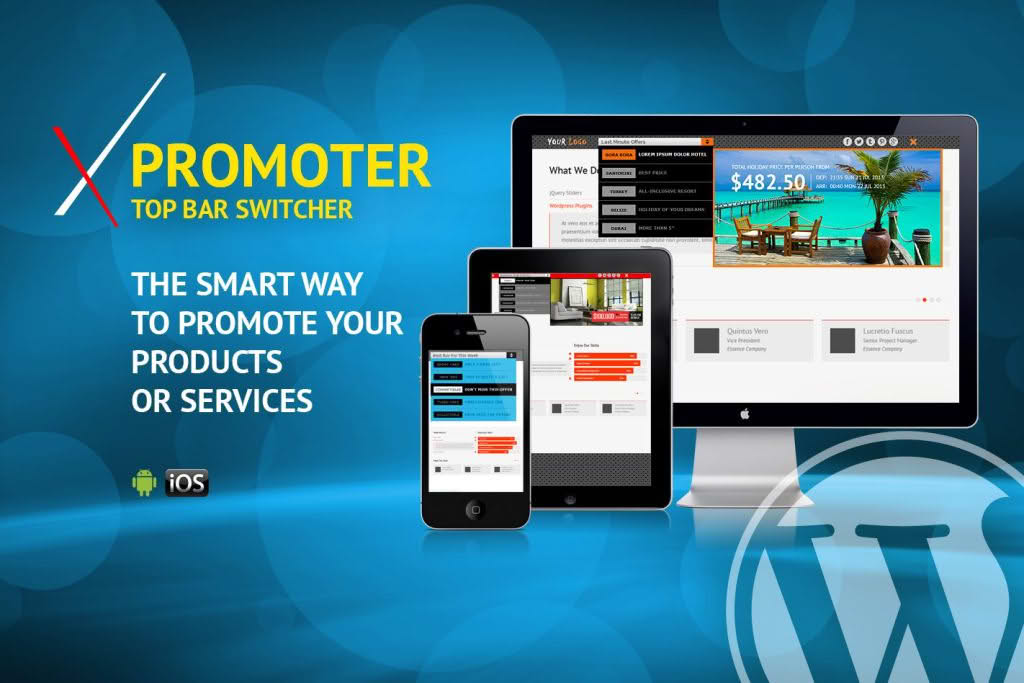
In the competitive world of e-commerce and content marketing, capturing your visitor’s attention the moment they land on your site is critical. xPromoter – Top Bar Switcher Responsive WordPress is designed to help you maximize conversions by displaying high-visibility, attention-grabbing announcement bars at the top of your website. Whether you are running a flash sale, promoting a new blog post, or gathering email subscribers, this plugin provides a seamless, responsive, and highly customizable solution to ensure your message is never missed.
Key Features
- Fully Responsive Design: Your promotional bars will look perfect on every device, from desktop monitors to smartphones, ensuring a consistent user experience across all screen sizes.
- Dynamic Content Switching: Easily toggle between multiple promotional messages or set them to rotate, allowing you to showcase different offers without cluttering your site design.
- Customizable Styling: Tailor the appearance of your bars to match your brand identity. Adjust background colors, text colors, font sizes, and padding with ease.
- Targeted Placement: Choose exactly where and when your bars appear. You can set specific pages, posts, or categories to display unique promotions, ensuring the right message reaches the right audience.
- Call-to-Action Integration: Effortlessly add buttons or links to your bars to drive traffic directly to your checkout page, sign-up forms, or featured content.
- Lightweight Performance: Built with clean, optimized code, xPromoter ensures that your site remains fast and responsive, preventing any negative impact on your SEO rankings or user experience.
- User-Friendly Interface: Manage your promotions through an intuitive dashboard that requires no coding knowledge, making it accessible for beginners and developers alike.
Use Cases / Who It’s For
xPromoter is an essential tool for any WordPress user looking to increase engagement and drive specific user actions. Store owners can use the plugin to announce limited-time discount codes, free shipping thresholds, or seasonal sales, effectively reducing cart abandonment by keeping offers front and center.
Content creators and bloggers benefit by using the top bar to promote their latest articles, newsletter sign-ups, or affiliate products. By placing these calls to action in a persistent top bar, you significantly increase the likelihood of clicks compared to static sidebar widgets or footer banners.
Marketing professionals and agencies will find the plugin invaluable for A/B testing different messaging strategies across various site sections. Because it is highly configurable, you can deploy distinct campaigns for different segments of your traffic, making it a versatile asset for any digital marketing strategy.
Setup / How It Works
- Install and Activate: Upload the plugin zip file to your WordPress dashboard via the Plugins menu and activate it.
- Create Your First Bar: Navigate to the xPromoter settings panel and click to add a new promotional bar.
- Configure Content: Enter your promotional text, insert your call-to-action link, and configure the display settings, such as background color and text alignment.
- Set Display Rules: Define the visibility settings by selecting the specific pages or post types where you want the bar to appear.
- Save and Publish: Once you are satisfied with the preview, save your settings. The bar will immediately appear on your site, ready to engage your visitors.
Similar Plugins
If you are exploring options for announcement bars, you may also consider alternatives such as Hello Bar, WP Notification Bar, or the announcement features often included in popular page builder plugins like Elementor Pro or Beaver Builder. While these tools offer similar functionality, xPromoter distinguishes itself through its focus on lightweight performance and its specific “switcher” capability, which allows for efficient management of multiple rotating messages.