
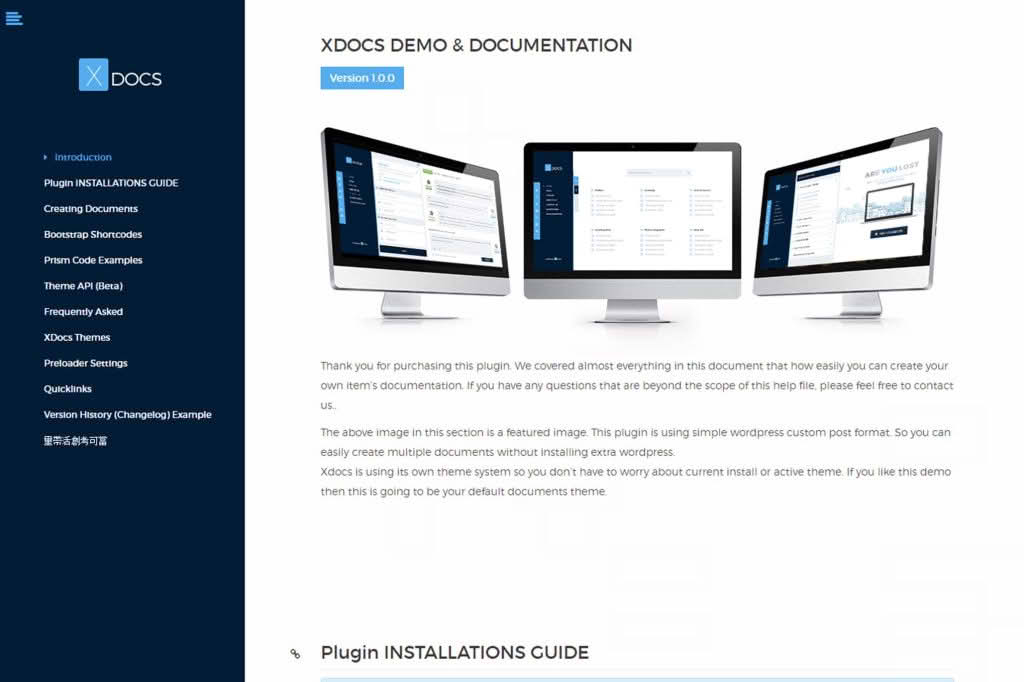
Empower your customers and reduce support tickets with X Docs, the comprehensive WordPress documentation creator designed to turn your knowledge base into a powerful self-service asset. Whether you are selling software, physical products, or digital services, X Docs provides a structured, professional, and easy-to-navigate environment where your users can find the answers they need instantly. By centralizing your documentation directly within your WordPress dashboard, you maintain full control over your content while delivering a seamless, branded experience that builds trust and enhances customer satisfaction.
Key Features
- Intuitive Documentation Builder: Create and organize your knowledge base using a familiar interface that mimics the WordPress post editor, making it easy to draft, edit, and publish articles without technical expertise.
- Hierarchical Organization: Structure your content with parent and child categories, allowing you to build logical flows from “Getting Started” guides to advanced technical troubleshooting.
- Advanced Search Functionality: Help users find exactly what they need with a high-performance, live-search bar that delivers relevant results as customers type.
- Responsive Design: Ensure your documentation looks perfect on any device, from desktop computers to smartphones, providing a consistent experience for users on the go.
- Customizable Templates: Match your documentation portal to your brand identity with flexible layout options and styling controls that integrate effortlessly with your existing theme.
- Feedback and Analytics: Gauge the effectiveness of your articles with built-in voting systems, allowing you to identify which topics need more clarity and which are successfully resolving user issues.
- Content Protection and Access Control: Manage who can view your documentation with granular access settings, perfect for creating private internal wikis or exclusive member-only guides.
Use Cases and Who It’s For
X Docs is the ideal solution for any business that prioritizes customer success and operational efficiency. If you are a software developer or SaaS founder, you can use X Docs to host API documentation, installation guides, and feature walkthroughs that keep your users engaged and reduce the burden on your support team. For e-commerce store owners, it serves as a perfect hub for shipping policies, return instructions, and product care manuals, ensuring that shoppers have all the information they need before and after making a purchase.
Additionally, X Docs is an excellent tool for internal team management. Organizations can use it to build an internal knowledge base or company wiki, centralizing standard operating procedures (SOPs), onboarding documents, and HR policies in a secure, searchable location. By keeping your documentation within WordPress, you eliminate the need for third-party platforms, keeping your data centralized and your workflow streamlined.
Setup and How It Works
Getting started with X Docs is designed to be straightforward, allowing you to launch your documentation portal in a matter of hours rather than days.
- Installation: Install and activate the X Docs plugin through your WordPress admin dashboard just like any other plugin.
- Configuration: Navigate to the settings panel to define your documentation slug, choose your preferred layout, and configure global display options.
- Structure Your Content: Use the category management tool to define the hierarchy of your knowledge base, creating sections for different products or topics.
- Create Articles: Start writing your documentation using the dedicated X Docs editor, assigning each article to the appropriate category.
- Publish and Link: Once your content is ready, publish your documentation and add a link to the main knowledge base page in your website’s navigation menu or footer.
Similar Plugins
If you are exploring your options for documentation management in WordPress, there are several other solutions available in the ecosystem. Notable alternatives include BetterDocs, which offers robust features for building knowledge bases; Echo Knowledge Base, known for its extensive customization options; and Heroic Knowledge Base, which focuses on providing a highly optimized user experience for support-heavy websites. Each of these plugins offers distinct approaches to content organization and styling, allowing you to choose the tool that best aligns with your specific technical requirements and design preferences.