
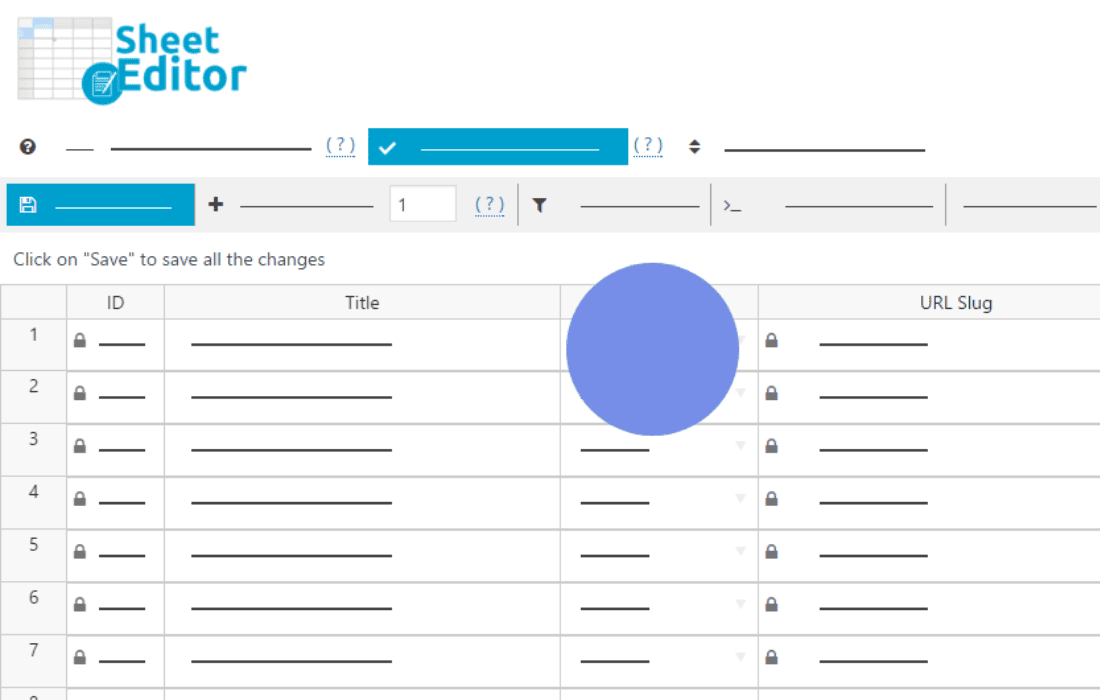
Managing large amounts of WordPress content can be a tedious, time-consuming chore when done one post or product at a time. WP Sheet Editor (Premium) transforms your WordPress dashboard into a powerful, spreadsheet-like interface, allowing you to view, edit, and manage thousands of items in seconds. Whether you are running a massive WooCommerce store, managing a content-heavy news site, or handling complex custom post types, this plugin eliminates the need to open individual pages to make simple updates, saving you hours of manual work every week.
Key Features
- Bulk Edit Thousands of Items: Stop clicking through pages. Use the intuitive spreadsheet view to edit titles, prices, descriptions, categories, or any custom field for hundreds of items simultaneously.
- Advanced Search and Filtering: Locate exactly what you need with a powerful search tool. Filter by any field—such as stock status, date, author, or custom attributes—to isolate specific groups of content for quick updates.
- Copy and Paste from Excel or Google Sheets: Seamlessly import data from external spreadsheets. You can copy data from your desktop software and paste it directly into the plugin’s grid, making bulk updates from external files effortless.
- Customizable Column Views: You decide what you see. Show or hide columns to focus on the data that matters most to your current task, keeping your workspace clean and efficient.
- Full Support for Custom Fields: The plugin seamlessly integrates with popular custom field plugins, allowing you to edit metadata directly within the spreadsheet grid alongside standard WordPress fields.
- Export and Import Data: Easily export your filtered data to CSV format for external analysis or reporting, and import updates back into your site with full mapping control.
- Formula-Based Editing: Perform complex calculations across your data. Use spreadsheet-style formulas to update prices, append text to descriptions, or modify numeric values in bulk.
Use Cases and Who It’s For
WP Sheet Editor (Premium) is designed for anyone who manages a high volume of WordPress data and values their time. E-commerce store owners find it indispensable for managing large product catalogs, allowing them to adjust prices, update stock levels, or change product categories across thousands of items in just a few clicks. It is equally powerful for content managers and SEO specialists who need to perform bulk updates to meta titles, descriptions, or taxonomy assignments across hundreds of blog posts or pages.
Developers and site administrators also benefit significantly when performing site migrations or bulk content cleanups. By providing a bird’s-eye view of your database, the plugin makes it easy to spot inconsistencies, fix broken data, and maintain a high-quality site structure without needing to write custom SQL queries or navigate through dozens of individual edit screens.
Setup and How It Works
Getting started with WP Sheet Editor is designed to be straightforward, allowing you to dive into your data immediately after activation.
- Installation: Install and activate the plugin through your WordPress dashboard just like any other plugin.
- Select Your Post Type: Navigate to the plugin menu and select the post type (Posts, Pages, Products, or custom post types) you wish to manage.
- Configure the Spreadsheet: Use the column manager to select which fields you want to display in your spreadsheet view.
- Edit and Save: Edit cells directly in the grid. Changes are saved efficiently, allowing you to process large datasets without overloading your server.
- Apply Bulk Actions: Use the search and filter tools to select specific items, then apply changes to the entire selection using the bulk edit panel.
Similar Plugins
If you are exploring options for data management in WordPress, other solutions in this category include WP All Import (often used for bulk data migration and synchronization) and various WooCommerce-specific bulk editing plugins such as StoreApps’ Smart Manager for WooCommerce.