
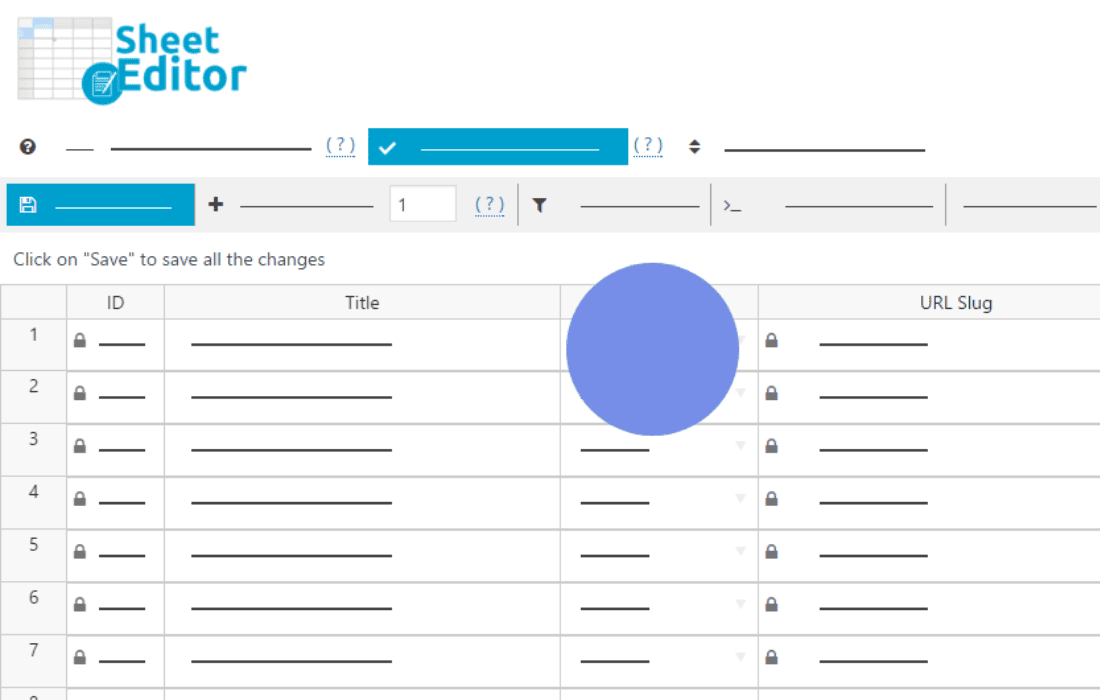
Managing a large WordPress media library can quickly become a bottleneck for site owners, photographers, and e-commerce managers. When you need to update metadata, change file titles, or manage alt text for hundreds of images, the standard WordPress interface forces you to open each file individually, wasting hours of your time. WP Sheet Editor – Media Library Premium transforms your media management by providing a powerful, spreadsheet-style interface that allows you to edit your entire media library in bulk, directly from your WordPress dashboard.
Key Features
- Bulk Edit Metadata: Effortlessly update titles, captions, descriptions, alt text, and file names for hundreds of media items at once using a familiar spreadsheet grid.
- Advanced Search and Filters: Find exactly what you need in seconds. Filter your media by file type, date, author, dimensions, or specific keywords, and then apply changes only to the filtered results.
- Powerful Bulk Actions: Perform complex operations with a few clicks, such as removing specific characters from file names, generating alt text from file names, or appending text to existing descriptions.
- Export and Import: Seamlessly export your media data to CSV files for external editing in Excel or Google Sheets, and import your changes back into WordPress to update your library instantly.
- Formula and Math Support: Use advanced formulas to calculate or modify data across multiple rows, making it easy to standardize file naming conventions or update metadata in bulk.
- Intuitive Spreadsheet Interface: Work with a familiar, responsive grid view that supports copy-pasting, drag-to-fill, and undo/redo functionality, significantly reducing the learning curve.
Use Cases and Who It Is For
This plugin is an essential tool for anyone who manages content-heavy websites. If you are an e-commerce store owner with thousands of product images, you can use this plugin to ensure every image has proper alt text for SEO, which is crucial for driving organic traffic to your store. Photographers and portfolio site managers will find it indispensable for organizing large collections of images, renaming file structures for better organization, and updating copyright information across their entire catalog simultaneously.
Content managers and SEO specialists also benefit significantly. Instead of manually auditing image metadata to meet accessibility or SEO standards, you can view your entire library in one table, identify missing alt tags at a glance, and fill them in without ever leaving the screen. It is designed for anyone who values efficiency and wants to stop wasting time on repetitive, manual data entry tasks within the WordPress media gallery.
Setup and How It Works
Getting started with WP Sheet Editor – Media Library Premium is designed to be straightforward, allowing you to begin optimizing your media library almost immediately after installation.
- Install and Activate: Upload the plugin zip file to your WordPress site and activate it through your plugins dashboard.
- Access the Sheet Editor: Navigate to the new Media Sheet Editor menu item created in your WordPress sidebar.
- Configure Columns: Use the column settings to show or hide the specific metadata fields you need to work with, such as Alt Text, Caption, or Description.
- Edit Your Data: Click directly into any cell in the spreadsheet to edit information, or use the bulk edit tool to apply changes to hundreds of rows at once.
- Save Changes: Once your edits are complete, click the save button to sync your changes instantly with your WordPress media database.
Similar Plugins
While WP Sheet Editor offers a unique spreadsheet-based approach, other plugins exist that focus on media management and bulk editing. Alternatives include Media Library Assistant, which offers advanced taxonomy and search capabilities, and various bulk media rename plugins that focus specifically on file naming conventions. However, for users who prefer the speed and familiarity of a spreadsheet interface for comprehensive metadata management, WP Sheet Editor provides a distinct workflow advantage.