
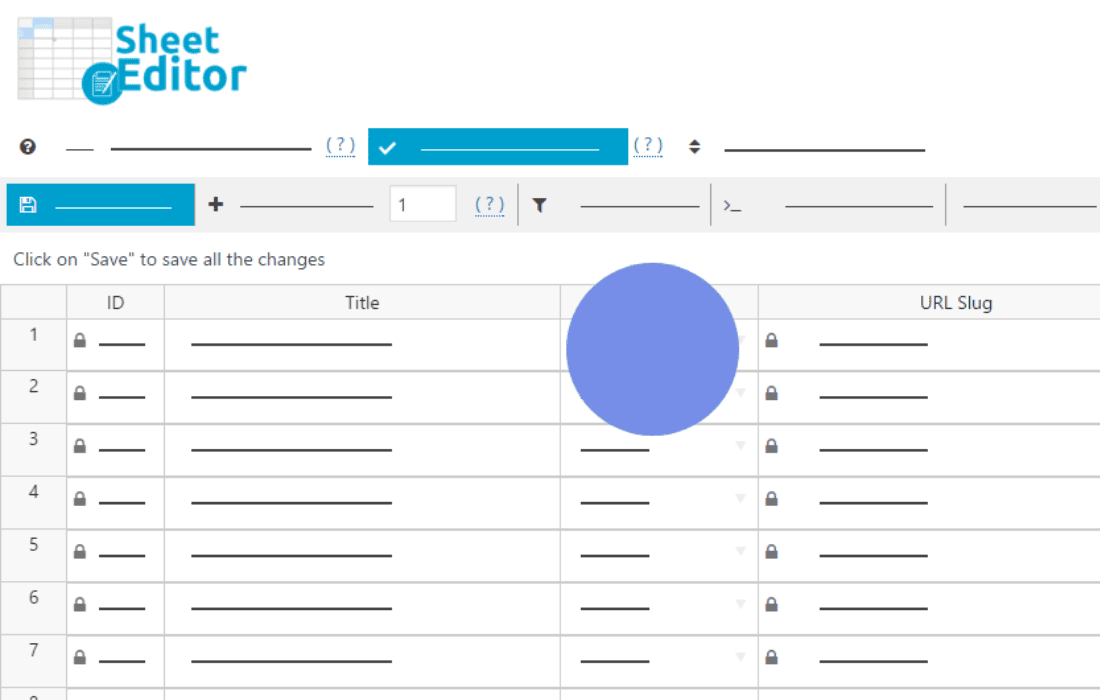
WP Sheet Editor – Editable Frontend Tables empowers you to transform your WordPress site into a dynamic, interactive database management hub. Instead of forcing your team or clients to navigate the complex WordPress backend, this plugin allows you to display, edit, and manage your content directly from the frontend of your website using a familiar, spreadsheet-like interface. Whether you are managing products, user profiles, custom post types, or directory listings, this tool streamlines your workflow, saves time, and provides a professional, user-friendly experience for data entry and updates.
Key Features
- Spreadsheet-Style Editing: Experience a high-performance, grid-based interface that allows you to edit content directly in the browser, just like you would in Excel or Google Sheets.
- Frontend Data Management: Grant specific user roles the ability to view and edit content on the frontend, keeping your WordPress admin dashboard secure and hidden from unauthorized users.
- Advanced Search and Filters: Quickly locate specific data points with powerful search functionality and custom filters, allowing you to narrow down thousands of entries in seconds.
- Bulk Edit Capabilities: Save hours of manual work by performing bulk updates across hundreds of rows simultaneously, perfect for adjusting prices, changing statuses, or updating bulk metadata.
- Customizable Columns: Decide exactly which fields are visible and editable for your users, ensuring a clean interface that only displays the information relevant to their specific tasks.
- Seamless Integration: Works effortlessly with standard WordPress posts, pages, WooCommerce products, and various custom post types created by other plugins.
- Export and Import: Easily move data in and out of your tables using CSV formats, making it simple to synchronize your site data with external software or backup your information.
Use Cases and Who It’s For
This plugin is designed for site owners, developers, and administrators who need to delegate data management without compromising site security. If you run a multi-vendor marketplace, you can allow vendors to manage their own inventory directly from a frontend dashboard without giving them access to your admin panel. Membership site owners can use it to let users update their own profile information or manage directory listings through a clean, intuitive table.
It is also an essential tool for project managers who need to track custom post types, such as task lists, inventory logs, or event schedules. By providing a simplified frontend interface, you reduce the learning curve for your team, minimize errors during data entry, and maintain a cleaner, more organized WordPress environment.
Setup and How It Works
Getting started with WP Sheet Editor is designed to be straightforward, allowing you to deploy functional tables in minutes:
- Select Your Post Type: Choose the content you want to manage, such as WooCommerce products, pages, or any custom post type registered on your site.
- Configure the Table: Use the intuitive settings panel to select which columns (fields) to display and which ones should be editable by the frontend users.
- Set User Permissions: Define which WordPress user roles are authorized to view and interact with the table, ensuring that only the right people have access to your data.
- Publish the Table: The plugin generates a shortcode that you can place on any page or post on your site. Once published, your users will see a fully functional, interactive spreadsheet ready for data entry.
Similar Plugins
If you are exploring options for data management in WordPress, other solutions in this space include WP Data Access, which offers robust database management tools, and various table-based plugins such as wpDataTables, which focus heavily on data visualization and reporting alongside editing capabilities. Additionally, plugins like Admin Columns Pro are often used to enhance the backend management experience, though they differ from WP Sheet Editor by focusing on the admin dashboard rather than the frontend interface.