
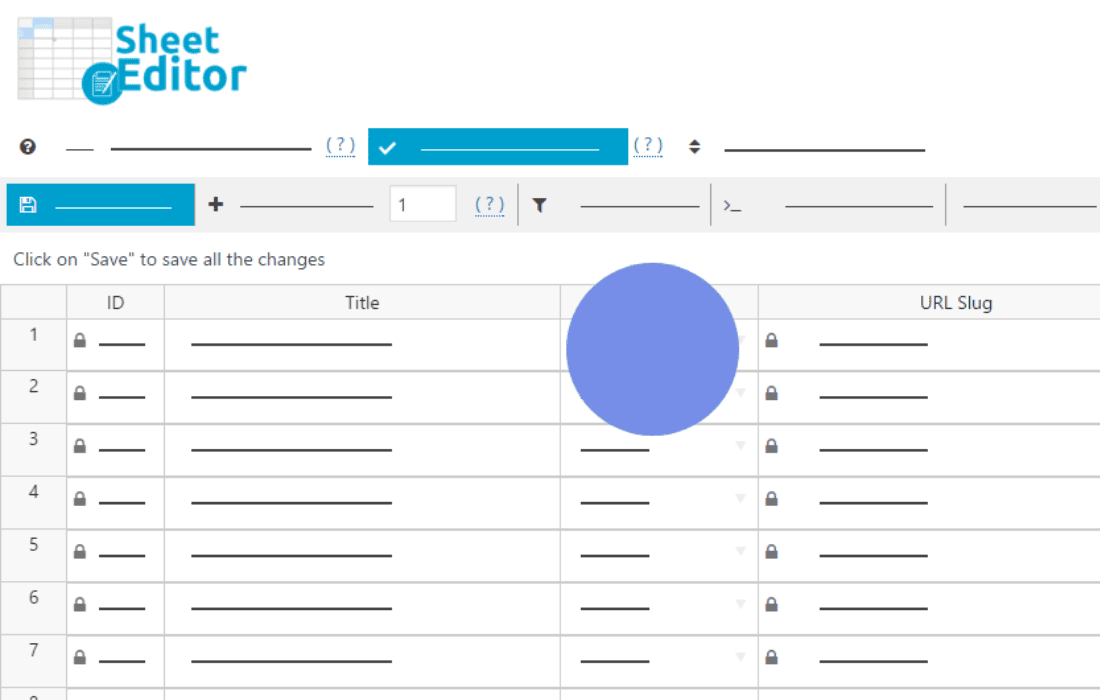
Managing a robust online learning platform often feels like a constant battle against the WordPress dashboard. If you are tired of clicking into individual courses, lessons, or modules just to make simple updates, WP Sheet Editor – Courses is the solution you have been waiting for. This powerful plugin transforms your course management experience by providing a familiar, spreadsheet-style interface directly within your WordPress admin area, allowing you to edit, bulk-update, and manage your entire educational catalog with the speed and efficiency of a professional database manager.
Key Features
- Bulk Edit Thousands of Courses: Stop wasting hours on repetitive tasks. You can edit hundreds of courses, lessons, or modules at once, changing titles, descriptions, categories, or settings in a single action.
- Advanced Search and Filtering: Locate specific content instantly using powerful search filters. Filter by status, category, instructor, price, or any custom field to isolate exactly what you need to modify.
- Spreadsheet-Style Editing: Experience the comfort of a spreadsheet interface. Copy and paste data directly from Excel or Google Sheets, drag and drop to fill cells, and modify values inline without ever opening an individual course page.
- Customizable Column Views: Choose exactly which data points you want to see. Hide unnecessary columns to declutter your workspace and focus on the metrics and fields that matter most to your current workflow.
- Seamless Integration: Designed to work harmoniously with major Learning Management Systems (LMS), ensuring that your course data remains synchronized and accurate across your entire site.
- Export and Import Capabilities: Easily export your course data to CSV for external analysis or reporting, and import updates in bulk to keep your platform current with minimal manual effort.
Use Cases and Who It’s For
WP Sheet Editor – Courses is an essential tool for anyone managing a content-heavy educational site. Whether you are an individual course creator or a large institution, this plugin is designed to save you significant time.
For Course Instructors, it eliminates the frustration of navigating through dozens of menus to update lesson requirements or descriptions. You can view your entire curriculum in one glance and make necessary adjustments for a new semester or cohort in seconds.
For LMS Administrators, this tool is a game-changer when managing sites with hundreds or thousands of courses. It allows for rapid auditing of course data, ensuring that categories, tags, and pricing structures are consistent across the entire platform. It is particularly useful when performing site-wide migrations, bulk-updating course expiration dates, or preparing your site for seasonal sales and promotions.
Setup and How It Works
Getting started with WP Sheet Editor – Courses is designed to be intuitive, requiring no technical coding knowledge to begin managing your data.
- Installation: Install and activate the plugin through your WordPress dashboard just as you would any other plugin.
- Access the Sheet Editor: Navigate to the new menu item created by the plugin. You will be presented with a spreadsheet view of your courses.
- Configure Your View: Use the column management tools to select which fields (e.g., Title, Excerpt, Price, Status) you want to display in your spreadsheet.
- Perform Your Edits: Click directly into any cell to change data. For bulk changes, use the search filters to find the relevant items, select them, and apply your changes to the entire selection at once.
- Save Changes: Once you have finished your edits, simply click the save button to push all updates to your database instantly.
Similar Plugins
While WP Sheet Editor – Courses offers a unique spreadsheet-focused approach, other solutions exist for managing WordPress data in bulk. Users often compare this functionality to plugins such as WP All Import, which focuses on migrating data, or various LMS-specific bulk-editing add-ons provided directly by LMS developers. However, WP Sheet Editor stands out by providing a dedicated, real-time spreadsheet interface that allows for interactive, row-by-row editing rather than just batch processing.