
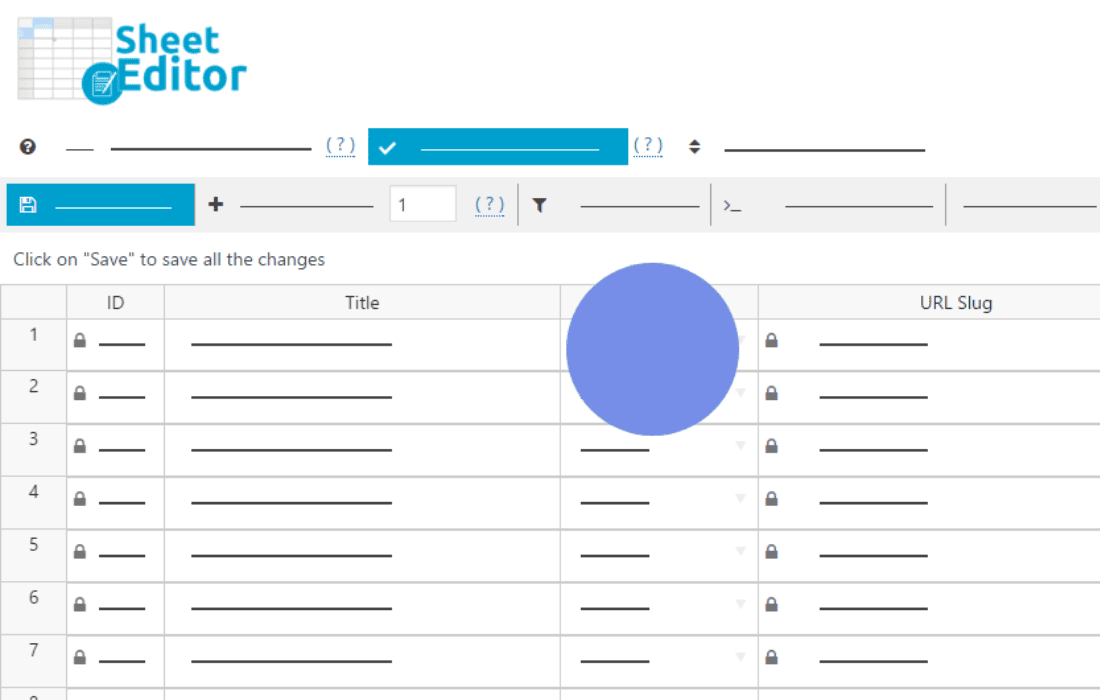
Managing a large volume of donation forms in GiveWP can become a significant bottleneck for non-profits and fundraising teams. The WP Sheet Editor – Bulk Edit GiveWP Forms Pro plugin eliminates the tedious task of opening each form individually to make minor adjustments. By providing a powerful, spreadsheet-style interface directly within your WordPress dashboard, this tool allows you to view, filter, and modify hundreds of donation forms in seconds, saving you hours of administrative work.
Key Features
- Spreadsheet-Style Interface: Edit your GiveWP forms just like you would in Excel or Google Sheets. The intuitive grid layout allows for rapid data entry and modification.
- Bulk Edit Capabilities: Update settings across multiple donation forms simultaneously. Whether you need to change donation goals, update success messages, or toggle specific form settings, you can apply changes to selected forms in a single click.
- Advanced Filtering: Use powerful search and filter tools to narrow down your forms based on specific criteria, such as donation goal status, form type, or creation date, ensuring you only edit the items that need attention.
- Search and Replace: Quickly find and replace specific text or values across your entire library of donation forms, which is ideal for updating URLs, recurring donation labels, or standardized thank-you messages.
- Import and Export: Seamlessly import form data from CSV files or export your current form configurations for backups, reporting, or external analysis.
- Real-Time Validation: Ensure data integrity with built-in validation that helps prevent common errors while you make bulk updates to your donation settings.
- Column Management: Customize your view by showing or hiding specific columns, allowing you to focus only on the data fields that are relevant to your current task.
Use Cases / Who It’s For
This plugin is an essential tool for high-volume fundraising organizations and web agencies managing multiple donation campaigns. If your non-profit runs dozens of seasonal campaigns, peer-to-peer events, or ongoing donation drives, the manual process of updating each form is unsustainable. By using this bulk editor, you can efficiently manage your donor experience by ensuring all forms are consistently configured, up-to-date, and optimized for conversions.
It is also perfectly suited for developers and site administrators who need to perform site migrations or bulk updates after a rebranding effort. Rather than spending days manually clicking through the GiveWP interface, you can perform site-wide updates in minutes, allowing you to focus your energy on strategic fundraising initiatives rather than repetitive data entry.
Setup / How It Works
- Install and Activate: Once the plugin is installed and activated on your WordPress site, a new menu item will appear in your dashboard specifically for the WP Sheet Editor.
- Access the Editor: Navigate to the GiveWP Forms sheet within the editor interface to load all your existing donation forms into the grid.
- Filter Your Data: Use the search bar or filter options to isolate the specific group of forms you wish to modify.
- Make Your Changes: Edit cells directly within the grid, or use the bulk edit tool to apply changes to all selected rows at once.
- Save and Sync: Click the save button to push your updates directly to the GiveWP database, instantly reflecting the changes across your live donation pages.
Similar Plugins
While various bulk editing plugins exist for general WordPress posts and custom post types, WP Sheet Editor – Bulk Edit GiveWP Forms Pro is specifically engineered to handle the unique data structure and settings associated with GiveWP. Other general-purpose bulk editors may lack the deep integration required to safely modify complex donation form settings, making this specialized tool the most reliable choice for GiveWP users.