
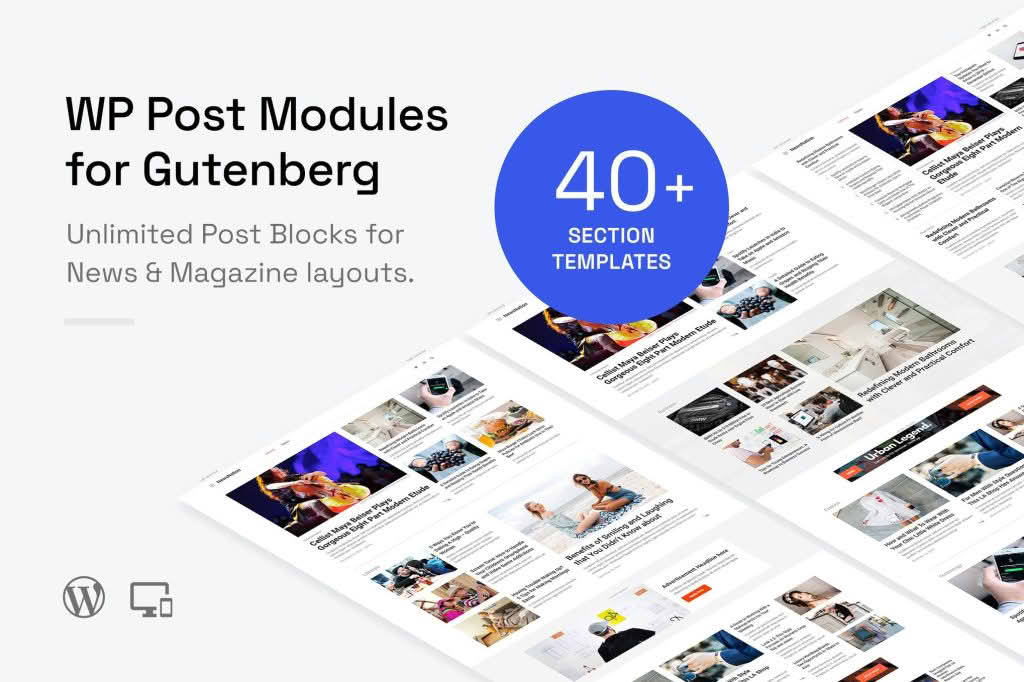
Transform your WordPress site into a professional-grade news portal or digital magazine without writing a single line of code. WP Post Modules for News & Magazine (Gutenberg) empowers publishers, bloggers, and content creators to design dynamic, engaging layouts directly within the WordPress block editor. By leveraging the power of Gutenberg, this plugin allows you to showcase your articles, breaking news, and featured content in visually stunning grids, lists, and carousels that keep readers scrolling and clicking.
Key Features
- Native Gutenberg Integration: Built specifically for the block editor, ensuring a seamless experience that feels like a natural part of WordPress.
- Versatile Layout Options: Choose from a variety of pre-designed modules, including news grids, post sliders, masonry layouts, and list views, to match your site’s unique aesthetic.
- Advanced Query Controls: Easily filter and display content by category, tag, author, or specific post type, giving you full control over which stories appear in each section.
- Customizable Design Elements: Adjust typography, spacing, colors, and border styles for each module to ensure your content perfectly aligns with your brand identity.
- Responsive Design: Every module is fully mobile-responsive, ensuring your magazine looks crisp and professional on smartphones, tablets, and desktop computers.
- Performance Optimized: Engineered with clean code to ensure that your site remains fast and lightweight, even when displaying complex post grids and carousels.
- Dynamic Content Loading: Keep users engaged with pagination, load-more buttons, or infinite scroll options that make browsing through your archives effortless.
Use Cases / Who It’s For
This plugin is the ideal solution for anyone managing content-heavy websites. If you are running an online newspaper, a niche lifestyle blog, a technology review site, or a corporate newsroom, WP Post Modules provides the structure needed to organize vast amounts of information effectively. It is perfect for editors who need to highlight “Editor’s Picks” on the homepage, showcase trending topics in a sidebar, or create specialized landing pages for specific categories like sports, politics, or entertainment. By simplifying the layout process, it allows content teams to focus on writing and publishing rather than struggling with complex page builders or theme limitations.
Setup / How It Works
- Install and Activate: Download and install the plugin from your WordPress dashboard, then activate it to enable the new blocks.
- Open the Editor: Navigate to any page or post where you want to add a news module and open the Gutenberg block editor.
- Insert the Block: Click the plus (+) icon to add a new block and search for the WP Post Modules collection.
- Configure Your Display: Select the desired layout style, such as a grid or slider, from the available options.
- Filter Content: Use the block settings panel to define your query—choose your categories, set the post count, and determine the order of the articles.
- Style and Publish: Customize the visual appearance using the built-in design settings, then publish your page to see your dynamic content live.
Similar Plugins
If you are exploring alternatives in the ecosystem, you may also encounter tools like Post Grid, Content Views, or various block-based add-ons provided by popular theme frameworks like Kadence Blocks or GenerateBlocks. While these tools offer varying degrees of functionality, WP Post Modules for News & Magazine is specifically tailored to the workflow of news-centric publishing, offering a streamlined interface focused on editorial efficiency.