
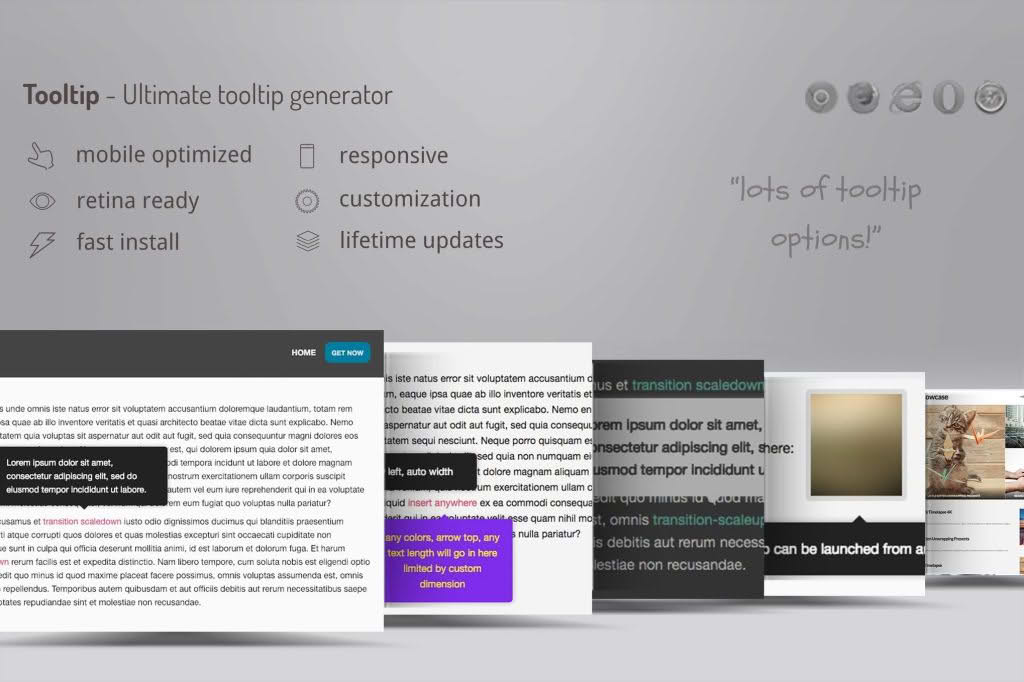
Enhance your website’s user experience and provide instant clarity to your visitors with WordPress Tooltip Ultimate. This powerful, lightweight plugin allows you to create informative, interactive tooltips that appear when users hover over specific text, images, or elements on your site. Whether you are looking to explain complex terminology, provide helpful hints, or offer quick context without cluttering your page layout, this plugin gives you the professional tools needed to guide your audience effectively.
Key Features
- Fully Customizable Design: Tailor the look and feel of your tooltips to match your brand identity. Adjust colors, font sizes, border radius, and padding directly from the settings panel.
- Versatile Content Support: Go beyond simple text. Easily insert images, links, shortcodes, and HTML content into your tooltips to create rich, engaging information popups.
- Multiple Trigger Options: Choose how your tooltips appear. Select from hover, click, or focus triggers to ensure the interaction feels natural for both desktop and mobile users.
- Flexible Positioning: Control exactly where the tooltip appears relative to your content. Set them to display above, below, to the left, or to the right, with automatic adjustments to keep them within the viewport.
- Animation Effects: Add a touch of polish with smooth transition animations. Choose from a variety of fade, slide, and zoom effects to make your tooltips feel modern and responsive.
- Mobile Responsive: Ensure a seamless experience across all devices. The tooltips are built to be lightweight and responsive, ensuring they remain readable and functional on smartphones, tablets, and desktops.
- Shortcode Integration: Quickly place tooltips anywhere on your site—including posts, pages, and widget areas—using simple shortcodes.
- Performance Optimized: Built with clean code to ensure your site remains fast and search-engine friendly, without unnecessary bloat or impact on page load times.
Use Cases: Who It’s For
WordPress Tooltip Ultimate is an essential tool for website owners, bloggers, and developers who want to improve accessibility and information density. If you run an e-commerce store, you can use tooltips to explain technical product specifications or shipping policies without overwhelming the product page. Educational sites and blogs can use them to define jargon or provide citations, keeping the main text clean and readable while still offering deep-dive information for those who want it.
Furthermore, it is a perfect solution for SaaS companies and service providers who need to provide onboarding tips or feature walkthroughs directly within their documentation or landing pages. By reducing the need for users to click away to a separate FAQ page, you keep visitors engaged on your site longer, reducing bounce rates and improving overall conversion potential.
Setup: How It Works
- Install and Activate: Upload the plugin zip file to your WordPress dashboard via the Plugins menu and activate it.
- Configure Global Settings: Navigate to the plugin settings page to define your default tooltip style, including colors, animation speed, and trigger behavior.
- Create Tooltip Content: Use the provided shortcode generator or the standard shortcode syntax to wrap the text or element you want to highlight.
- Insert into Content: Paste the shortcode into any post, page, or text widget. You can define the tooltip text directly within the shortcode attributes.
- Review and Refine: Preview your page to see the tooltips in action. Adjust the positioning or content as needed to ensure the perfect user experience.
Similar Plugins
If you are exploring your options, other plugins in this space include Tooltipy, CM Tooltip Glossary, and WordPress Tooltips by WPExperts. Each offers varying levels of complexity, ranging from simple hover-text solutions to comprehensive glossary-building systems that automatically link terms across your entire website.