
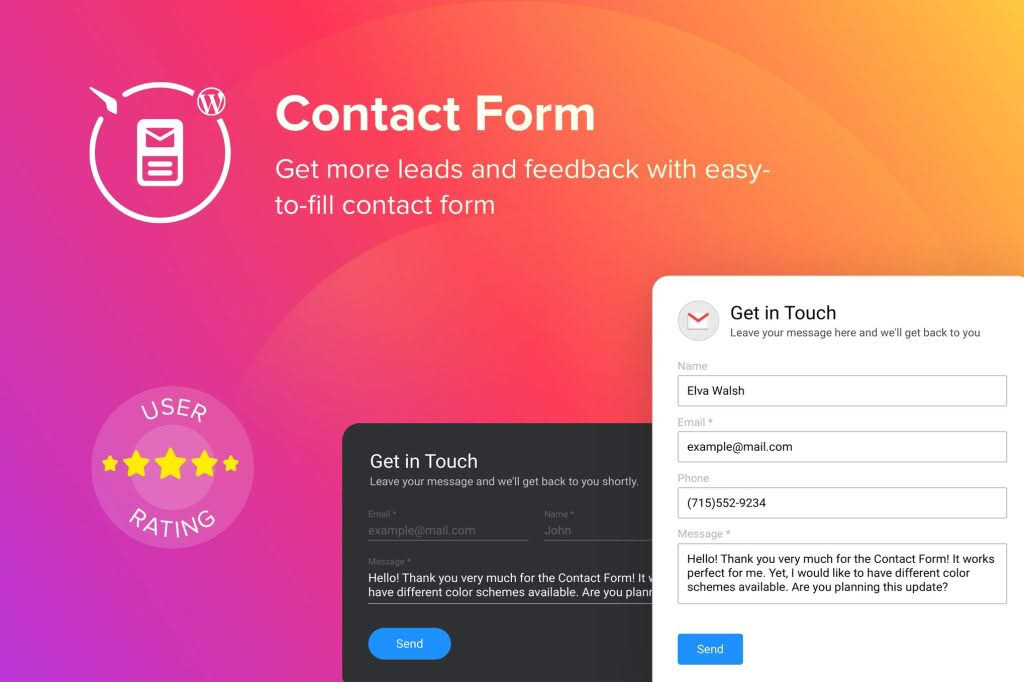
The WordPress Contact Form Plugin is the essential bridge between you and your website visitors, designed to streamline communication without requiring a single line of code. Whether you are a small business owner, a freelancer, or an agency manager, this tool empowers you to create professional, high-converting forms that capture leads, answer customer inquiries, and gather feedback seamlessly. By prioritizing both user experience and administrative efficiency, it ensures that every message sent from your site reaches you reliably, helping you build stronger relationships with your audience.
Key Features
- Drag-and-Drop Form Builder: Create complex forms in minutes using an intuitive interface. Simply drag the fields you need—text, dropdowns, checkboxes, or file uploads—and arrange them exactly how you want them to appear on your site.
- Mobile-Responsive Design: Your forms will look perfect and function flawlessly on any device, whether your visitors are using a desktop computer, a tablet, or a smartphone.
- Smart Spam Protection: Keep your inbox clean with built-in spam filtering tools. Reduce unwanted submissions and focus on legitimate inquiries from real potential customers.
- Customizable Email Notifications: Configure instant email alerts so you never miss a lead. You can set up custom subject lines, sender names, and conditional logic to ensure the right messages reach the right team members.
- Conditional Logic: Create dynamic forms that change based on user input. Show or hide specific fields depending on previous answers to keep your forms short, relevant, and user-friendly.
- File Upload Capabilities: Allow your customers to attach documents, images, or project files directly through your contact forms, making it easier to handle support tickets or project inquiries.
- GDPR Compliance Tools: Easily add consent checkboxes and data handling notices to ensure your forms comply with privacy regulations, giving your users peace of mind when they share their information.
Use Cases / Who It’s For
This plugin is built for anyone who needs to manage digital interactions on their WordPress site. For e-commerce store owners, it is an invaluable tool for handling pre-purchase questions, managing return requests, and gathering customer testimonials. Freelancers and consultants can use the plugin to create detailed project inquiry forms, allowing them to collect necessary project scope details upfront and save time on back-and-forth emails.
Agencies will find the plugin particularly useful for creating standardized intake forms for various clients, ensuring that project requirements are captured consistently every time. Furthermore, bloggers and content creators can utilize the plugin to manage sponsorship inquiries, guest post submissions, or simple reader feedback, all while keeping their personal email addresses private.
Setup / How It Works
- Install and Activate: Upload the plugin to your WordPress dashboard via the Plugins menu and click Activate.
- Build Your Form: Navigate to the plugin settings and select the option to create a new form. Use the drag-and-drop editor to add the necessary fields for your specific needs.
- Configure Notifications: Set up your email preferences to ensure that you, or your team, receive instant alerts whenever a form is submitted.
- Embed Your Form: Once your form is ready, the plugin generates a unique shortcode. Simply copy and paste this shortcode into any page, post, or widget area where you want the contact form to appear.
- Test and Publish: Submit a test entry to verify that the form layout is correct and that the notification email arrives in your inbox. Once verified, your form is live and ready to collect inquiries.
Similar Plugins
If you are exploring the ecosystem of WordPress form solutions, you may also encounter other popular options such as WPForms, Contact Form 7, Gravity Forms, and Ninja Forms. Each of these alternatives provides a distinct approach to form building, ranging from minimalist, code-heavy setups to comprehensive, feature-rich drag-and-drop builders, allowing you to choose the solution that best fits your specific technical comfort level and site requirements.