
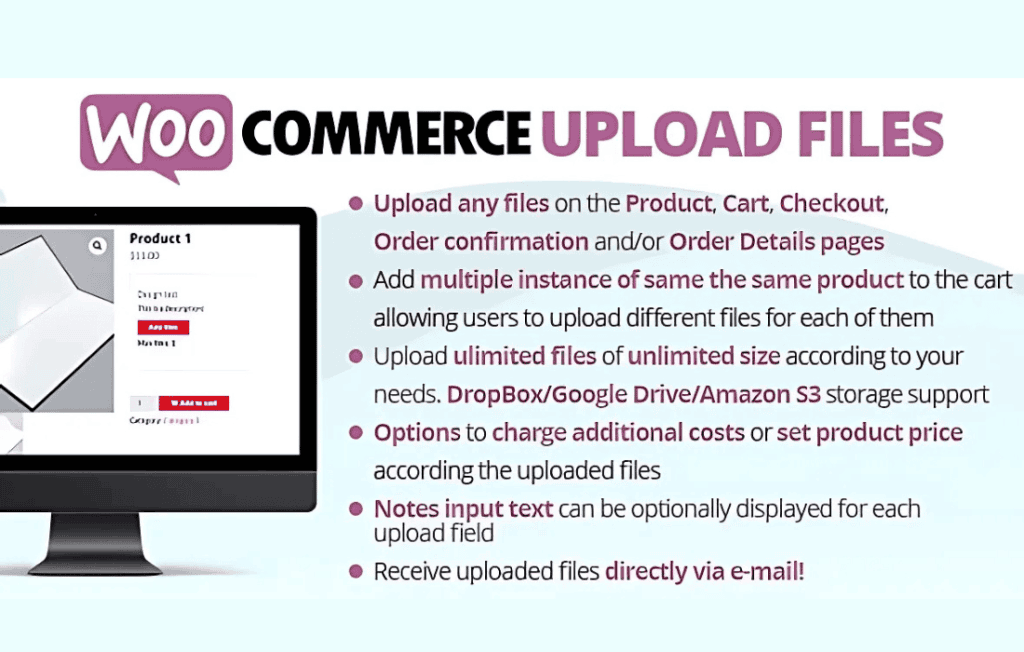
The WooCommerce Upload Files plugin bridges the gap between digital storefronts and personalized customer needs by allowing shoppers to attach files directly to their orders. Whether you sell custom-printed apparel, personalized gifts, or professional services that require documentation, this plugin streamlines your workflow by collecting necessary assets at the point of purchase. By eliminating the back-and-forth of email attachments, you improve the customer experience, reduce administrative overhead, and ensure that every order arrives with the precise files required for fulfillment.
Key Features
- Flexible File Uploads: Enable customers to upload files directly on the product page, the cart page, or the checkout page, ensuring the process fits seamlessly into your existing site flow.
- Comprehensive File Support: Configure allowed file types (such as JPG, PNG, PDF, ZIP, or DOCX) and set maximum file size limits to ensure you only receive the formats your team can process.
- Global or Product-Specific Rules: Apply upload requirements to your entire store or target specific products, giving you full control over when and where customers are prompted to provide files.
- Order Management Integration: Uploaded files are automatically linked to the corresponding WooCommerce order, making them easily accessible for store admins within the WordPress dashboard.
- Customizable Messages: Tailor the upload instructions and labels to guide your customers clearly, reducing confusion and preventing incorrect file submissions.
- Email Notifications: Configure the system to notify your team via email whenever a new file is uploaded, ensuring you stay updated on order requirements in real-time.
- Multiple File Uploads: Allow customers to attach more than one file per order, which is essential for projects requiring multiple assets or design variations.
Use Cases and Who It’s For
This plugin is an essential tool for any WooCommerce store owner who offers customization or requires client input to complete an order. If you operate a print-on-demand business, you can allow customers to upload their high-resolution artwork or logos directly with their order. For service-based businesses, such as graphic designers or consultants, it provides a secure way for clients to submit project briefs, source materials, or signed contracts.
Retailers selling personalized items—like custom jewelry, engraved gifts, or bespoke furniture—benefit by receiving the exact photos or text files needed to initiate production immediately. By digitizing the file collection process, you minimize errors caused by missing information and significantly shorten the time between an order being placed and the start of production.
Setup and How It Works
Getting started with WooCommerce Upload Files is designed to be straightforward for store owners of all technical levels:
- Installation: After installing and activating the plugin, navigate to the dedicated settings panel within your WordPress dashboard.
- Configuration: Define your global settings, including the types of files you accept and the maximum file size allowed for security and storage management.
- Assignment: Choose whether to enable the upload field globally or assign it to specific product categories or individual products that require customer input.
- Customization: Add your own instructional text or labels to the upload button to ensure your customers understand exactly what they need to provide.
- Management: Once a customer completes their purchase with an attached file, you will see a link to that file directly within the WooCommerce Order details page, allowing for instant access and download.
Similar Plugins
If you are exploring options for file management within WooCommerce, other notable solutions include YITH WooCommerce Uploads and WooCommerce Product Add-Ons. While these plugins share the core functionality of collecting user-generated content, it is recommended to review the specific compatibility requirements and the interface of each to ensure it aligns with your store’s theme and existing plugin ecosystem.