
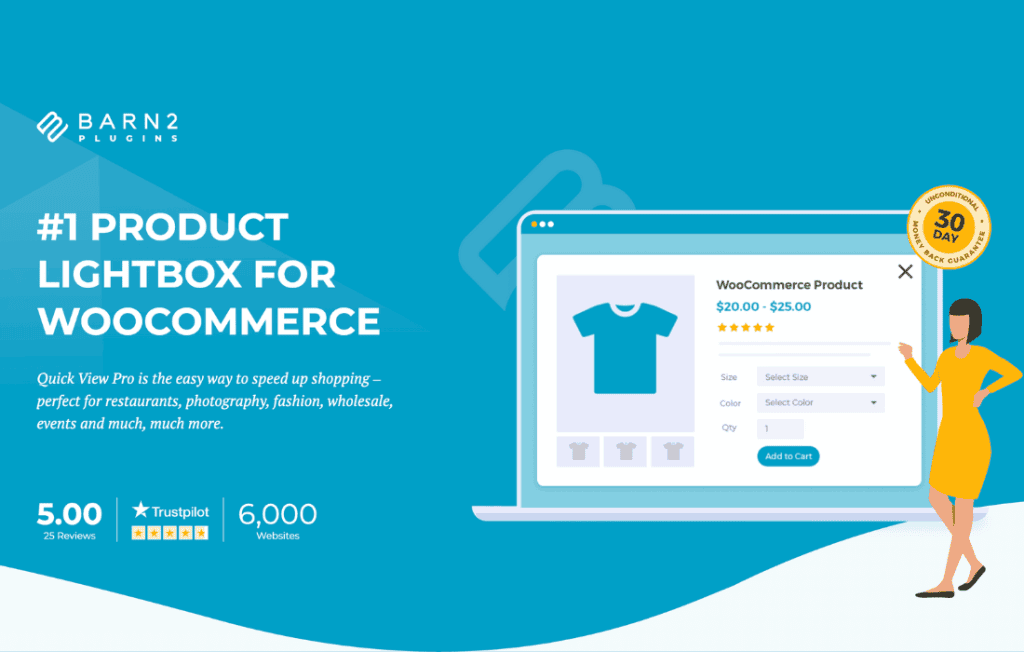
In the fast-paced world of e-commerce, every second counts toward a conversion. WooCommerce Quick View Pro transforms your store’s user experience by allowing customers to view product details, select variations, and add items to their cart without ever leaving the main shop or category pages. By eliminating the need for shoppers to navigate back and forth between product pages, you reduce friction, keep customers engaged, and significantly streamline the path to purchase.
Key Features
- Instant Product Previews: Display a clean, professional lightbox popup containing essential product information, including images, descriptions, prices, and stock status.
- Full Variation Support: Customers can select product variations—such as size, color, or material—directly within the quick view window, ensuring a seamless shopping experience for complex inventories.
- Direct Add-to-Cart Functionality: Enable customers to add products to their cart immediately from the quick view modal, keeping them in the flow of browsing your catalog.
- Customizable Display Options: Choose exactly what information appears in the popup. You can show or hide product meta, categories, tags, and share buttons to keep the interface clean and focused.
- Mobile-Responsive Design: The quick view experience is fully optimized for mobile devices, ensuring that touch-screen users enjoy the same smooth, fast navigation as desktop shoppers.
- Image Gallery Integration: Allow users to browse through multiple product images within the quick view lightbox, providing a comprehensive look at your merchandise without requiring a page reload.
- Developer-Friendly Customization: Easily style the quick view button and modal to match your theme’s branding, ensuring a consistent look and feel across your entire website.
Use Cases / Who It’s For
WooCommerce Quick View Pro is an essential tool for any store owner looking to improve conversion rates by optimizing the user journey. It is particularly valuable for high-volume stores with extensive catalogs where navigating to individual product pages can become tedious for the shopper.
Fashion and apparel retailers benefit immensely from this plugin, as it allows customers to quickly inspect different colors or sizes of a garment without losing their place in a long list of search results. Similarly, wholesalers and B2B stores find that the quick view functionality drastically speeds up the ordering process for repeat customers who already know what they are looking for and simply need to select variations and add to the cart.
If your store relies on visual discovery‚Äîsuch as home decor, art, or electronics‚Äîthis plugin helps maintain the customer’s momentum. By providing a “glanceable” way to evaluate products, you reduce bounce rates and encourage shoppers to explore more of your offerings in less time.
Setup / How It Works
Getting started with WooCommerce Quick View Pro is designed to be straightforward, allowing you to enhance your store in minutes:
- Installation: Install and activate the plugin via your WordPress dashboard just like any other standard WooCommerce extension.
- Configuration: Navigate to the plugin settings page to choose your preferred display options, such as the text for the quick view button and which product elements to include in the modal.
- Placement: The plugin automatically adds the quick view button to your shop and category pages. You can easily toggle this functionality on or off based on your specific layout needs.
- Refinement: Use the built-in settings to adjust the behavior of the lightbox, such as whether it closes automatically after adding an item to the cart or how it handles image galleries.
Similar Plugins
While WooCommerce Quick View Pro offers a robust, dedicated solution, there are other alternatives in the ecosystem that provide similar functionality. These include YITH WooCommerce Quick View, which offers a popular alternative with various customization options, and Barn2 WooCommerce Quick View Pro, which is highly regarded for its focus on performance and seamless integration with existing WooCommerce themes. Additionally, many premium WooCommerce themes now include built-in quick view functionality, though dedicated plugins often provide more granular control and deeper feature sets for growing stores.