
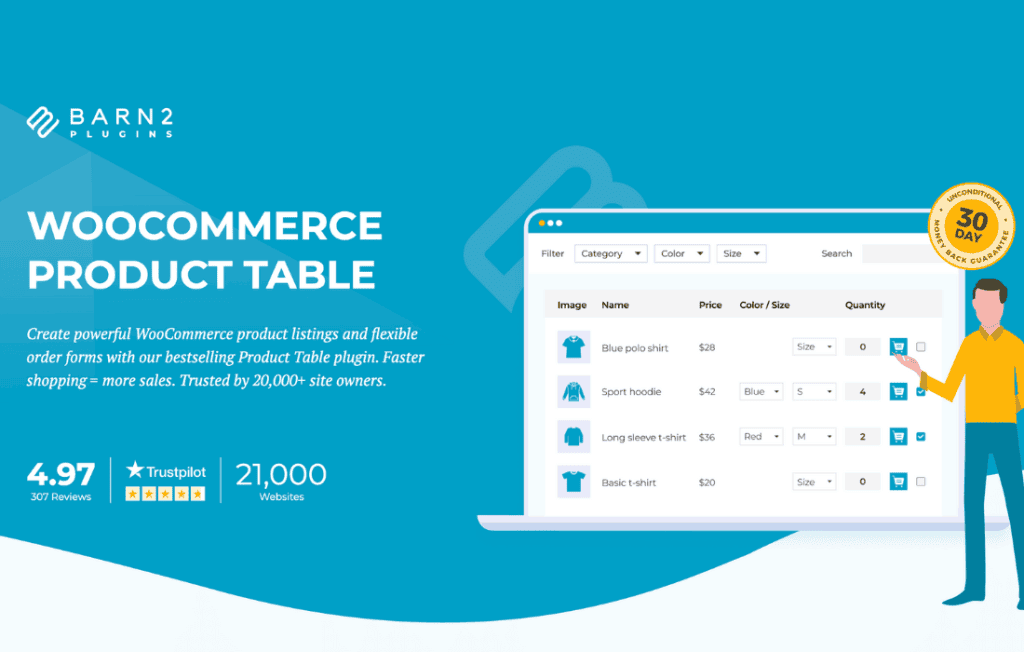
Transform your WooCommerce store into a high-converting catalog with the WooCommerce Product Table plugin. Designed for store owners who want to streamline the shopping experience, this tool replaces standard, slow-loading product grids with a clean, searchable, and sortable table layout. By allowing your customers to view more products at a glance and add multiple items to their cart without leaving the page, you reduce friction, improve user experience, and ultimately increase your conversion rates.
Key Features
- Instant Search and Filtering: Empower your customers to find exactly what they need in seconds. The plugin adds live search bars and filter dropdowns, allowing users to narrow down products by category, tag, attribute, or custom taxonomy instantly.
- Fully Responsive Design: Your store will look professional on any device. The table automatically adjusts its layout for mobile and tablet users, ensuring that your product data remains readable and functional regardless of screen size.
- Bulk Add-to-Cart Functionality: Speed up the purchasing process significantly. Customers can select multiple products and quantities simultaneously and add them to their cart with a single click, which is ideal for wholesale or B2B stores.
- Customizable Columns: You have complete control over what information is displayed. Choose to show product images, names, descriptions, price, stock status, ratings, or custom fields to provide the exact level of detail your shoppers require.
- Lazy Load Support: Keep your site fast even if you have thousands of products. With lazy loading, the plugin only loads product data as the user scrolls, preventing performance bottlenecks and maintaining fast page load speeds.
- Direct Media Embedding: Enhance your product listings by embedding audio or video directly into the table, perfect for music stores, educational material providers, or digital product shops.
Use Cases: Who It’s For
The WooCommerce Product Table is an essential tool for any store where product data density is more important than large, gallery-style images. It is particularly effective for businesses that operate in the B2B or wholesale space, where professional buyers need to quickly compare specifications and order in bulk.
It is also a game-changer for online stores selling parts, accessories, or consumables. If your customers know exactly what they are looking for, they do not want to click through individual product pages to find a price or an “Add to Cart” button. By presenting your inventory in a structured table, you cater to the “quick-order” mindset, which significantly improves the user journey for repeat customers and high-volume shoppers.
Setup and How It Works
Getting started with the WooCommerce Product Table is designed to be straightforward, requiring no advanced coding knowledge. You can deploy your first table in just a few minutes:
- Install and Activate: Upload the plugin to your WordPress site and activate it through your dashboard.
- Configure Global Settings: Use the settings panel to define your default table behavior, such as which columns should appear by default and how the search functionality should behave.
- Create Your Table: You can display your product table anywhere on your site by using a simple shortcode. You can even customize individual tables by adding parameters to the shortcode, allowing you to display different product categories on different pages.
- Publish: Once the shortcode is placed on a page or post, your product table will automatically populate with your WooCommerce inventory, ready for your customers to browse and buy.
Similar Plugins
If you are exploring your options, there are other solutions in the WooCommerce ecosystem that offer similar functionality. Plugins like Product Table for WooCommerce by Barn2 and WooCommerce Product Table by CodeCanyon authors are common alternatives that also focus on converting standard WooCommerce layouts into data-rich, searchable tables. Each of these tools offers varying levels of customization, so it is recommended to evaluate which specific filter types or design options best align with your store’s unique requirements.