
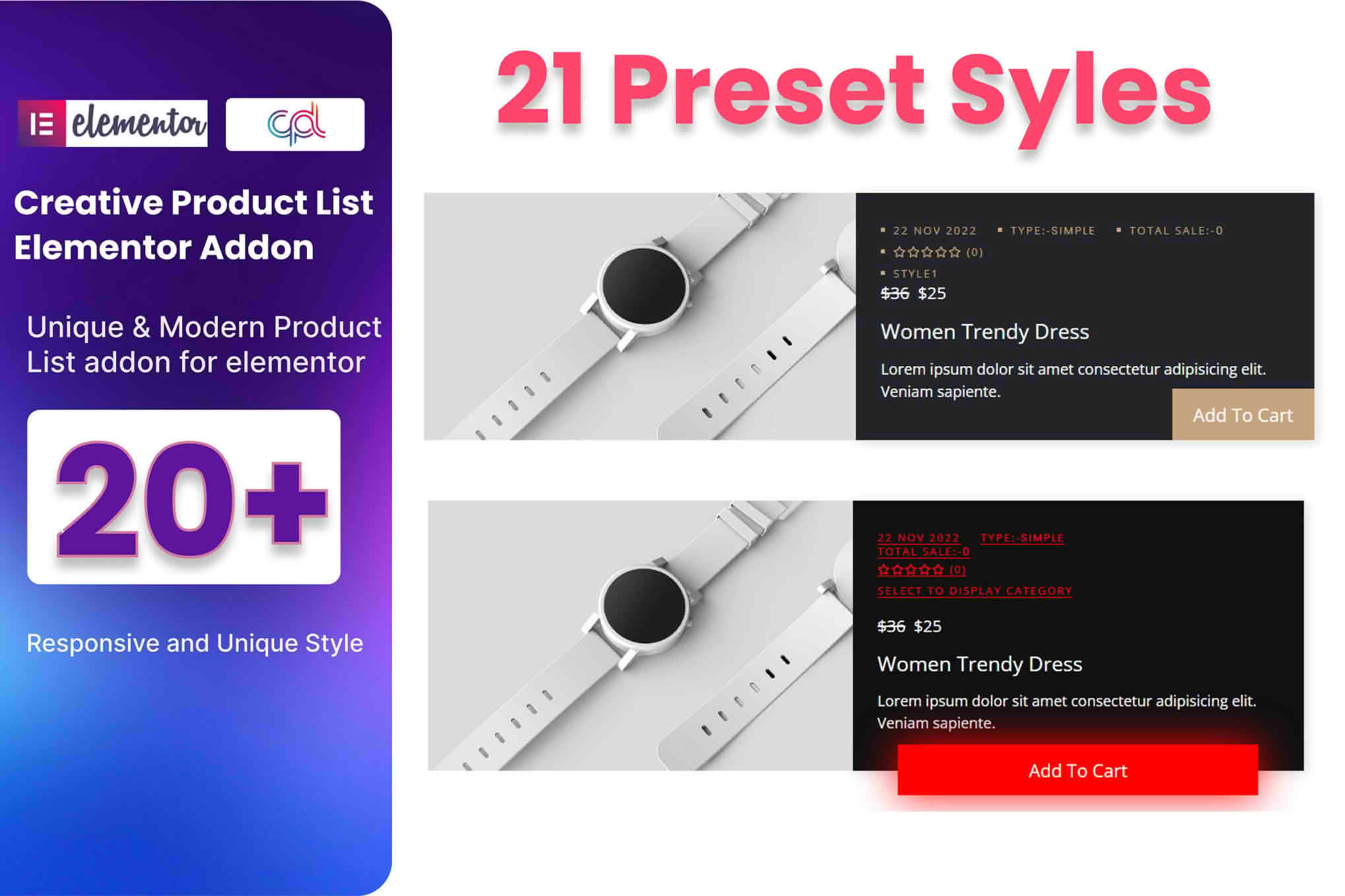
The WooCommerce Product List Addon for Elementor empowers store owners and designers to break free from rigid, default product display layouts. By seamlessly integrating with the Elementor page builder, this plugin allows you to create highly customized, visually engaging product lists and grids without writing a single line of code. Whether you are looking to highlight specific collections, create dynamic sales pages, or improve the overall shopping experience for your customers, this addon provides the flexibility and control needed to make your products stand out.
Key Features
- Drag-and-Drop Interface: Fully compatible with Elementor, allowing you to drag, drop, and configure your product lists directly within the live editor.
- Customizable Layouts: Choose between grid or list views and easily adjust columns, spacing, and alignment to match your brand’s unique aesthetic.
- Dynamic Query Controls: Take full control over which products appear. Filter by category, tag, featured status, or specific product IDs to create targeted displays.
- Flexible Sorting Options: Allow customers to find what they need faster by sorting products by price, popularity, latest arrivals, or alphabetical order.
- Advanced Styling Controls: Customize typography, colors, borders, and hover effects for product titles, prices, buttons, and badges to ensure a cohesive look across your site.
- Interactive Elements: Enhance user engagement with built-in options for quick-view buttons, add-to-cart functionality, and dynamic sale badges.
- Responsive Design: Ensure your product lists look perfect on every device with granular control over how columns and elements stack on mobile, tablet, and desktop screens.
- Performance Focused: Built with clean, optimized code to ensure your product pages load quickly, helping to maintain a positive user experience and support SEO efforts.
Use Cases and Who It’s For
This plugin is designed for WooCommerce store owners, freelance web designers, and agency developers who want to elevate their e-commerce sites beyond standard themes. If you find your current theme’s product display options too restrictive, this addon provides the creative freedom to design custom layouts that convert.
It is perfect for building high-converting landing pages for marketing campaigns, creating curated “Best Seller” or “New Arrival” sections on your homepage, or organizing large catalogs into easy-to-navigate, niche-specific lists. Agencies will find it particularly useful for delivering tailored, professional-looking e-commerce solutions to clients efficiently, without the need for custom development work.
Setup and How It Works
Getting started with the WooCommerce Product List Addon for Elementor is designed to be straightforward, allowing you to build professional displays in minutes.
- Install and Activate: Upload the plugin zip file to your WordPress site via the Plugins menu and activate it.
- Open Elementor: Navigate to any page or post where you wish to display your products and open the Elementor editor.
- Locate the Widget: Search for the custom product list widget in the Elementor panel on the left-hand side.
- Drag and Drop: Drag the widget onto your page canvas.
- Configure Settings: Use the Content tab to select your product source, categories, and sorting preferences.
- Style Your List: Switch to the Style tab to adjust colors, fonts, spacing, and visual effects to match your site design.
- Publish: Once you are satisfied with the look and feel, save your changes and publish your page.
Similar Plugins
If you are exploring options for customizing WooCommerce displays within Elementor, you may also encounter other solutions such as Essential Addons for Elementor, JetWooBuilder, or PowerPack for Elementor. These plugins often include product grid and list widgets as part of larger suites of Elementor extensions. While they offer similar core functionality, the WooCommerce Product List Addon for Elementor is specifically focused on providing a lightweight, dedicated solution for those who want to enhance their product displays without installing large, multi-purpose addon packs.