
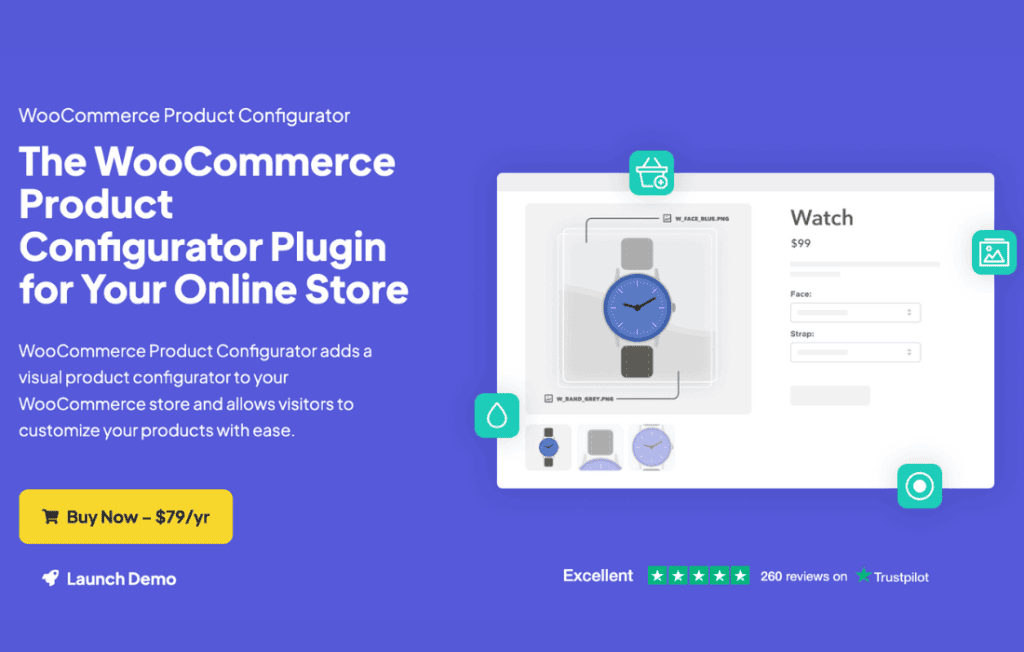
Transform the way your customers shop by turning static product pages into interactive, personalized experiences with the WooCommerce Product Configurator. This powerful tool empowers your shoppers to design their own unique versions of your products in real-time, directly within your store. By allowing users to visualize their choices—from colors and materials to custom components—you reduce purchase hesitation, increase customer engagement, and significantly boost conversion rates for complex or customizable inventory.
Key Features
- Live Visual Previewing: Provide an instant, dynamic view of the product as customers make selections, ensuring they see exactly what they are ordering before adding it to their cart.
- Layered Image Support: Utilize a layered image system where each user selection updates a specific visual layer, allowing for complex, multi-part product customization without needing thousands of static photos.
- Conditional Logic: Control the user journey by showing or hiding specific options based on previous selections, ensuring customers only see relevant choices and preventing incompatible configurations.
- Dynamic Pricing Calculations: Automatically adjust the product price in real-time as users add premium features or select more expensive materials, providing full transparency throughout the configuration process.
- Mobile-Responsive Design: Ensure a seamless and intuitive customization experience for users on all devices, from desktop computers to smartphones and tablets.
- Inventory Management Integration: Link specific configuration options to your existing WooCommerce inventory, ensuring that you only sell combinations you can actually fulfill.
- High-Quality Export Options: Generate detailed order summaries and visual previews for your production team, making it easier to manufacture or assemble the custom items once an order is placed.
Use Cases / Who It’s For
The WooCommerce Product Configurator is the ideal solution for any business selling modular or customizable goods. If you operate a store where customers expect to “build their own” product, this plugin is essential.
Furniture retailers use it to let customers select wood finishes, fabric types, and hardware styles for sofas or tables. Automotive and bike accessory shops leverage the tool to allow enthusiasts to visualize custom paint jobs, decal placements, or component upgrades. Additionally, businesses selling personalized gifts, custom apparel, or modular electronics find that providing a visual configurator dramatically increases customer satisfaction and reduces the volume of support tickets related to order specifications.
Setup / How It Works
- Install and Activate: Upload the plugin to your WordPress site and activate it via the plugins dashboard.
- Define Product Layers: Create your product and upload the base image along with the individual transparent layers for each customizable element (e.g., a separate image file for the frame, the seat, and the legs).
- Configure Options: Within the product editor, map your WooCommerce attributes or custom fields to these image layers.
- Set Conditional Rules: Define any dependencies, such as making certain fabric options unavailable if a specific frame material is selected.
- Publish and Preview: Once saved, the configurator replaces your standard product image gallery with an interactive interface, ready for your customers to start designing.
Similar Plugins
If you are exploring the ecosystem of WooCommerce customization tools, you may also encounter solutions such as the WooCommerce Product Options plugin, which focuses on adding custom fields and input types, or Fancy Product Designer, which offers a more comprehensive canvas-based design environment for print-on-demand and apparel businesses. While these alternatives offer their own unique strengths, the WooCommerce Product Configurator is specifically optimized for businesses that rely on layered visual representations to showcase complex, modular products.