
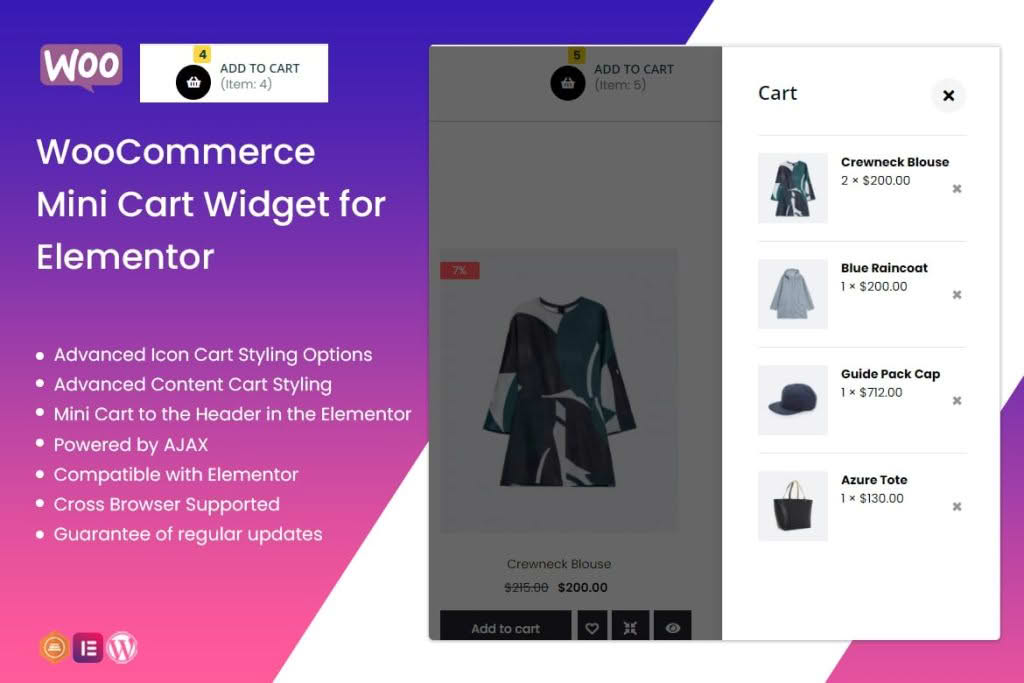
Enhance your customer shopping experience and boost conversion rates with the WooCommerce Mini Cart Widget for Elementor. This powerful extension allows you to integrate a sleek, highly customizable mini cart directly into your website’s header or sidebar, ensuring that customers can view their selected items, adjust quantities, and proceed to checkout without ever leaving their current page. Designed specifically for the Elementor page builder, this plugin provides a seamless, drag-and-drop interface that empowers store owners to create a professional, frictionless path to purchase.
Key Features
- Seamless Elementor Integration: Designed to work natively within the Elementor editor, allowing you to drag, drop, and style your mini cart widget with ease.
- Real-Time Updates: Automatically syncs with your WooCommerce cart, ensuring that product additions, removals, and quantity changes are reflected instantly without page reloads.
- Customizable Design: Take full control over the look and feel. Adjust colors, typography, button styles, and spacing to perfectly match your brand identity.
- Responsive Layouts: Ensure a flawless shopping experience on mobile devices, tablets, and desktops with fully responsive widget settings.
- Flexible Trigger Options: Choose how the mini cart appears—whether through a hover effect, a click action, or as a persistent sidebar element.
- Product Management: Allow users to remove items or update quantities directly from the mini cart interface, reducing friction and encouraging faster checkouts.
- Empty Cart States: Customize the message or call-to-action displayed when a customer’s cart is empty, helping to guide them back to your shop pages.
Use Cases and Who It Is For
This plugin is an essential tool for any WooCommerce store owner looking to optimize their conversion funnel. If you run a high-traffic e-commerce site, you understand that every extra click or page load is an opportunity for a customer to abandon their cart. By providing a persistent, accessible summary of their order, you keep the shopping process top-of-mind.
It is particularly beneficial for fashion retailers, electronics stores, and digital marketplaces where customers frequently add multiple items to their cart before finalizing a purchase. By using this widget, you provide a professional, modern interface that builds trust and keeps the user experience focused on the products rather than the navigation.
Setup and How It Works
- Installation: Install and activate the plugin through your WordPress dashboard just like any other standard plugin.
- Elementor Access: Open any page or template (such as your Header template) using the Elementor editor.
- Drag and Drop: Locate the ‘WooCommerce Mini Cart’ widget in the Elementor sidebar and drag it into your desired location, such as your navigation menu or a sticky header.
- Configuration: Use the Elementor settings panel to customize the widget’s appearance, including icons, text colors, and button styling.
- Save and Preview: Once your design is finalized, save your changes. The mini cart will immediately become active, providing a smoother checkout experience for your visitors.
Similar Plugins
If you are exploring alternatives for managing WooCommerce cart displays within Elementor, other popular solutions include the JetWooBuilder suite by Crocoblock, which offers extensive WooCommerce widgets for Elementor, and WooLentor, which provides a comprehensive library of WooCommerce-specific modules and templates designed for the Elementor page builder.