
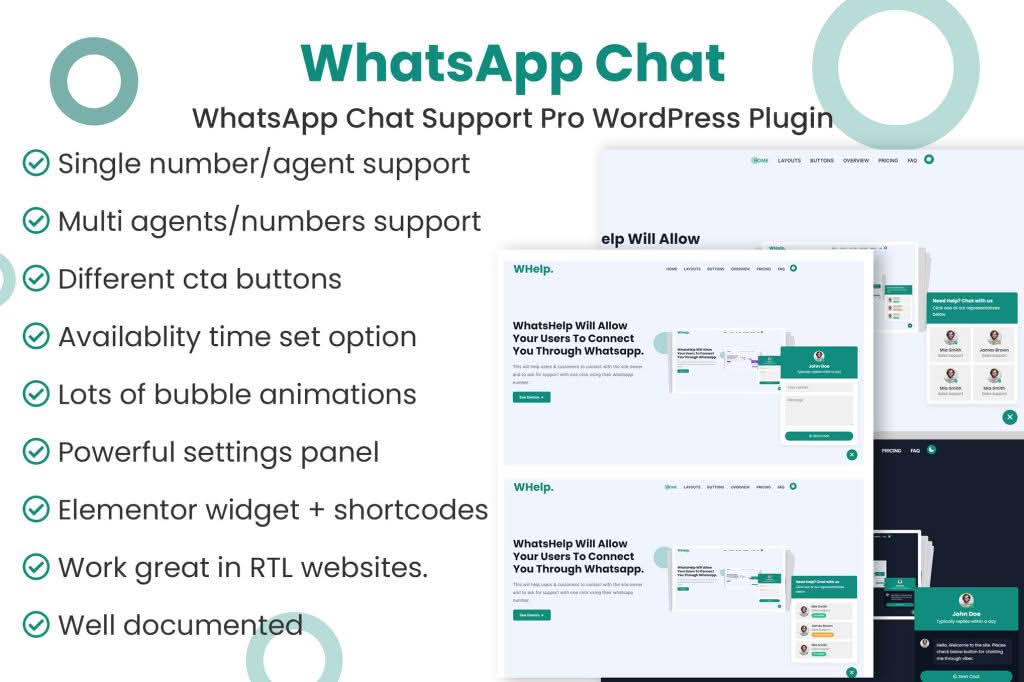
In today’s fast-paced digital marketplace, customers expect instant answers. The WhatsApp Chat Support Pro WordPress plugin bridges the gap between your website and your customers, allowing you to provide real-time, personalized support directly through the world’s most popular messaging platform. By removing friction from the communication process, you can increase conversion rates, improve customer satisfaction, and build stronger relationships with your audience without the need for complex, expensive helpdesk software.
Key Features
- Direct WhatsApp Integration: Connect your website visitors directly to your WhatsApp account with a single click, facilitating immediate, one-on-one conversations.
- Customizable Chat Buttons: Tailor the appearance of your chat widget to match your brand identity, including custom colors, icons, and positioning on your site.
- Pre-filled Message Support: Streamline inquiries by allowing users to send pre-defined messages, helping you quickly identify the context of their request.
- Multiple Agent Support: Easily manage support requests by assigning different WhatsApp numbers to different departments or team members, ensuring inquiries reach the right person.
- Availability Scheduling: Set specific operating hours for your chat support so customers know exactly when they can expect a live response, managing expectations effectively.
- Mobile and Desktop Optimized: Ensure a seamless user experience across all devices, whether your visitors are browsing on their smartphones or desktop computers.
- GDPR Compliance Tools: Utilize built-in settings to ensure your chat implementation respects user privacy and meets necessary data protection standards.
- Performance Focused: Lightweight code ensures that your website loading speeds remain unaffected, keeping your SEO and user experience metrics intact.
Use Cases / Who It’s For
This plugin is an essential tool for any WordPress site owner who prioritizes customer experience and wants to reduce cart abandonment. E-commerce store owners using WooCommerce can use it to answer pre-purchase questions, guide customers through the checkout process, and provide order status updates in real-time. Service-based businesses, such as consultants, agencies, and local service providers, can utilize the plugin to schedule appointments and provide instant consultations, significantly shortening the sales cycle.
Furthermore, it is an ideal solution for small to medium-sized businesses that lack the resources for a full-scale customer support team. By leveraging the familiarity of WhatsApp, you can provide professional-grade support using the tools your team already uses daily. Whether you are a blogger looking to engage with your readers, a real estate agent handling property inquiries, or a restaurant owner taking direct orders, this plugin provides the direct line of communication necessary to turn casual visitors into loyal customers.
Setup / How It Works
Getting started with WhatsApp Chat Support Pro is designed to be straightforward, requiring no coding knowledge or technical expertise.
- Installation: Upload the plugin zip file to your WordPress dashboard via the Plugins menu and activate it.
- Configuration: Navigate to the plugin settings page to enter your primary WhatsApp phone number.
- Customization: Use the intuitive interface to select your preferred button style, set the widget position, and customize the welcome message or pre-filled text.
- Agent Management: If you have a team, add additional agent profiles and phone numbers, assigning them to specific pages if desired.
- Scheduling: Configure your business hours to ensure the chat button only appears when you are available to respond, or set it to remain visible 24/7.
- Deployment: Save your settings, and the chat widget will automatically appear on your site, ready to facilitate conversations with your visitors.
Similar Plugins
If you are exploring your options, there are several alternatives in the WordPress ecosystem that offer similar functionality, such as Join.chat, Click to Chat, and WP Social Chat. Each of these plugins provides variations on the WhatsApp integration theme, allowing you to compare features like advanced analytics, specific WooCommerce integrations, and design flexibility to find the best fit for your unique business requirements.