
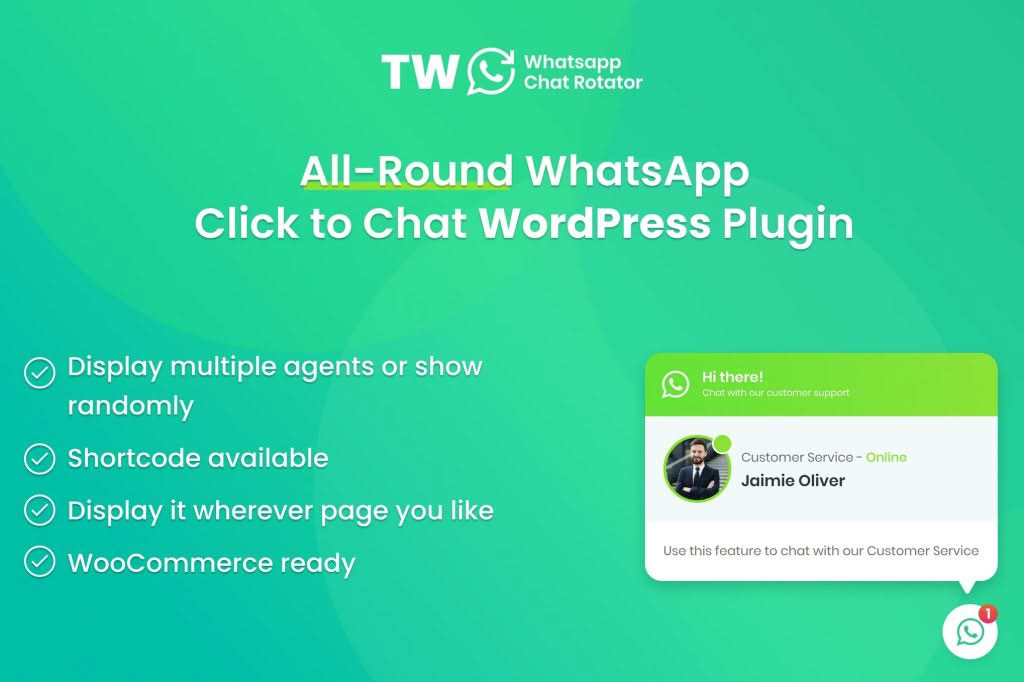
Transform your website visitors into loyal customers by bridging the gap between your store and their favorite messaging app. WhatsApp Chat for WordPress and WooCommerce provides a seamless, real-time communication channel that allows you to provide instant support, answer product inquiries, and close sales directly through the world’s most popular messaging platform. By adding a familiar, accessible chat button to your site, you remove friction from the buying process and build the kind of personal connection that drives conversions.
Key Features
- Real-Time Communication: Enable instant, one-on-one conversations between your team and your customers, fostering trust and providing immediate answers to help finalize purchases.
- WooCommerce Integration: Automatically include product details in the chat message, allowing customers to ask specific questions about an item directly from the product page.
- Customizable Chat Widgets: Tailor the look and feel of your chat button to match your brand identity, including custom colors, icons, and position settings on your site.
- Multiple Support Agents: Assign different phone numbers or WhatsApp accounts to specific departments or team members, ensuring inquiries reach the right person every time.
- Pre-Filled Message Templates: Set up custom message templates so customers can initiate a conversation with a single click, making it easier for them to start the dialogue.
- Schedule Availability: Control when your chat button appears by setting specific business hours, ensuring customers know exactly when they can expect a live response.
- Mobile Optimization: The chat interface is designed to be fully responsive, ensuring a smooth experience for users on smartphones, tablets, and desktops.
- GDPR Compliance Tools: Utilize built-in settings to ensure your chat functionality aligns with data privacy regulations by managing consent and disclosure notifications.
Use Cases: Who It’s For
This plugin is an essential tool for any business owner looking to humanize their digital storefront. If you run an e-commerce shop, it serves as a virtual sales assistant, helping you guide hesitant buyers through the checkout process or providing personalized product recommendations. It is also ideal for service-based businesses, such as consultants, agencies, or local service providers, who need to manage client inquiries efficiently without forcing users to navigate away from their website to send an email.
Whether you are a solo entrepreneur managing your own support or a growing team handling high volumes of traffic, this plugin simplifies communication. By meeting your customers where they already spend their time—on WhatsApp—you significantly reduce the bounce rate and increase the likelihood of turning a casual browser into a repeat buyer.
Setup: How It Works
Getting started with WhatsApp Chat for WordPress and WooCommerce is designed to be straightforward, requiring no complex coding knowledge.
- Installation: Upload and activate the plugin through your WordPress dashboard just like any other standard plugin.
- Configuration: Navigate to the plugin settings page to enter your primary WhatsApp phone number and customize your display preferences.
- Customization: Select your preferred button style, choose the placement on your site (bottom-left, bottom-right, etc.), and configure your welcome message or pre-filled templates.
- WooCommerce Sync: Enable the WooCommerce-specific settings to automatically pull product links or titles into the chat initiation window.
- Activation: Save your settings, and the chat widget will immediately appear on your site, ready to facilitate conversations with your visitors.
Similar Plugins
If you are exploring your options, other popular solutions in the WordPress ecosystem that offer similar functionality include Join.chat, Click to Chat by Chaty, and WP Social Chat. Each of these plugins offers varying levels of customization and integration depth, allowing you to choose the tool that best fits your specific workflow and support requirements.