
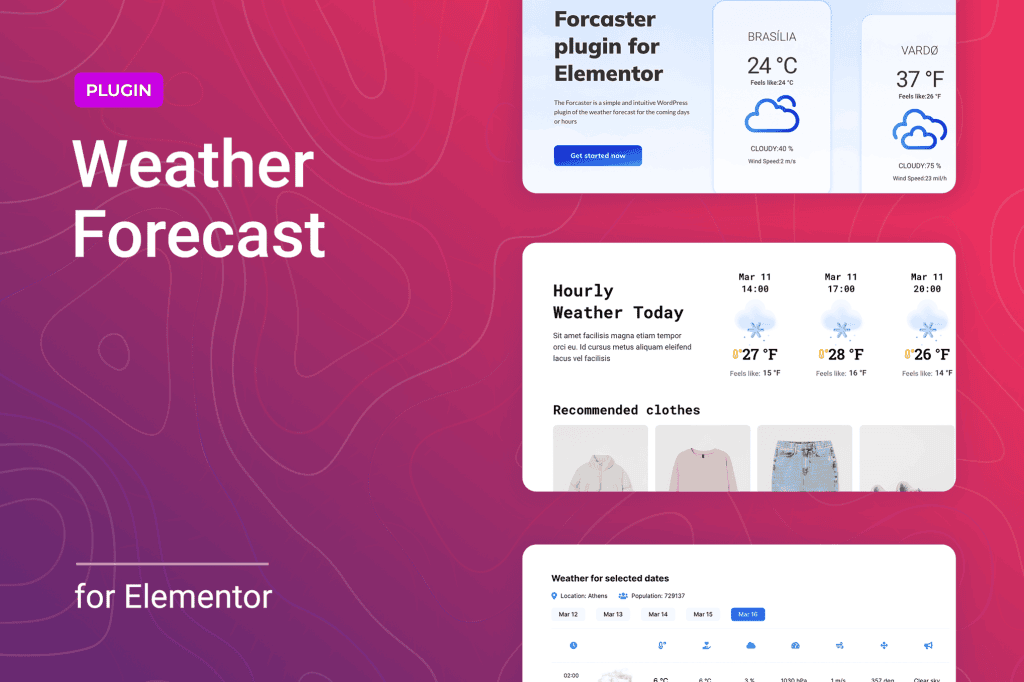
Bring your website to life with real-time, accurate weather data seamlessly integrated into your Elementor-built pages. The Weather Forecast for Elementor plugin empowers site owners, travel bloggers, and local businesses to display dynamic weather conditions for any location worldwide without writing a single line of code. By providing your visitors with immediate, relevant environmental context, you enhance user experience, increase engagement, and keep your audience informed directly from your dashboard.
Key Features
- Seamless Elementor Integration: Drag and drop the weather widget directly into any section, column, or page using the familiar Elementor interface.
- Global Location Coverage: Search and display weather data for virtually any city or location across the globe using a simple search or coordinate input.
- Customizable Display Options: Tailor the widget to match your brand identity by adjusting fonts, colors, icon styles, and layout dimensions.
- Real-Time Data Accuracy: Rely on professional-grade weather data sources to ensure your visitors receive the most current temperature, humidity, wind speed, and atmospheric conditions.
- Responsive Design: Ensure your weather widget looks perfect on every device, from high-resolution desktop monitors to compact mobile screens.
- Multiple Units of Measurement: Easily toggle between Celsius and Fahrenheit, as well as different wind speed and pressure units, to suit your target audience’s preferences.
- Lightweight Performance: Engineered for speed, the plugin ensures that fetching weather data does not negatively impact your website’s loading times.
Use Cases and Who It Is For
Weather information is a critical component for many industries, and this plugin makes adding that value effortless. If you run a travel or tourism website, displaying current weather conditions helps your visitors plan their trips and pack accordingly, adding immediate utility to your content. For local businesses, such as restaurants with outdoor seating, event venues, or landscaping services, showing the local weather forecast helps manage customer expectations and encourages visits during pleasant conditions.
Event planners can use the plugin to keep attendees informed about outdoor ceremonies or festivals, while real estate agents can highlight the beautiful climate of a specific neighborhood. Essentially, any website that relies on location-based context can benefit from providing live weather updates, turning a static page into a dynamic, helpful resource for your visitors.
Setup and How It Works
- Install and Activate: Upload the plugin zip file to your WordPress dashboard via the Plugins menu and activate it.
- Configure API Settings: Navigate to the plugin settings page to input your weather data provider API key. This key allows the plugin to communicate with global weather databases to fetch live information.
- Open Elementor Editor: Navigate to the page or post where you want to display the forecast and launch the Elementor editor.
- Drag and Drop: Locate the “Weather Forecast” widget in the Elementor sidebar and drag it into your desired layout position.
- Customize and Style: Use the widget’s content tab to set your target location and the style tab to adjust colors, typography, and icon sets to perfectly match your site‚Äôs design.
- Publish: Once you are satisfied with the look and feel, update or publish your page to make the live weather forecast visible to your visitors.
Similar Plugins
If you are exploring options for weather integration within the WordPress ecosystem, other notable solutions include the WP Simple Weather plugin and various weather-focused add-ons available within larger Elementor extension libraries like Essential Addons for Elementor or Premium Addons for Elementor. These alternatives offer varying levels of complexity, ranging from simple shortcode-based displays to highly stylized, interactive weather dashboards.