
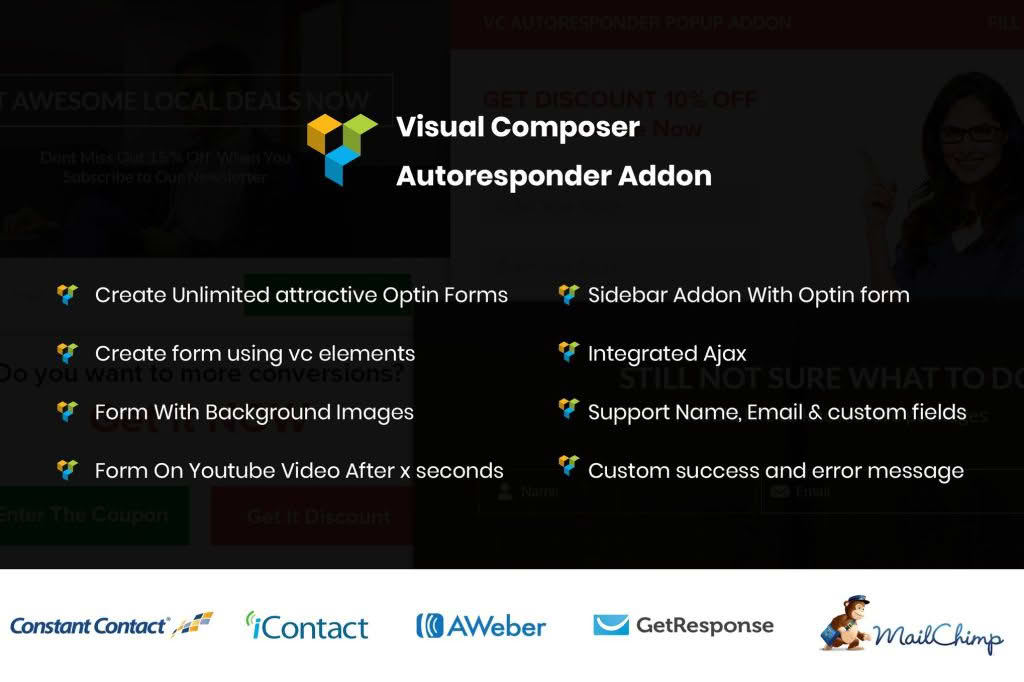
The Visual Composer Autoresponder Addon is the essential bridge between your website’s design and your email marketing strategy. If you are using WPBakery Page Builder (formerly Visual Composer) to craft stunning layouts, this plugin ensures that every lead capture form you build is instantly connected to your preferred email marketing service. By automating the data transfer from your forms directly into your subscriber lists, you eliminate manual exports, reduce human error, and ensure that your new leads receive your welcome sequences without a second of delay.
Key Features
- Seamless Integration: Connect your WPBakery forms directly to popular email marketing platforms like Mailchimp, AWeber, GetResponse, and more, ensuring your lead generation workflow is fully automated.
- Custom Field Mapping: Easily map your form fields to your email service provider’s specific list fields, ensuring that names, phone numbers, and custom data are captured exactly where you need them.
- Real-Time Synchronization: Data is pushed to your autoresponder list the moment a user clicks submit, allowing for instant trigger-based email marketing campaigns.
- Support for Multiple Lists: Configure different forms to feed into specific lists based on the content or offer, allowing for highly segmented and relevant marketing communication.
- User-Friendly Interface: Designed to integrate natively within the WPBakery Page Builder environment, allowing you to set up your integrations without ever leaving the page builder interface.
- Error Logging and Notifications: Stay informed about your data flow with built-in logging, ensuring you can quickly identify and resolve any connectivity issues between your site and your email service.
Use Cases and Who It Is For
This addon is designed for business owners, digital marketers, and web developers who rely on WPBakery Page Builder to manage their WordPress sites. If you are tired of manually downloading CSV files from your website to upload them into your email marketing dashboard, this plugin is for you.
For e-commerce store owners, this tool is vital for capturing newsletter signups during checkout or on landing pages, ensuring that every potential customer is immediately nurtured through an automated email funnel. For lead generation specialists, it allows for the creation of highly specific landing pages where users are automatically tagged or segmented into different lists based on the specific whitepaper, webinar, or discount they signed up for.
Developers will appreciate the time saved in configuration. Instead of writing custom API code or relying on bloated third-party form plugins, you can use the native WPBakery elements you are already comfortable with and simply attach this addon to handle the backend communication.
Setup and How It Works
Getting started with the Visual Composer Autoresponder Addon is designed to be a straightforward process that respects your time:
- Install and Activate: Upload the plugin to your WordPress site and activate it as you would any other standard plugin.
- Configure API Settings: Navigate to the plugin settings page and enter the API credentials for your chosen email marketing service provider. This establishes a secure, authenticated link between your site and your account.
- Add the Form Element: Open your page in WPBakery Page Builder and add or edit your contact or subscription form element.
- Enable the Integration: Within the element settings, you will now see an additional tab or section for the Autoresponder Addon. Enable the integration and select the specific list you want to target.
- Map Your Fields: Use the mapping interface to align your form fields (e.g., “First Name,” “Email Address”) with the corresponding fields in your email marketing list.
- Save and Test: Save your page settings and perform a test submission to verify that the data appears correctly in your email marketing dashboard.
Similar Plugins
If you are exploring alternatives for connecting WordPress forms to email marketing services, you may also consider:
- Contact Form 7 Extensions: Various specialized plugins offer direct integrations between the popular Contact Form 7 plugin and email service providers.
- Gravity Forms Add-Ons: If you use Gravity Forms, they offer a wide array of official “Pro” add-ons that provide deep integration with almost every major email marketing platform.
- WPForms Integrations: Similar to Gravity Forms, WPForms includes built-in, native integrations for many popular autoresponders, which can be a strong alternative if you are looking for an all-in-one form solution.
- Zapier for WordPress: For those who require complex workflows, using a connector like Zapier allows you to link virtually any WordPress form plugin to thousands of external applications, including email autoresponders.