
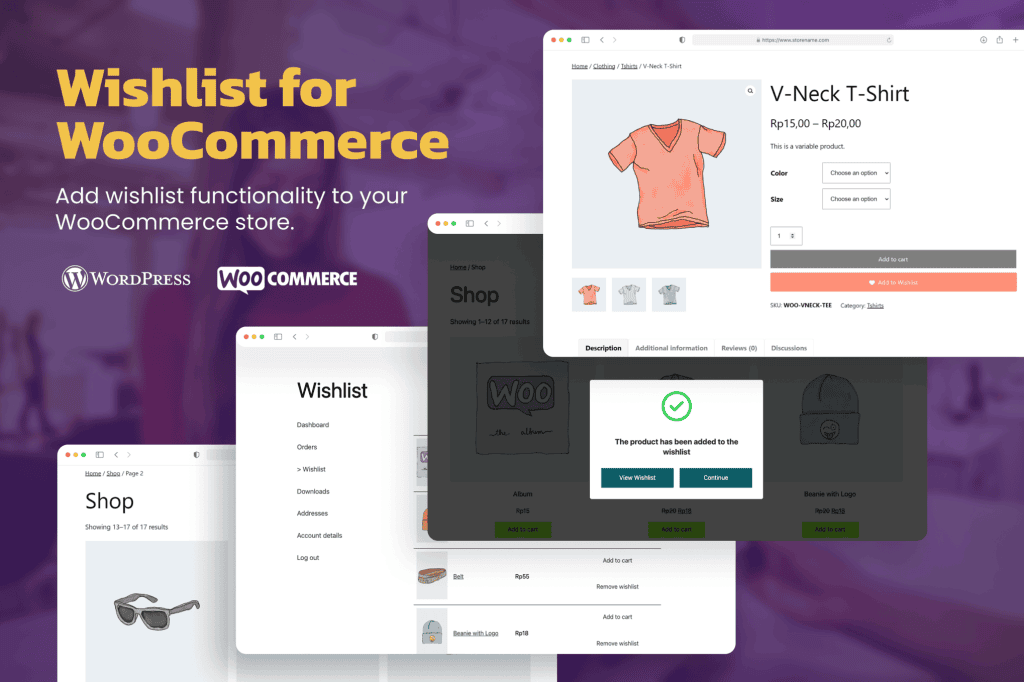
Transform your WooCommerce store into a more engaging shopping destination by allowing your customers to save their favorite items for later. TW Wishlist for WooCommerce provides a seamless, intuitive way for shoppers to curate lists of products they love, reducing cart abandonment and encouraging repeat visits. By giving your customers a dedicated space to organize their potential purchases, you improve the overall user experience and gain valuable insights into what your audience truly wants, ultimately driving higher conversion rates and customer loyalty.
Key Features
- Seamless Integration: Designed specifically for WooCommerce, ensuring a native look and feel that blends perfectly with your existing store design.
- Customizable Wishlist Buttons: Easily place “Add to Wishlist” buttons on product pages, category pages, and quick-view modals to capture customer interest at every touchpoint.
- Guest Wishlist Support: Allow unregistered visitors to create wishlists immediately, removing friction and encouraging them to return to complete their purchase later.
- Social Sharing Capabilities: Empower your customers to share their curated wishlists with friends and family via social media or email, turning your shoppers into brand advocates.
- Easy Management: Customers can effortlessly move items from their wishlist directly to the shopping cart, streamlining the path to checkout.
- Responsive Design: The wishlist interface is fully mobile-responsive, ensuring a consistent and frustration-free experience for shoppers on smartphones, tablets, and desktops.
- Admin Analytics: Gain visibility into which products are being added to wishlists most frequently, helping you make data-driven decisions about inventory and marketing promotions.
Use Cases and Who It Is For
TW Wishlist for WooCommerce is an essential tool for any online store owner looking to optimize the customer journey. Whether you run a boutique fashion store, a large electronics retailer, or a niche hobby shop, this plugin serves as a bridge between a customer’s initial interest and their final purchase.
For store owners, it is particularly useful for those who want to reduce bounce rates. When a customer isn’t ready to buy immediately, a wishlist keeps them connected to your brand rather than leaving your site empty-handed. It is also an excellent tool for gift-heavy industries, such as wedding registries or holiday shopping, where users need to organize items for specific occasions. By implementing this plugin, you provide a helpful service that keeps your products top-of-mind, effectively nurturing leads until they are ready to convert.
Setup and How It Works
Getting started with TW Wishlist for WooCommerce is designed to be straightforward, allowing you to enhance your store functionality in minutes without needing advanced technical skills.
- Installation: Upload and activate the plugin through your WordPress dashboard just like any other standard plugin.
- Configuration: Navigate to the settings panel to choose where the “Add to Wishlist” button should appear, such as before or after the “Add to Cart” button.
- Customization: Select your preferred icon style and button text to match your store’s branding and theme aesthetics.
- Deployment: Once saved, the plugin automatically creates the necessary pages and buttons, allowing your customers to begin adding items to their wishlists immediately.
Similar Plugins
If you are exploring the landscape of wishlist solutions for WooCommerce, there are several alternatives available in the ecosystem, including YITH WooCommerce Wishlist, TI WooCommerce Wishlist, and Premmerce Wishlist for WooCommerce. Each of these solutions offers varying degrees of customization and feature sets, allowing store owners to choose the tool that best aligns with their specific business requirements and technical preferences.