
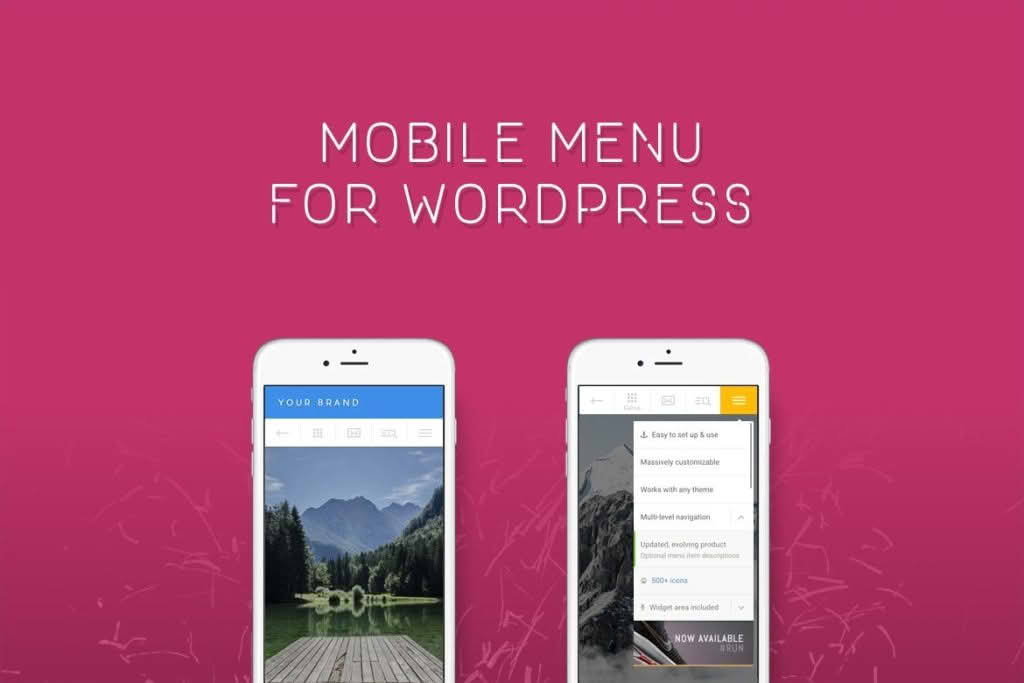
In an era where the majority of web traffic originates from smartphones, providing a seamless mobile navigation experience is no longer optional—it is essential for conversion. Touchy is a premium WordPress mobile menu plugin meticulously engineered to solve the common frustrations of mobile browsing. By replacing clunky, hard-to-click standard menus with a sleek, app-like interface, Touchy helps store owners, bloggers, and businesses ensure that visitors can find what they need instantly, regardless of their device size.
Key Features
- App-Like Navigation: Experience smooth, intuitive transitions that feel native to iOS and Android, ensuring your site feels like a professional application rather than just a web page.
- Fully Customizable Interface: Tailor every aspect of your menu to match your brand identity. Adjust colors, fonts, icon styles, and layout settings directly from the intuitive admin panel.
- Sticky Header Functionality: Keep your most important navigation elements, such as the logo, search bar, and menu trigger, fixed at the top of the screen so they are always within reach of the user’s thumb.
- Multilevel Menu Support: Organize complex site structures with ease. Touchy supports nested sub-menus, allowing you to display extensive content hierarchies without cluttering the small screen.
- Call-to-Action Integration: Maximize conversions by placing prominent buttons for phone calls, email, or social media links directly within the mobile header.
- Search Functionality: Include a dedicated, easy-to-access search icon that allows users to find products or articles instantly, reducing bounce rates caused by navigation difficulty.
- Touch-Optimized Design: Built specifically for touchscreens, the plugin ensures that buttons are sized appropriately and responsive areas are large enough to prevent accidental clicks.
Use Cases and Who It’s For
Touchy is designed for anyone who prioritizes mobile user experience (UX). If you run an e-commerce store, the plugin is a vital tool for reducing cart abandonment; when customers can navigate your product categories effortlessly, they are significantly more likely to complete a purchase. For content creators and bloggers, Touchy ensures that your readers stay engaged with your site by making it simple to browse through categories, archives, or related posts.
This plugin is also an excellent solution for local businesses that want to prioritize “click-to-call” functionality. By placing a phone icon directly in the mobile header, you remove the friction between a potential customer finding your site and actually initiating contact. Whether you are a web designer managing client sites or a business owner looking to optimize your own platform, Touchy provides the professional polish necessary to stand out in a mobile-first digital landscape.
Setup and How It Works
Getting started with Touchy is designed to be straightforward, requiring no advanced coding knowledge. The plugin integrates directly into your existing WordPress environment, allowing you to manage your mobile navigation without disrupting your desktop layout.
- Installation: Upload and activate the plugin through your WordPress dashboard just as you would with any standard plugin.
- Configuration: Navigate to the dedicated Touchy settings panel. Here, you can define your menu structure using the standard WordPress Menu manager, which Touchy will automatically adapt for mobile.
- Customization: Use the live customization tools to tweak the aesthetic elements. You can preview changes in real-time to ensure the menu aligns perfectly with your brand’s color palette and typography.
- Activation: Once configured, the plugin automatically replaces your theme’s default mobile menu with the Touchy interface, instantly upgrading your site’s mobile usability.
Similar Plugins
If you are exploring alternatives to ensure you find the perfect fit for your specific theme requirements, consider these options:
- Max Mega Menu: A robust solution that excels at creating complex, multi-column mega menus, suitable for sites with very large inventories.
- WP Mobile Menu: A popular choice that offers a wide range of customization options and is specifically focused on creating high-performance mobile navigation overlays.
- UberMenu: A highly versatile mega menu plugin that offers extensive control over layout and styling, often used for both desktop and mobile navigation needs.