
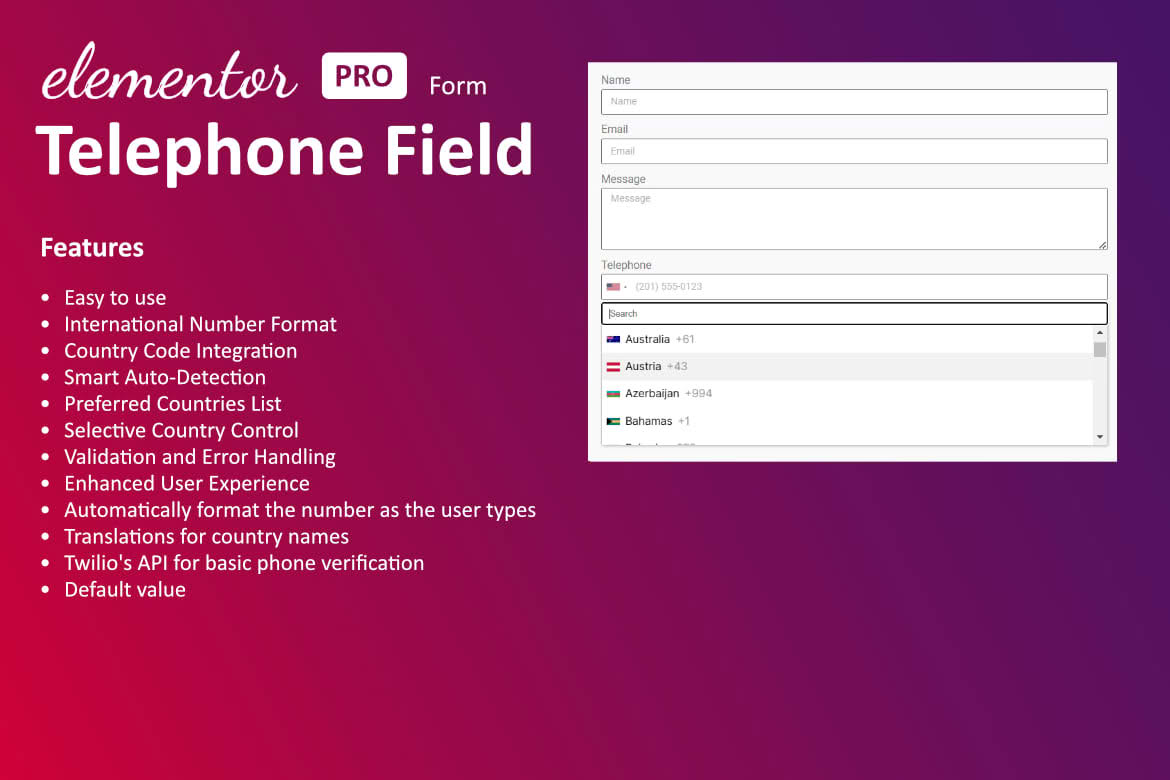
Enhance your Elementor forms with a dedicated, professional-grade telephone input field that ensures data accuracy and improves user experience. If you rely on Elementor Pro forms to capture leads, registrations, or inquiries, you know that standard text fields often lead to messy, unformatted, or invalid phone numbers. This plugin seamlessly integrates a specialized telephone field directly into your Elementor editor, allowing you to validate inputs, enforce international formats, and reduce friction for your visitors, ultimately helping you convert more leads into reliable contacts.
Key Features
- International Phone Validation: Automatically validate phone numbers based on the user’s selected country, ensuring you receive correctly formatted data every time.
- Country Selector Dropdown: Provide a user-friendly experience with an integrated country flag and code selector, making it easy for international users to enter their contact information correctly.
- Default Country Detection: Automatically detect the user’s location via IP and set the default country in the input field, saving your visitors time and effort.
- Customizable Input Masks: Ensure consistency across your database by enforcing specific phone number formats, preventing users from submitting incomplete or incorrectly structured entries.
- Seamless Elementor Integration: Designed specifically for Elementor, this field appears as a native option within your Elementor form builder, requiring no complex coding or external configurations.
- Lightweight and Fast: Built with performance in mind, the plugin ensures that your forms remain fast and responsive, maintaining a smooth user experience without slowing down your website.
- Mobile-Responsive Design: The telephone field is fully responsive, ensuring that the country dropdown and input area function perfectly on smartphones, tablets, and desktops alike.
Use Cases and Who It’s For
This plugin is an essential tool for any business or professional using Elementor to manage client communications. If your sales team needs to call leads, having a clean, valid phone number is non-negotiable. By enforcing proper formatting at the point of entry, you eliminate the time wasted on dialing invalid numbers or guessing country codes.
It is particularly valuable for e-commerce store owners who need reliable contact information for shipping updates or customer support. For service-based businesses, such as agencies, consultants, or real estate professionals, this field adds a layer of professionalism and trust to your inquiry forms. Whether you are running a local business or managing a global client base, ensuring that your contact forms capture high-quality, actionable data is a critical step in optimizing your conversion funnel.
Setup and How It Works
- Install and Activate: Upload the plugin to your WordPress dashboard and activate it as you would with any standard plugin.
- Open Elementor Editor: Navigate to the page or template containing your Elementor form and open the Elementor editor.
- Add the Field: Within the Form widget settings, click to add a new item to your form fields.
- Select Field Type: In the field type dropdown menu, locate and select the new “Telephone” option provided by the plugin.
- Configure Settings: Use the field settings panel to toggle features like auto-detection, default country selection, and custom validation rules to match your specific requirements.
- Save and Publish: Save your changes and preview your form to ensure the telephone field is functioning correctly across different devices.
Similar Plugins
While various plugins exist for general form validation, this solution stands out by focusing specifically on the Elementor ecosystem. Alternatives often include general-purpose form validation plugins like “Form Validation for Elementor” or broader, more complex form-building add-on suites that include telephone fields as part of a much larger (and often heavier) package. If you are specifically looking for a lightweight, dedicated telephone input solution that stays within the native Elementor interface, this plugin is designed to be the most streamlined choice.