
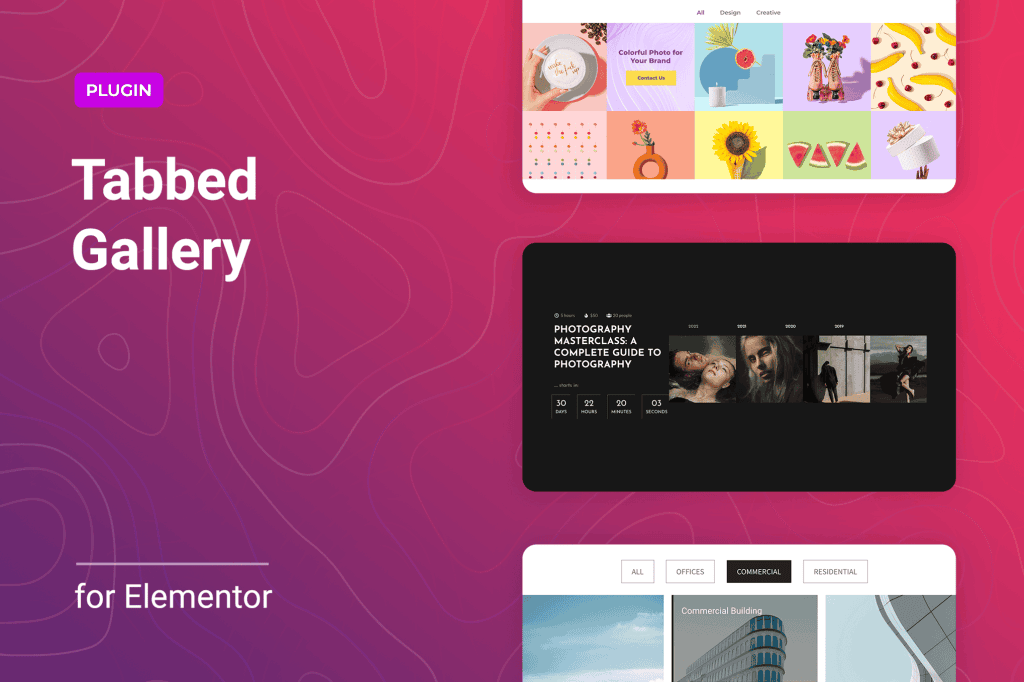
Transform your website’s visual presentation and improve user engagement with Tabbed Gallery for Elementor. This powerful extension allows you to organize large collections of images into clean, interactive, and space-saving tabbed interfaces directly within the Elementor page builder. Whether you are showcasing a diverse portfolio, categorizing product images, or organizing event photos, this plugin provides a seamless way to keep your content structured without cluttering your page layout.
Key Features
- Intuitive Elementor Integration: Designed specifically for Elementor, the plugin adds a dedicated widget to your editor, ensuring a smooth drag-and-drop experience that feels like a native part of the platform.
- Flexible Tab Layouts: Choose between horizontal or vertical tab orientations to perfectly match your website’s design aesthetic and content requirements.
- Responsive Design: Ensure your galleries look stunning on any device. The plugin automatically adjusts the tabbed content for mobile, tablet, and desktop screens.
- Customizable Styling: Take full control over the appearance of your tabs, including typography, colors, borders, and spacing, allowing you to maintain brand consistency throughout your site.
- Dynamic Content Support: Easily group images into specific categories, allowing visitors to filter and view only the content they are interested in with a single click.
- Performance Optimized: Built with clean, lightweight code to ensure that your image-heavy galleries do not negatively impact your website’s loading speed or search engine performance.
- Animation Effects: Add a layer of professionalism with smooth transition effects when switching between tabs, providing a polished user experience.
Use Cases / Who It’s For
Tabbed Gallery for Elementor is an essential tool for any WordPress user looking to present visual content more effectively. It is particularly valuable for creative professionals, such as photographers and graphic designers, who need to showcase various styles or project types without overwhelming their visitors with a single, endless scroll of images. By organizing work into tabs‚Äîsuch as “Portrait,” “Landscape,” and “Commercial”‚Äîyou guide the viewer through your expertise with ease.
E-commerce store owners also benefit significantly from this plugin. If you sell products that come in different styles, collections, or color variations, you can use tabbed galleries to keep product pages clean. Instead of listing every image vertically, you can create tabs for “Front View,” “Lifestyle Shots,” and “Detail Close-ups,” allowing customers to find the information they need quickly, which can lead to higher conversion rates.
Additionally, event planners, marketing agencies, and corporate websites can use the plugin to organize event recaps, team photos, or case study screenshots, ensuring that large amounts of visual data remain organized and accessible.
Setup / How It Works
Getting started with Tabbed Gallery for Elementor is designed to be straightforward, requiring no coding knowledge:
- Install and Activate: Upload the plugin to your WordPress site via the Plugins menu and activate it.
- Drag and Drop: Open any page or template using the Elementor editor. Search for the “Tabbed Gallery” widget in the Elementor sidebar and drag it onto your canvas.
- Create Tabs: Use the widget settings panel to add new tabs. Name each tab according to your categories (e.g., “Spring Collection,” “Summer Collection”).
- Add Images: Within each tab, use the built-in gallery uploader to select and add the images you want to display for that specific category.
- Style and Customize: Navigate to the “Style” tab in the Elementor panel to adjust colors, fonts, tab alignment, and hover effects to match your site’s theme.
- Publish: Once you are satisfied with the layout, click “Update” or “Publish” to display your interactive, organized gallery to your visitors.
Similar Plugins
If you are exploring other ways to manage visual content in Elementor, you may also encounter solutions such as Essential Addons for Elementor, Premium Addons for Elementor, or JetElements. These plugins often include tabbed gallery widgets as part of a larger suite of tools, whereas Tabbed Gallery for Elementor focuses specifically on optimizing the tabbed gallery experience.