
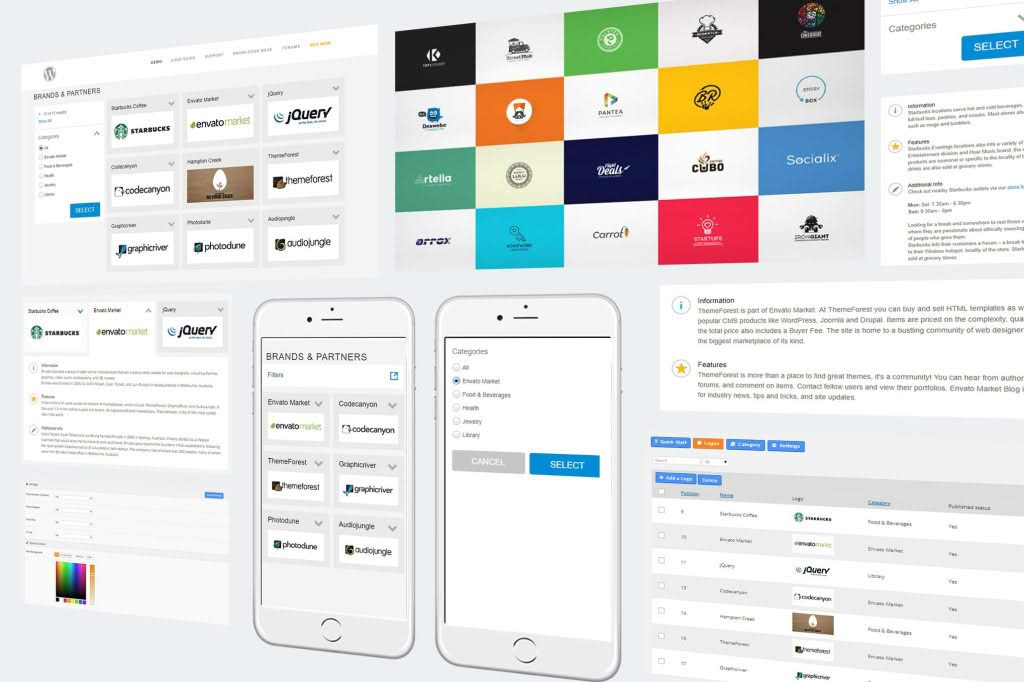
Build instant trust and professional credibility with the Super Logos Showcase for WordPress. Whether you are highlighting the brands you have worked with, showcasing client testimonials, or displaying partner organizations, this plugin provides a sleek, responsive, and highly customizable way to present logos on your website. Designed for business owners, agencies, and freelancers who understand that social proof is the key to conversions, this tool eliminates the technical headache of creating attractive, organized logo grids or sliders.
Key Features
- Responsive Design: Your logo showcase will look perfect on every device, from desktop monitors to smartphones, ensuring your partners and clients are always visible.
- Multiple Layout Styles: Choose from various display formats, including clean grids, elegant carousels, or scrolling marquees to match your website’s unique design aesthetic.
- Customizable Grayscale Effect: Easily toggle a grayscale-to-color hover effect, which keeps your site looking professional and uniform while adding an interactive element for visitors.
- Drag-and-Drop Interface: Manage your logo library with ease using an intuitive backend interface that allows you to upload, reorder, and remove logos in seconds.
- Link Support: Every logo can be linked to a specific URL, allowing you to drive traffic directly to your partners’ websites or your own case study pages.
- Lightweight Performance: Engineered to be fast, the plugin ensures that your site speed remains optimized, preventing heavy assets from slowing down your page load times.
- Shortcode Integration: Simply copy and paste a generated shortcode into any page, post, or widget area to display your showcase exactly where you want it.
Use Cases and Who It’s For
Super Logos Showcase is an essential tool for any professional looking to leverage the power of authority. If you are a digital agency, you can use the plugin to display the recognizable brands you have helped, instantly signaling to prospective clients that you have the experience to handle their projects. For e-commerce store owners, showcasing “As Seen In” logos or payment provider badges helps reduce cart abandonment by building immediate trust with new visitors.
Freelancers and consultants also benefit significantly by displaying the logos of past clients or professional associations they belong to. By visually demonstrating your network and history, you move beyond just telling potential clients you are good—you show them who already trusts you. It is the perfect solution for anyone who wants to professionalize their site’s footer, sidebar, or homepage without needing to write a single line of code.
Setup and How It Works
Getting your logo showcase live is a straightforward process designed to save you time and effort:
- Install and Activate: Upload the plugin through your WordPress dashboard and activate it to gain access to the settings menu.
- Upload Your Logos: Navigate to the plugin dashboard to upload your client or partner logos. You can add titles and URLs for each image at this stage.
- Configure Your Display: Select your preferred layout style, adjust the number of columns, and toggle features like auto-play for sliders or hover effects.
- Publish: The plugin will provide a unique shortcode. Copy this code and paste it into any page, post, or text widget on your site. Once saved, your professional logo showcase will be live and ready for your visitors to see.
Similar Plugins
If you are exploring your options, there are several other tools in the WordPress ecosystem that offer logo management capabilities, such as Logo Carousel, WP Logo Showcase Responsive Slider, and various multipurpose slider plugins like Soliloquy or MetaSlider. While these alternatives offer similar functionality, Super Logos Showcase is specifically optimized for ease of use and clean, professional presentation, making it an ideal choice for users who want a dedicated, no-nonsense tool for building trust through visual branding.