
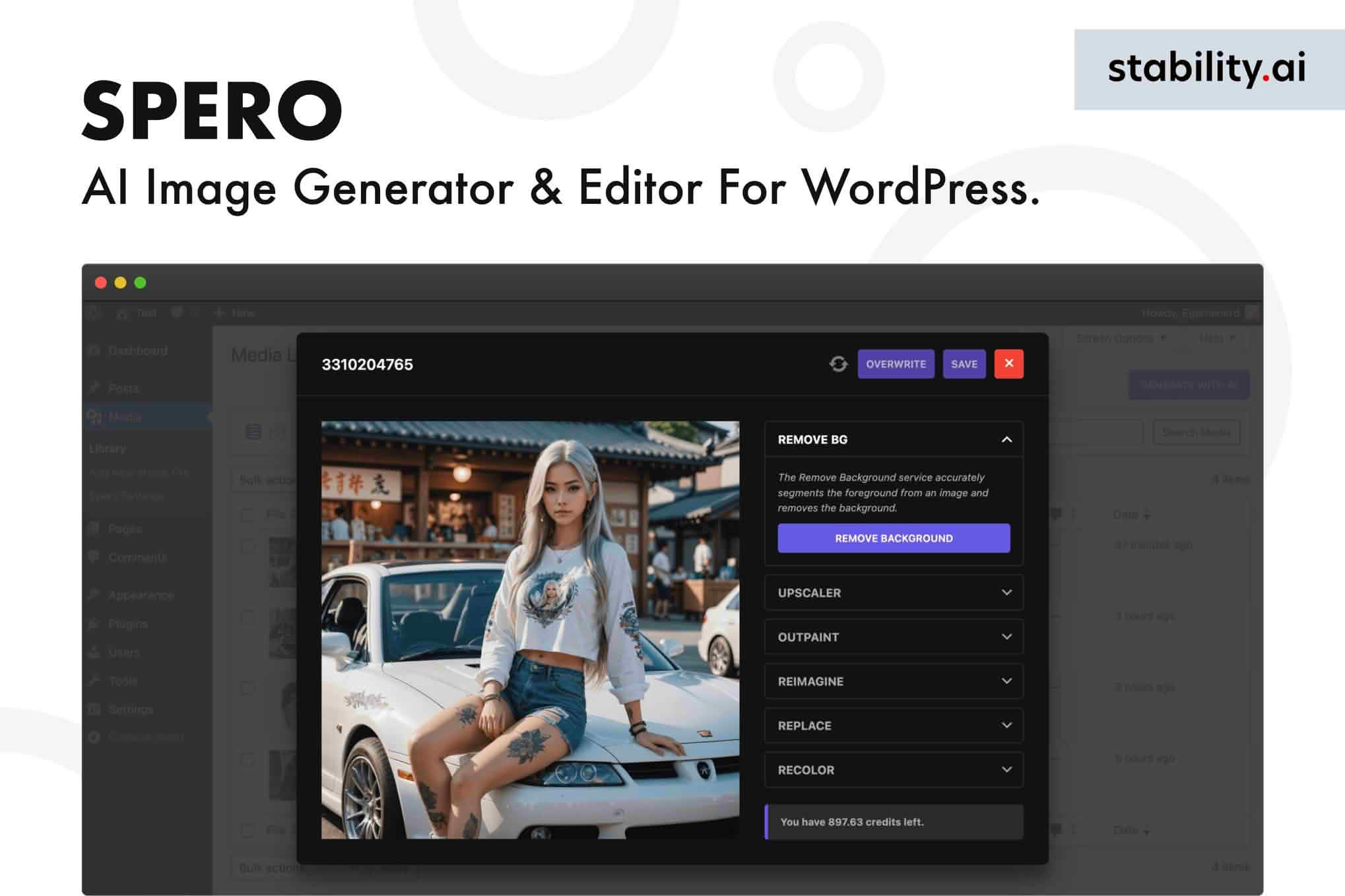
Transform your content creation workflow with Spero, the powerful AI image generator and editor built directly into your WordPress dashboard. Designed for bloggers, marketers, and site owners who need high-quality visuals without the steep learning curve of professional design software, Spero allows you to create, edit, and optimize stunning images without ever leaving your site. Stop spending hours searching through stock photo libraries or switching between external design tools; with Spero, your creative vision becomes a reality in seconds using the power of advanced artificial intelligence.
Key Features
- Text-to-Image Generation: Simply describe the image you need, and Spero’s AI engine will generate unique, high-resolution visuals tailored to your specific requirements.
- Integrated Image Editor: Once generated, refine your images directly within WordPress. Adjust cropping, apply filters, or use AI-powered tools to enhance clarity and composition.
- Seamless WordPress Integration: Experience a frictionless workflow. All generated and edited images are automatically saved to your WordPress Media Library, ready for immediate use in your posts and pages.
- Style Customization: Choose from a variety of artistic styles, aspect ratios, and visual themes to ensure every image aligns perfectly with your brand identity.
- Efficiency-Boosting Workflow: Eliminate the need for third-party subscriptions or complex file management by centralizing your entire image production process inside your CMS.
- User-Friendly Interface: Designed for all skill levels, the intuitive dashboard ensures that you can start creating professional-grade assets immediately, regardless of your technical background.
Use Cases / Who It’s For
Spero is the ideal companion for anyone who relies on visual storytelling to engage their audience. Bloggers can create unique, eye-catching featured images that stand out on social media and increase click-through rates. Digital marketers can generate custom graphics for landing pages and email campaigns that perfectly match their brand aesthetic, ensuring consistency across all marketing channels.
For small business owners and e-commerce managers, Spero offers a cost-effective way to produce professional product photography mockups and promotional banners without hiring external designers. Whether you are building a personal portfolio, managing a high-traffic news site, or running a niche affiliate blog, Spero empowers you to maintain a visually rich, professional-looking website with minimal effort and maximum creative control.
Setup / How It Works
- Installation: Install and activate the Spero plugin from your WordPress dashboard just like any other plugin.
- Configuration: Connect your account via the plugin settings to enable the AI generation engine.
- Prompting: Navigate to the Spero interface within your dashboard, enter a detailed text description (prompt) of the image you want to create, and select your preferred settings such as style and aspect ratio.
- Generation & Editing: Review the generated results. If needed, use the built-in editor to make adjustments or refinements.
- Publishing: Click to save the image directly to your Media Library, where it is instantly available to be inserted into your blog posts, pages, or product galleries.
Similar Plugins
If you are exploring the ecosystem of AI-powered creative tools for WordPress, you may also encounter solutions such as Imajinn, AI Engine by Meow Apps, or various plugins that integrate OpenAI’s DALL-E API directly into the WordPress block editor. While these tools share the goal of streamlining image creation, Spero distinguishes itself through its focused approach to combining generation and post-generation editing within a unified, user-centric workflow.