
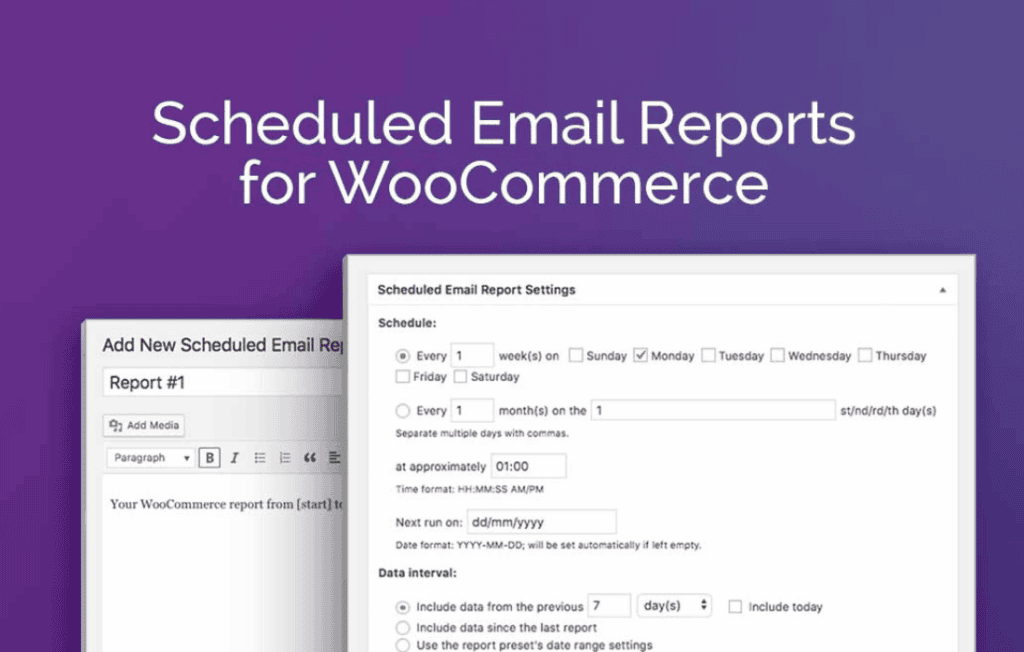
Managing a WooCommerce store requires constant vigilance, but you shouldn’t have to spend your entire day logged into your WordPress dashboard just to check your sales performance. Scheduled Email Reports for WooCommerce automates your reporting process, delivering critical business insights directly to your inbox on a schedule that works for you. Whether you are a solo entrepreneur or managing a large team, this plugin ensures you stay informed about your store’s health, revenue, and product performance without manual effort.
Key Features
- Automated Scheduling: Configure reports to arrive daily, weekly, or monthly, ensuring you always have the data you need exactly when you need it.
- Customizable Report Content: Select specific data points to include in your reports, such as total sales, order counts, top-selling products, tax summaries, and customer acquisition metrics.
- Multiple Recipient Support: Send reports to multiple email addresses simultaneously, making it easy to keep your accountant, marketing team, or business partners in the loop.
- Flexible Date Ranges: Easily filter your reports to show performance for the previous day, the current week, the last month, or custom date ranges to track specific sales campaigns.
- Professional Formatting: Receive clean, easy-to-read reports formatted for quick analysis, allowing you to identify trends and make data-driven decisions at a glance.
- Secure Data Delivery: Reports are generated and sent directly from your server, ensuring your sensitive sales data remains private and secure.
Use Cases and Who It’s For
This plugin is designed for any WooCommerce store owner who values time efficiency and data-driven growth. If you find yourself repeatedly logging into your WordPress admin panel to check the same metrics, this tool will reclaim hours of your work week.
For store owners, it provides a “pulse check” on business health, allowing you to monitor revenue trends during busy holiday seasons or product launches without being tethered to your desk. For marketing managers, it offers a consistent stream of data to evaluate the success of promotional efforts and customer engagement strategies. Even for small teams, it acts as a centralized reporting hub, ensuring that everyone involved in the business is looking at the same metrics, thereby eliminating the need to manually export and share spreadsheets.
Setup and How It Works
Getting started with Scheduled Email Reports for WooCommerce is designed to be straightforward, allowing you to focus on selling rather than configuring complex software.
- Install and Activate: Upload the plugin to your WordPress site and activate it through your dashboard.
- Configure Email Settings: Navigate to the plugin settings page to define your preferred email recipients and the sender details.
- Define Report Parameters: Choose which metrics you want to track and select the frequency (daily, weekly, or monthly) for your reports.
- Save and Automate: Once saved, the plugin utilizes your site’s cron system to automatically compile and send your reports. You can test the configuration by sending an immediate preview email to ensure the data looks exactly how you expect.
Similar Plugins
If you are exploring your options for WooCommerce reporting, there are several alternatives available in the ecosystem that offer similar functionality. Plugins like Metorik and Putler provide advanced reporting and analytics suites that include automated email reporting features alongside deeper business intelligence tools. Additionally, WooCommerce Admin (the built-in reporting tool) offers robust on-dashboard analytics, though it does not natively include the automated email scheduling capabilities found in this plugin. Depending on your needs for simple automated summaries versus complex, real-time data visualization, you may choose to use these tools independently or in conjunction with one another.