
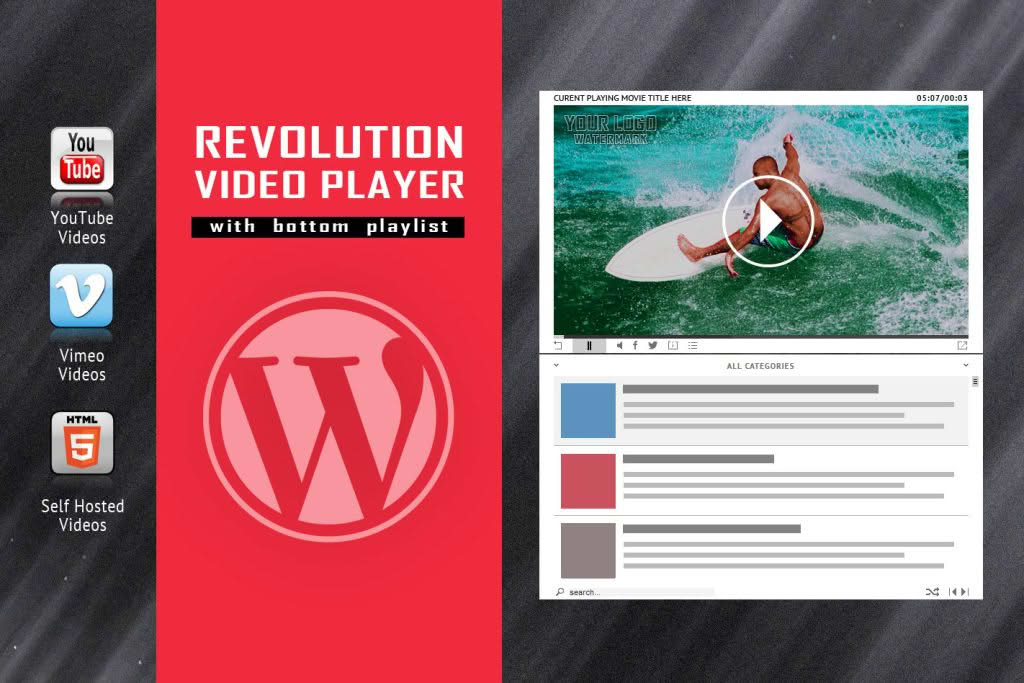
Transform your website into a professional multimedia hub with the Revolution Video Player With Bottom Playlist. Designed for content creators, educators, and business owners who demand a sleek, user-friendly viewing experience, this plugin allows you to showcase your video library in a clean, organized, and highly responsive layout. By placing the playlist directly beneath the video player, you provide your audience with an intuitive navigation experience that keeps them engaged with your content longer, reducing bounce rates and improving site interactivity.
Key Features
- Bottom-Aligned Playlist Layout: Optimize your screen real estate with a dedicated playlist area positioned directly under the main video, ensuring viewers can easily browse and select their next clip without interrupting their current viewing session.
- Fully Responsive Design: Ensure your videos look flawless on every device. Whether your audience is on a desktop, tablet, or smartphone, the player automatically adjusts its dimensions to provide an optimal viewing experience.
- Support for Multiple Video Sources: Seamlessly integrate content from various sources, including self-hosted files, YouTube, and Vimeo, giving you total flexibility in how you manage and display your media library.
- Customizable Player Controls: Tailor the player’s interface to match your brand identity. Configure playback settings, volume controls, and full-screen options to suit the specific needs of your website.
- Enhanced User Engagement: Keep visitors on your site longer by offering an easy-to-navigate list of related videos, which encourages continuous playback and deeper content consumption.
- Lightweight and Optimized: Built with performance in mind, this plugin ensures that your video content loads quickly without negatively impacting your website’s overall speed or SEO rankings.
Use Cases / Who It’s For
The Revolution Video Player With Bottom Playlist is the ideal solution for anyone looking to elevate their video content strategy. For bloggers and vloggers, it provides a professional way to organize series, tutorials, or travel vlogs in a structured format that encourages binge-watching. Online course creators and educators will find it invaluable for managing lesson modules, allowing students to navigate through curriculum videos with ease.
For business owners and marketers, this plugin serves as a powerful tool for product showcases, customer testimonials, or promotional campaigns. By presenting a curated list of videos at the bottom of the player, you can guide potential customers through your sales funnel, showcasing multiple product features or case studies in a single, cohesive interface. Regardless of your industry, if you rely on video to communicate with your audience, this plugin provides the professional polish necessary to stand out.
Setup / How It Works
Getting started with the Revolution Video Player is designed to be a straightforward process, allowing you to go from installation to a fully functional video library in minutes:
- Installation: Upload and activate the plugin through your WordPress dashboard.
- Create Your Playlist: Navigate to the plugin settings to create a new playlist. You can easily add videos by entering the source URL or uploading your own video files.
- Configuration: Adjust the player settings, such as auto-play options, loop settings, and color schemes, to ensure the player aligns with your website’s aesthetic.
- Embed Anywhere: Once your playlist is configured, the plugin generates a simple shortcode. Copy and paste this shortcode into any post, page, or widget area where you want the video player to appear.
Similar Plugins
If you are exploring different ways to manage your video content, you may also consider alternatives such as Presto Player, which offers advanced video marketing features, or the Ultimate Video Player for WordPress, which provides a wider variety of skin options and layout configurations. Additionally, for those heavily reliant on YouTube-specific content, EmbedPress is a popular choice for managing various media embeds across your site.