
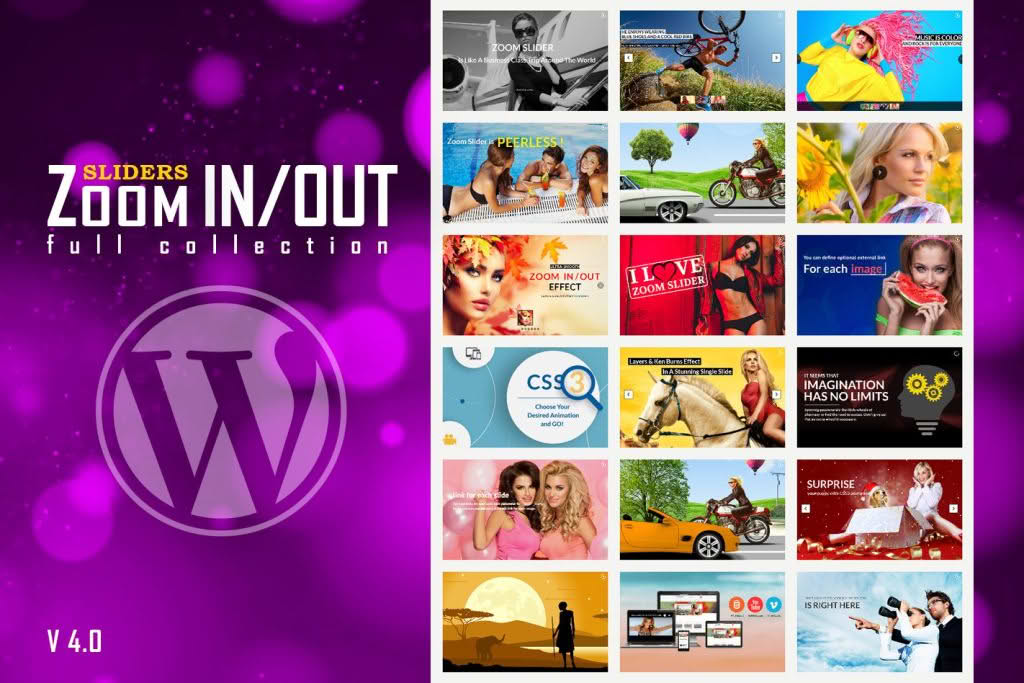
The Responsive Zoom In/Out Slider WordPress Plugin transforms static image galleries into dynamic, high-engagement visual experiences. Designed for website owners who want to showcase products, photography, or artistic portfolios with professional flair, this plugin allows you to add smooth, automated zoom-in and zoom-out effects to your slides. By creating a sense of motion and depth, you can capture visitor attention instantly and keep them engaged with your content longer, ultimately helping to reduce bounce rates and improve the overall aesthetic of your site.
Key Features
- Dynamic Zoom Effects: Automatically applies smooth zoom-in and zoom-out animations to your images, creating a cinematic feel without requiring complex video editing skills.
- Fully Responsive Design: Ensures your sliders look perfect and function smoothly on all devices, including desktops, tablets, and smartphones, adapting automatically to different screen sizes.
- Customizable Animation Controls: Take full control over the speed, duration, and scale of the zoom effects to match your brand’s specific style and pacing.
- Touch-Friendly Navigation: Built with mobile users in mind, the slider supports swipe gestures, making it intuitive for visitors to browse through your images on touchscreens.
- Easy Shortcode Integration: Effortlessly embed your custom sliders into any page, post, or widget area using simple, generated shortcodes.
- Lightweight Performance: Engineered to be optimized for speed, ensuring that your site’s loading times remain fast even with high-quality imagery.
- Flexible Layout Options: Choose from various slider dimensions and configuration settings to ensure the plugin integrates seamlessly with your existing theme layout.
Use Cases / Who It’s For
This plugin is an ideal solution for a wide range of website owners who rely on visual storytelling to convert visitors into customers or followers. E-commerce store owners can use the zoom effect to highlight intricate product details, allowing customers to get a better look at materials, textures, and craftsmanship without needing to click through to a separate product page. For professional photographers and digital artists, the plugin provides a sophisticated way to present portfolios, turning a standard gallery into an immersive viewing experience that highlights the quality of their work.
Furthermore, it is a perfect tool for creative agencies, travel bloggers, and event planners who need to showcase high-impact imagery. By adding subtle motion to your headers or hero sections, you create a modern, high-end feel that distinguishes your website from competitors using static, flat layouts. Whether you are building a landing page for a new campaign or refreshing your homepage, the Responsive Zoom In/Out Slider provides the visual polish necessary to elevate your brand’s online presence.
Setup / How It Works
- Installation: Upload the plugin zip file via your WordPress dashboard under the Plugins section and click “Activate.”
- Create Your Slider: Navigate to the plugin’s dedicated menu in your dashboard to create a new slider. Upload your images and arrange them in your desired sequence.
- Configure Effects: Use the intuitive settings panel to define your zoom parameters, such as the zoom scale and transition speed, to achieve the specific visual effect you desire.
- Publish: Once configured, the plugin will generate a unique shortcode for your slider. Copy this shortcode and paste it into any page, post, or text widget where you want the slider to appear.
- Preview: Visit your live page to see the responsive zoom effects in action and make any final adjustments to the timing or image order as needed.
Similar Plugins
If you are exploring different ways to display imagery on your WordPress site, there are several other popular slider solutions available. Plugins such as Slider Revolution and Smart Slider 3 are widely recognized in the WordPress ecosystem for their extensive feature sets, including complex animation builders and multi-layer support. Additionally, MetaSlider is a popular choice for users who prioritize ease of use and quick setup for standard image carousels.