
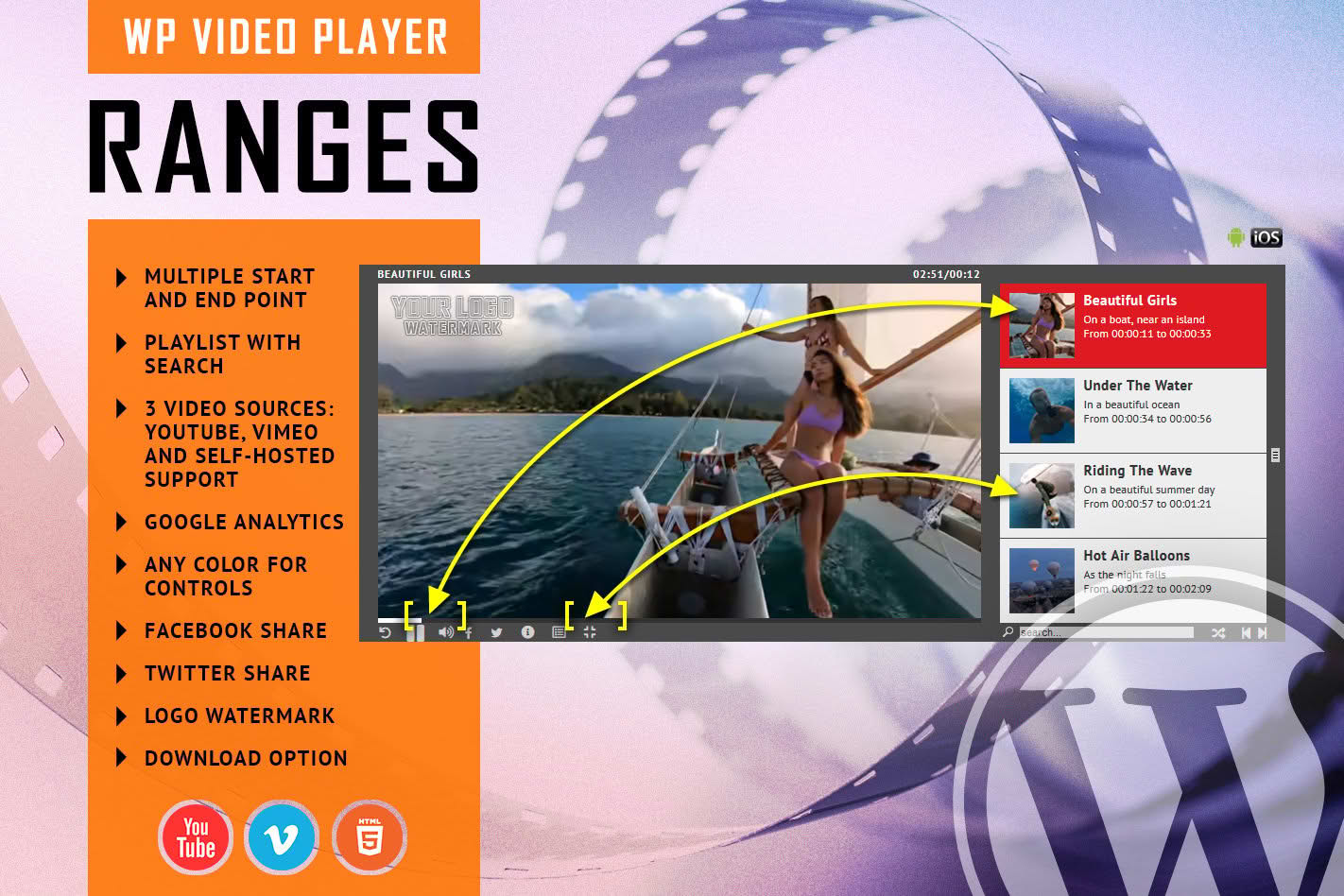
Transform the way your audience consumes video content with RANGES, the ultimate WordPress plugin designed for precision playback. Whether you are creating educational courses, long-form documentaries, or complex product demonstrations, RANGES allows you to define specific, non-contiguous segments within a single video file. Instead of forcing viewers to scrub through hours of footage, you can provide them with a curated, segmented experience that jumps directly to the most relevant intervals, keeping engagement high and frustration low.
Key Features
- Multiple Interval Selection: Define unlimited start and end points within a single video, allowing you to highlight key moments without editing the original source file.
- Seamless Navigation: Enable viewers to jump between pre-defined segments instantly, creating a structured table of contents experience directly within the video player.
- Customizable Playback Modes: Choose between continuous playback or stopping the video automatically at the end of a specific interval to encourage user interaction.
- Responsive Design: The player is built to be fully responsive, ensuring that your segmented video content looks professional and functions perfectly on desktops, tablets, and mobile devices.
- Lightweight Performance: Engineered to load efficiently, the plugin ensures that your site speed remains optimal even when hosting multiple high-definition videos.
- Intuitive Interface: Manage your video ranges directly from the WordPress dashboard with a user-friendly interface that requires no coding knowledge.
- Cross-Browser Compatibility: Enjoy consistent playback performance across all major web browsers, providing a reliable experience for every visitor.
Use Cases / Who It’s For
RANGES is an essential tool for content creators and business owners who need to provide structured video experiences. Online educators and course creators can use it to break down long lectures into digestible lessons, allowing students to navigate to specific topics like “Introduction,” “Theory,” or “Practical Application” with a single click. For e-commerce store owners, RANGES is perfect for product showcases; you can create a single video that allows customers to jump straight to specific features, such as “Unboxing,” “Setup Instructions,” and “Maintenance Tips.”
Additionally, podcasters and interviewers can use the plugin to create highlight reels from long-form conversations, letting listeners skip the small talk and get straight to the most compelling segments. By providing this level of control, you respect your audience’s time, increase the likelihood that they will watch your content to the end, and significantly improve the overall user experience on your website.
Setup / How It Works
- Upload or Link Your Video: Once the plugin is installed, add your video file via the media library or use a URL from supported video hosting services.
- Define Your Intervals: Use the RANGES settings panel to input your desired start and end timestamps. You can label each interval to create a clear navigation menu for your viewers.
- Configure Player Settings: Choose your preferred playback behavior, such as whether the video should loop, auto-play, or stop after each segment.
- Embed with Shortcode: Copy the automatically generated shortcode and paste it into any post, page, or widget area on your WordPress site to display your segmented video player.