
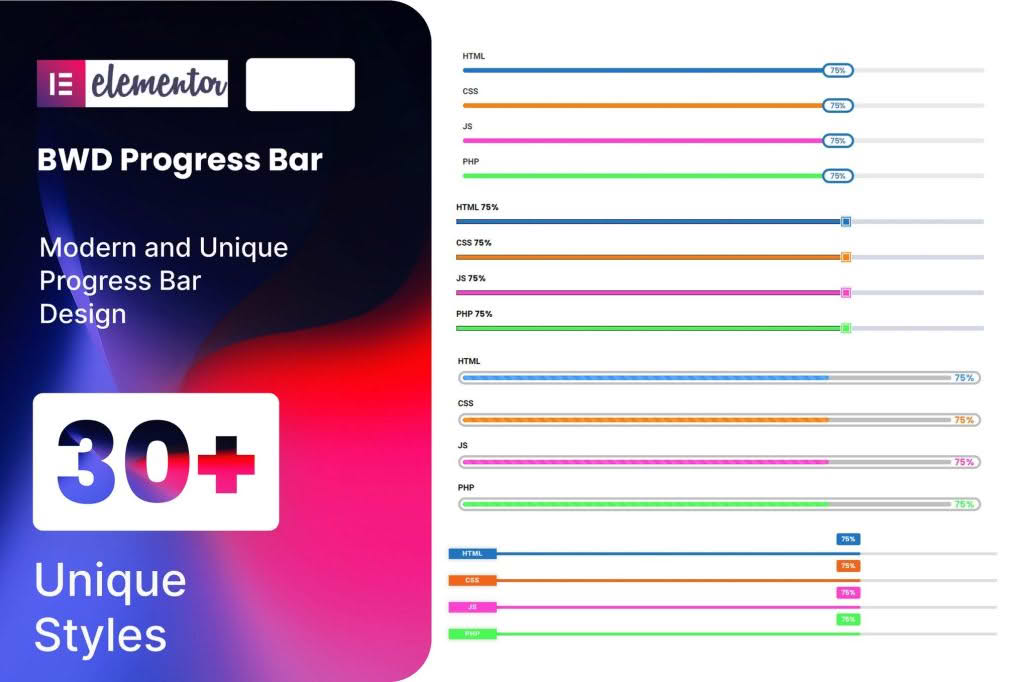
Transform static data into engaging, visual storytelling with the Progress Bar addon for Elementor. Whether you are showcasing project milestones, skill proficiency, or fundraising goals, this plugin empowers you to create dynamic, eye-catching progress bars directly within the Elementor editor. Designed for web designers, marketers, and site owners who demand both aesthetic appeal and functional clarity, this addon bridges the gap between raw numbers and meaningful user experience, helping you keep your visitors informed and motivated.
Key Features
- Intuitive Drag-and-Drop Interface: Seamlessly integrates with the Elementor page builder, allowing you to place and customize progress bars without writing a single line of code.
- Extensive Customization Options: Take full control over the look and feel of your progress bars. Adjust colors, typography, border radius, and bar thickness to perfectly match your brand identity.
- Dynamic Animation Effects: Capture user attention with smooth, customizable entry animations that trigger as the user scrolls down the page.
- Versatile Layout Styles: Choose from various styles, including horizontal bars, circular progress indicators, and striped designs to fit different sections of your website.
- Responsive Design: Ensure your data looks perfect on every device. The plugin is fully optimized for mobile, tablet, and desktop screens, maintaining its integrity regardless of the viewport size.
- Content Flexibility: Easily add custom labels, percentage indicators, and icons to provide context and clarity to your data visualizations.
- Lightweight Performance: Built with clean, optimized code to ensure your website remains fast and responsive, preventing any negative impact on your page load times.
Use Cases / Who It’s For
The Progress Bar addon is an essential tool for anyone looking to present data in a digestible and visually appealing format. It is perfect for professional portfolios where freelancers want to showcase their skill levels in various software or programming languages. Business owners can utilize these bars to display company achievements, such as the number of projects completed or years of experience in the industry. Non-profit organizations and crowdfunding campaigns find these tools invaluable for tracking donation goals, as real-time visual feedback often encourages higher engagement and conversion rates. Additionally, educational websites and online course platforms use these elements to show student progress through a curriculum, providing a sense of accomplishment that keeps learners coming back.
Setup / How It Works
- Install and Activate: Upload the plugin zip file to your WordPress dashboard, install it, and activate it just like any other standard plugin.
- Open Elementor: Navigate to the page or post where you want to add a progress bar and open it with the Elementor editor.
- Locate the Widget: Search for the Progress Bar widget in the Elementor sidebar panel.
- Drag and Drop: Drag the widget onto your desired section or column.
- Customize: Use the Content and Style tabs in the Elementor panel to set your percentage value, choose your colors, adjust animations, and refine the typography to match your site’s design.
- Publish: Once you are satisfied with the appearance, update or publish your page to display the progress bar to your visitors.
Similar Plugins
If you are exploring your options, there are several other tools in the WordPress ecosystem that offer similar functionality. You may also want to look into Essential Addons for Elementor, Premium Addons for Elementor, or PowerPack for Elementor. These are comprehensive suites that include progress bar widgets alongside a wide array of other design elements, which might be beneficial if you are looking for a broader set of tools for your Elementor projects.