
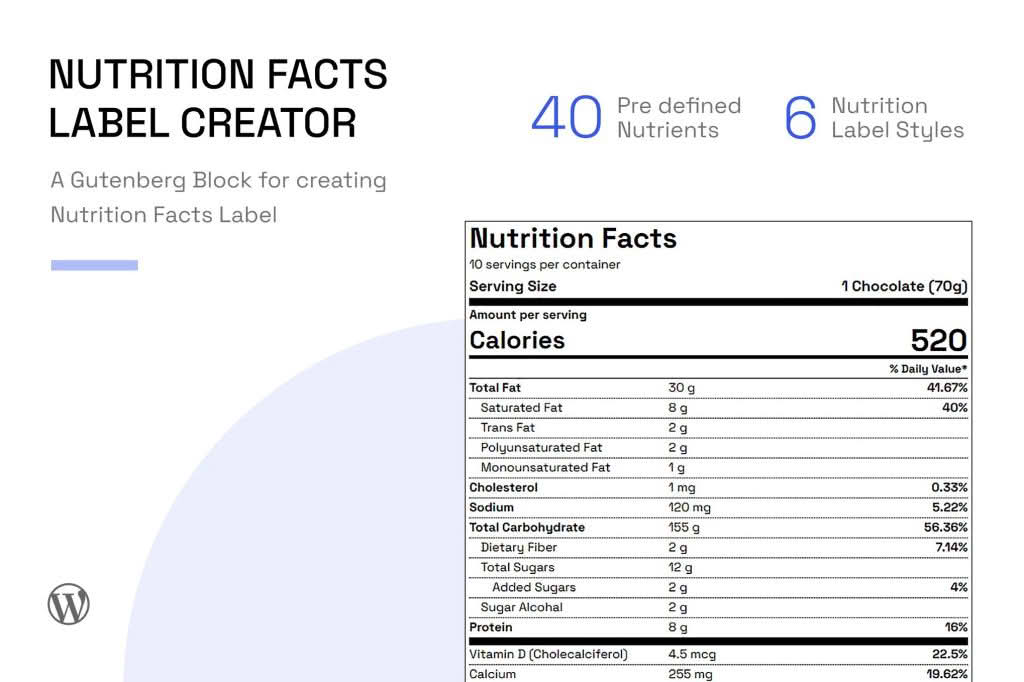
Transform your recipe blog or food-focused website into a professional, compliant, and user-friendly resource with the Nutrition Facts Label Creator for Gutenberg. This powerful plugin allows you to seamlessly generate FDA-style nutrition labels directly within the WordPress block editor. Whether you are a professional chef, a health coach, or a food blogger, you can now provide your audience with clear, accurate, and visually appealing nutritional data without needing external design tools or complex coding skills.
Key Features
- Gutenberg Native Integration: Designed specifically for the WordPress block editor, allowing you to add, edit, and style nutrition labels as easily as any other content block.
- Customizable Design: Adjust the look and feel of your labels to match your website’s branding, including color schemes, font choices, and layout adjustments.
- Compliance-Focused Layouts: Generate labels that mimic the standard FDA nutrition facts format, ensuring your content looks professional and familiar to health-conscious readers.
- Automated Calculations: Input your ingredient data, and let the plugin handle the math. Easily define serving sizes, servings per container, and nutrient values to ensure accuracy.
- Responsive Display: Labels automatically adjust to fit any screen size, ensuring your nutritional information is perfectly readable on desktop, tablet, and mobile devices.
- Schema Markup Support: Improve your search engine visibility by automatically generating the necessary schema markup, helping search engines understand and display your nutritional data in search results.
- Flexible Units: Easily toggle between metric and imperial measurements to cater to your specific audience requirements.
Use Cases and Who It’s For
The Nutrition Facts Label Creator is the perfect solution for anyone managing food-related content on WordPress. Food bloggers can use it to add value to their recipe posts, building trust with readers who track macros or have specific dietary requirements. For health and wellness coaches, the plugin serves as a vital tool for sharing meal plans and dietary recommendations that are backed by clear, visual data. Small-scale food producers or artisanal bakeries can also utilize the plugin to provide transparency about their products directly on their website, helping customers make informed purchasing decisions before they even reach the checkout page.
Setup and How It Works
Getting your nutrition labels live is a straightforward process that integrates directly into your existing workflow:
- Install and Activate: Once the plugin is installed, it automatically registers a new “Nutrition Facts” block within your Gutenberg editor.
- Insert the Block: Open any post or page, click the “+” button to add a new block, and search for “Nutrition Facts.”
- Enter Nutritional Data: A user-friendly settings panel will appear in the sidebar. Simply input your values for calories, fats, carbohydrates, proteins, and other nutrients.
- Customize Appearance: Use the block settings to tweak the colors, borders, and spacing to ensure the label complements your site’s design.
- Publish: Once you are satisfied with the input and the visual preview, publish your post. The label will appear instantly for your readers, complete with optimized schema markup for search engines.
Similar Plugins
If you are exploring your options for nutritional data management in WordPress, you may also encounter plugins like WP Recipe Maker, which includes nutrition label features as part of a broader recipe management suite, or Nutrifox, which provides an external embeddable label service. While these alternatives offer their own unique workflows, the Nutrition Facts Label Creator for Gutenberg stands out by focusing exclusively on a lightweight, block-based experience that keeps your content management entirely within the WordPress ecosystem.