
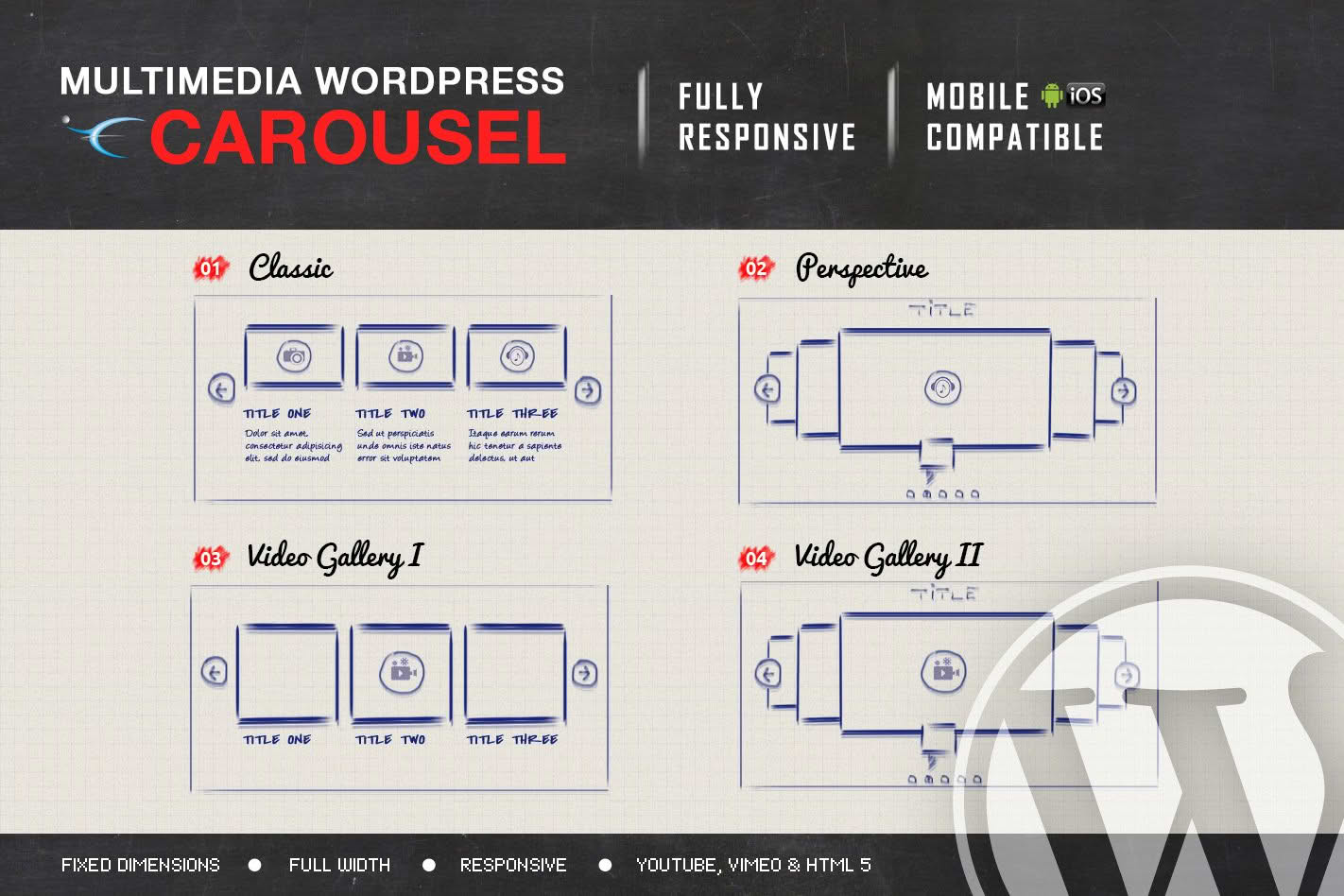
Transform your website’s visual engagement with the Multimedia Responsive Carousel, a powerful WordPress plugin designed to showcase your content in a sleek, interactive, and fully responsive format. Whether you are looking to highlight featured products, display a portfolio of work, or share a collection of videos and images, this plugin ensures your media looks stunning on any device. By providing a seamless, touch-friendly browsing experience, you can keep visitors on your site longer, reduce bounce rates, and present your brand in a professional, modern light without needing to write a single line of code.
Key Features
- Fully Responsive Design: Your carousels will automatically adjust to fit any screen size, ensuring a consistent and high-quality viewing experience on desktops, tablets, and smartphones.
- Multimedia Support: Go beyond simple image sliders. Easily integrate images, YouTube videos, Vimeo links, and HTML5 video content into a single, cohesive carousel.
- Touch-Friendly Navigation: Built with mobile users in mind, the carousel supports swipe gestures, making it intuitive for users to navigate your content on touch-screen devices.
- Customizable Layouts: Take control of your design with adjustable settings for carousel speed, autoplay options, navigation arrows, pagination dots, and infinite looping.
- Lightweight and Fast: Engineered for performance, the plugin is optimized to load quickly, ensuring that your media-rich carousels do not negatively impact your website’s page speed or SEO rankings.
- Shortcode Integration: Easily place your carousels anywhere on your site—within pages, posts, or even sidebar widgets—using simple, automatically generated shortcodes.
- Cross-Browser Compatibility: Enjoy peace of mind knowing your carousels will function reliably across all modern web browsers, including Chrome, Firefox, Safari, and Edge.
Use Cases / Who It’s For
The Multimedia Responsive Carousel is an essential tool for a wide variety of WordPress users who want to elevate their site’s visual storytelling. E-commerce store owners can use it to create dynamic product showcases, highlighting new arrivals or best-sellers in a compact space that encourages clicks. Content creators and bloggers can utilize the plugin to display galleries from events, travel photos, or video series, turning static pages into engaging, interactive experiences.
For agencies and freelancers, this plugin is a time-saving asset when building websites for clients who demand professional-grade media displays. It is also perfect for corporate websites needing to showcase team members, client testimonials, or project portfolios. Because it handles multiple media types, it is the ideal solution for anyone who wants to move past standard image-only sliders and provide a richer, more varied content experience for their audience.
Setup / How It Works
Getting your first carousel up and running is a straightforward process designed to save you time:
- Installation: Install and activate the plugin through your WordPress dashboard just as you would with any standard plugin.
- Create Your Carousel: Navigate to the plugin settings area to create a new carousel. Upload your images or input your video URLs directly into the media manager.
- Configure Settings: Use the intuitive control panel to select your preferred display options, such as the number of items to show at once, transition effects, and autoplay timing.
- Embed Anywhere: Once saved, the plugin will provide a unique shortcode for your carousel. Simply copy and paste this shortcode into any post, page, or text widget where you want the carousel to appear.
- Preview and Publish: View your page on the front end to see your responsive, multimedia carousel in action.
Similar Plugins
If you are exploring your options, other popular solutions in the WordPress ecosystem that offer similar carousel and slider functionality include MetaSlider, Smart Slider 3, and Soliloquy. While these plugins offer various features for image and content display, the Multimedia Responsive Carousel focuses specifically on providing a streamlined, user-friendly experience for those who need a balance of video and image support without unnecessary complexity.