
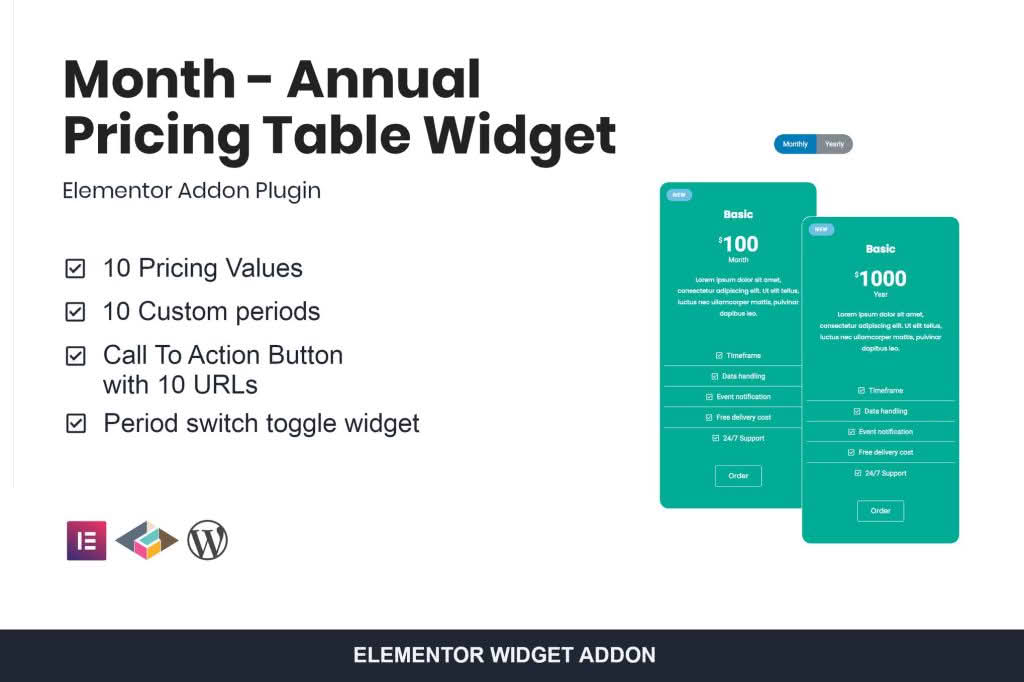
The Month – Annual Pricing Table Widget for Elementor is the ultimate solution for website owners looking to boost conversions by presenting subscription options clearly and professionally. By allowing your visitors to toggle seamlessly between monthly and annual billing cycles, you reduce cognitive load and help potential customers visualize the long-term value of your services. Designed specifically for the Elementor page builder, this widget integrates perfectly into your existing workflow, giving you full control over the design, layout, and functionality of your pricing tables without requiring a single line of code.
Key Features
- Dynamic Toggle Switch: Provide a smooth, interactive experience that allows users to switch between monthly and annual pricing views instantly, keeping your interface clean and uncluttered.
- Elementor Native Integration: Built as a dedicated widget for Elementor, ensuring you can drag, drop, and customize every element using the familiar sidebar controls you already use.
- Complete Design Customization: Tailor every aspect of your pricing table, including colors, typography, button styles, borders, and shadows, to perfectly match your brand identity.
- Responsive Layouts: Ensure your pricing tables look stunning on all devices, from desktop monitors to mobile phones, with built-in responsive settings that adapt automatically.
- Highlight Popular Plans: Easily draw attention to your most recommended subscription tier with custom badges, unique styling, or enlarged card sizes to guide users toward your preferred choice.
- Flexible Content Management: Add unlimited features, icons, tooltips, and custom links to each pricing card, giving your customers all the information they need to make an informed purchase decision.
- Performance Optimized: Engineered to be lightweight, ensuring that your pricing tables load quickly and do not negatively impact your site’s SEO or user experience.
Use Cases / Who It’s For
This plugin is an essential tool for any business model that relies on recurring revenue. If you are a SaaS provider, an online course creator, or a membership site owner, the Month – Annual Pricing Table Widget is designed to help you increase your annual sign-ups. By showcasing the savings associated with annual billing, you can effectively nudge users toward choosing longer-term commitments, which improves your cash flow and reduces churn.
Freelancers and agencies building websites for clients will also find this widget invaluable. It allows you to deliver high-end, functional pricing pages for your clients quickly, saving you hours of development time while providing a professional, polished result that helps your clients sell more of their products or services.
Setup / How It Works
- Install and Activate: Upload the plugin zip file to your WordPress dashboard, activate it, and ensure the Elementor plugin is also installed and active.
- Drag and Drop: Open any page or template using the Elementor editor. Search for the “Month – Annual Pricing Table” widget in the elements panel and drag it onto your canvas.
- Configure Tiers: Use the content tab to define your monthly and annual prices, feature lists, and button links for each column.
- Style Your Table: Switch to the style tab to adjust colors, fonts, spacing, and toggle switch appearance to align with your website’s design.
- Publish: Once you are satisfied with the look and functionality, update or publish your page to provide your visitors with a professional, interactive pricing experience.
Similar Plugins
While there are various pricing table solutions for WordPress, alternatives such as Essential Addons for Elementor, Premium Addons for Elementor, and JetElements also include pricing table widgets. However, the Month – Annual Pricing Table Widget is specifically optimized for the toggle functionality, making it a focused choice for those prioritizing the monthly-to-annual conversion path.