
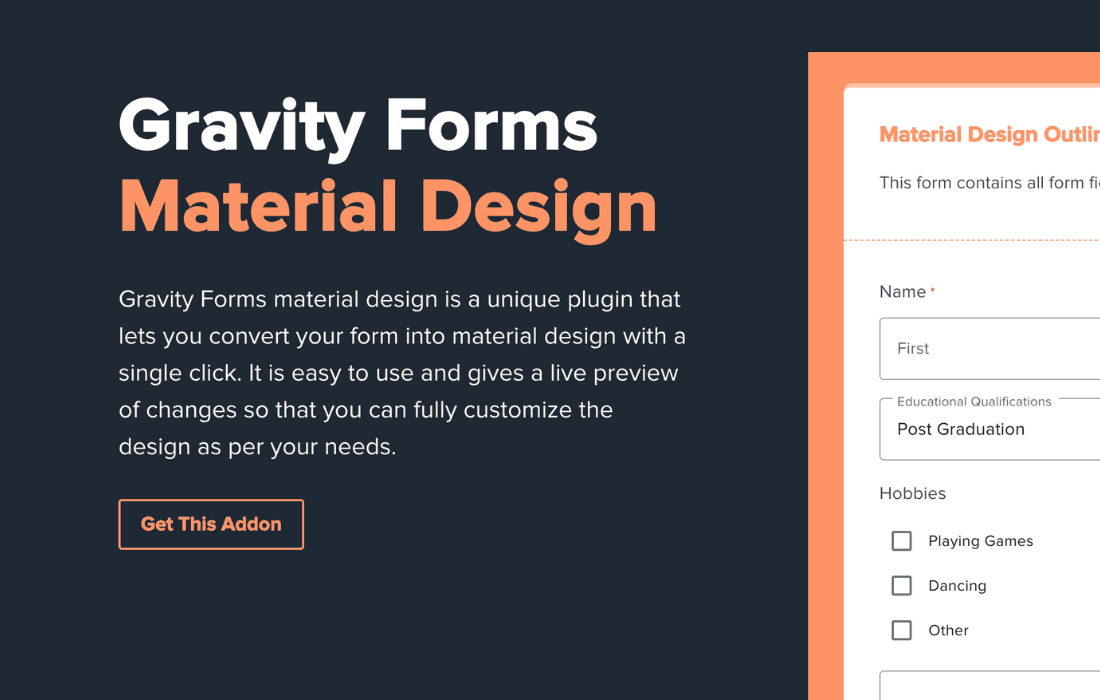
Elevate the visual appeal and user experience of your contact forms by bringing the clean, modern aesthetic of Google’s Material Design to your Gravity Forms. This plugin seamlessly transforms your standard forms into sleek, interactive interfaces that feel intuitive and professional. By replacing default styling with high-quality Material Design elements, you ensure that your website looks polished across all devices, helping to increase form engagement and conversion rates without requiring a single line of custom CSS.
Key Features
- Automatic Material Styling: Instantly apply Google’s Material Design language to your existing Gravity Forms, including input fields, checkboxes, radio buttons, and submit buttons.
- Floating Labels: Enhance usability with labels that gracefully animate and float above the input field when a user clicks or types, keeping the form interface clean and uncluttered.
- Interactive Input States: Provide clear visual feedback to users with smooth focus animations, active states, and error handling that align with modern web standards.
- Customization Options: Easily adjust colors and design elements to match your brand identity while maintaining the core Material Design structure.
- Responsive Design: Ensure your forms look perfect on desktops, tablets, and mobile devices, providing a consistent experience regardless of screen size.
- Lightweight and Fast: Built for performance, the plugin ensures that your forms remain fast-loading and do not negatively impact your site’s core web vitals.
- Compatibility: Designed to work seamlessly with the latest versions of Gravity Forms, ensuring stability and reliability for your critical data collection points.
Use Cases and Who It’s For
This plugin is ideal for web designers, developers, and business owners who prioritize user experience and aesthetic consistency. If you are building a professional website and find that the default Gravity Forms styling clashes with your modern theme, this plugin provides the perfect solution. It is particularly valuable for e-commerce stores, SaaS landing pages, and corporate websites where first impressions matter.
By implementing Material Design, you reduce cognitive load for your visitors. The intuitive nature of floating labels and clear input states guides users through the form-filling process, which can lead to higher completion rates. Whether you are creating a simple contact form, a complex lead generation survey, or a user registration portal, this plugin ensures your forms feel like a high-end, integrated part of your website rather than an afterthought.
Setup and How It Works
Getting started with Material Design for Gravity Forms is designed to be straightforward, allowing you to upgrade your site’s look in minutes.
- Install and Activate: Upload the plugin zip file to your WordPress site via the Plugins menu, or install it directly from your dashboard and activate it.
- Global Settings: Once activated, navigate to the plugin settings page. Here, you can toggle the Material Design styling on or off for your forms.
- Form-Specific Control: If you prefer to apply the styling only to specific forms, you can manage these settings within the plugin’s configuration area.
- Automatic Application: The plugin automatically detects your Gravity Forms and injects the necessary styling, meaning you do not need to manually edit your form templates or add custom classes.
- Verify and Preview: Visit the page where your form is embedded to see the Material Design elements in action. Use the settings panel to tweak colors or branding elements if necessary to better align with your site’s color palette.
Similar Plugins
While various solutions exist for styling forms in WordPress, few focus exclusively on the specific implementation of Google‚Äôs Material Design for the Gravity Forms ecosystem. Other alternatives often include general-purpose form stylers like CSS Hero or YellowPencil, which allow for manual visual editing, or comprehensive form-building add-ons like Gravity Forms Styler. However, for users specifically seeking a dedicated, “set-it-and-forget-it” Material Design integration, this plugin remains a specialized choice.