
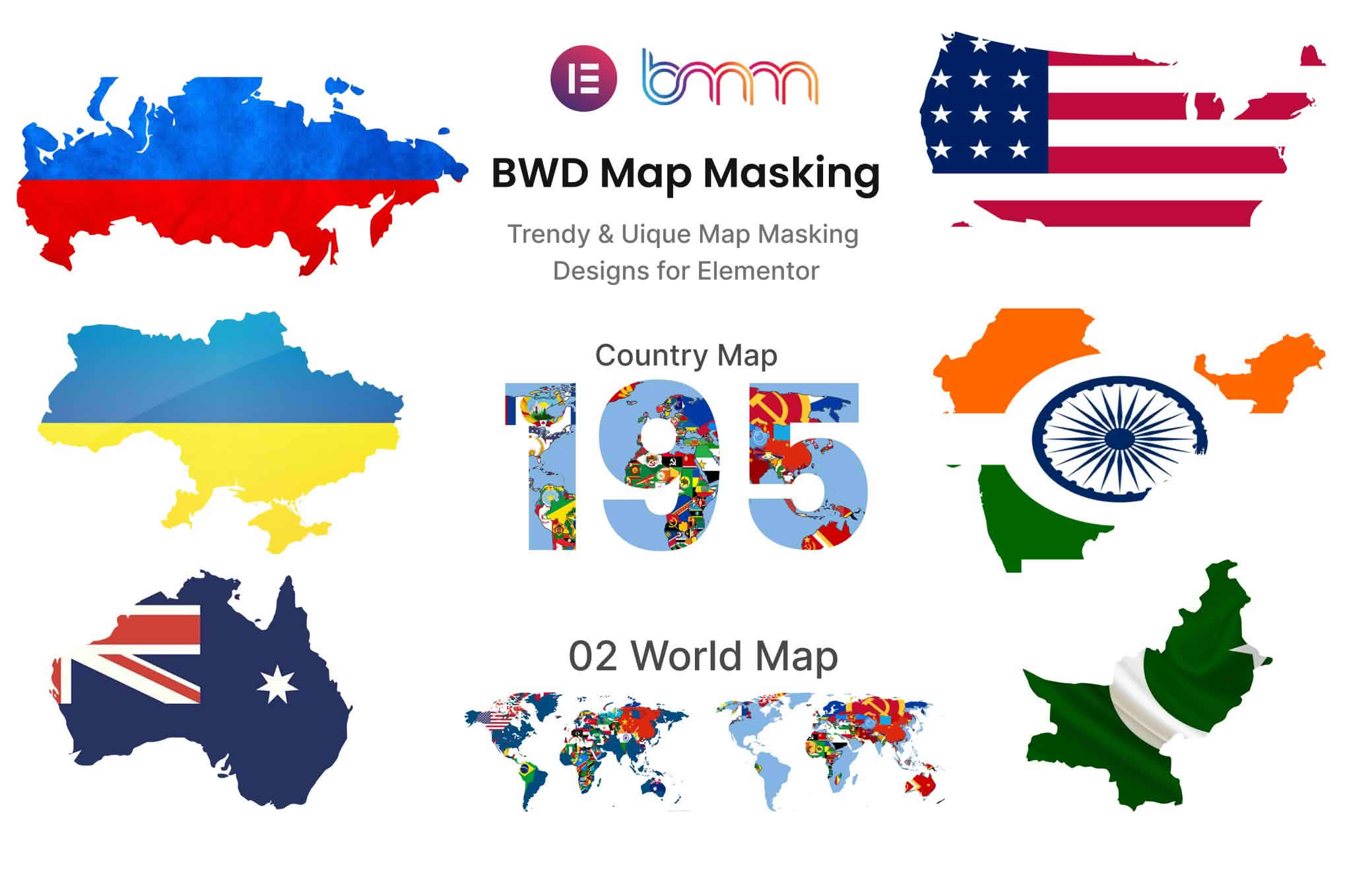
Transform your website‚Äôs visual storytelling with the Map Masking addon for Elementor. This powerful tool allows you to break free from the standard, rectangular map embeds by applying creative shapes, masks, and custom designs to your Google Maps or OpenStreetMap integrations. Whether you are a web designer looking to build a high-end brand experience or a business owner wanting to make your location page stand out, this plugin provides the design flexibility needed to turn a functional map into a stunning, branded visual asset that perfectly matches your site’s aesthetic.
Key Features
- Creative Shape Masking: Easily apply custom shapes to your maps. Move beyond boring rectangles by masking your maps into circles, hexagons, custom polygons, or even complex SVG shapes to create a unique look.
- Elementor Native Integration: Designed specifically for the Elementor page builder, this addon functions as a seamless extension. Simply drag and drop the widget onto your canvas and start customizing without touching a single line of code.
- SVG Support: Upload your own custom SVG files to use as masks. This gives you total control over the silhouette of your map, allowing it to fit seamlessly into any design layout or brand identity.
- Responsive Design Controls: Ensure your masked maps look perfect on every device. Configure how your masks behave on mobile, tablet, and desktop to maintain visual integrity regardless of screen size.
- Advanced Styling Options: Beyond just masking, take advantage of additional styling controls to adjust borders, shadows, and overlays, ensuring your map component feels like a cohesive part of your overall design system.
- Lightweight Performance: Built with performance in mind, the addon is optimized to ensure that your pages load quickly, keeping your site fast and user-friendly while still offering high-end visual customization.
Use Cases / Who It’s For
The Map Masking addon for Elementor is the perfect companion for creative agencies, freelance designers, and businesses that prioritize visual branding. If you are building a website for a boutique hotel, a luxury restaurant, or a modern tech startup, a standard map embed can often feel out of place against a carefully curated design. This plugin is for those who refuse to compromise on aesthetics.
It is particularly useful for designers creating “About Us” or “Contact” pages where the map is a focal point. By masking the map to fit a specific geometric theme or incorporating it into a hero section with a non-traditional shape, you create a more immersive and professional user experience. It is also an excellent tool for real estate websites or event landing pages where you want to highlight specific locations in a way that feels intentional, artistic, and deeply integrated into the page layout.
Setup / How It Works
Getting started with the Map Masking addon is designed to be intuitive for anyone familiar with the Elementor interface.
- Install and Activate: Once you have installed the plugin, ensure it is activated within your WordPress dashboard.
- Access the Widget: Open your desired page or template in the Elementor editor. Search for the “Map Masking” widget in the sidebar panel.
- Add Your Map: Drag the widget onto your page. You will be prompted to connect your map provider—typically by entering your API key for Google Maps or selecting your preferred provider settings.
- Apply the Mask: Navigate to the “Style” or “Masking” tab within the widget settings. Here, you can choose from a library of built-in shapes or upload your own custom SVG file.
- Refine and Preview: Use the provided controls to adjust the positioning, scale, and alignment of the mask over your map. Use the Elementor responsive mode to check how the mask looks on different screen sizes and make adjustments as needed.
- Publish: Once you are satisfied with the look, save your changes and publish your page to see your custom-shaped map live.
Similar Plugins
While the Map Masking addon for Elementor is a specialized tool, there are broader Elementor-compatible map plugins that offer varying degrees of styling customization. Popular alternatives include Essential Addons for Elementor, Premium Addons for Elementor, and JetElements. These plugins often include advanced map widgets as part of a larger suite of tools. However, if your primary goal is specifically achieving unique shape masking with high precision, the dedicated Map Masking addon is often the most streamlined solution.