
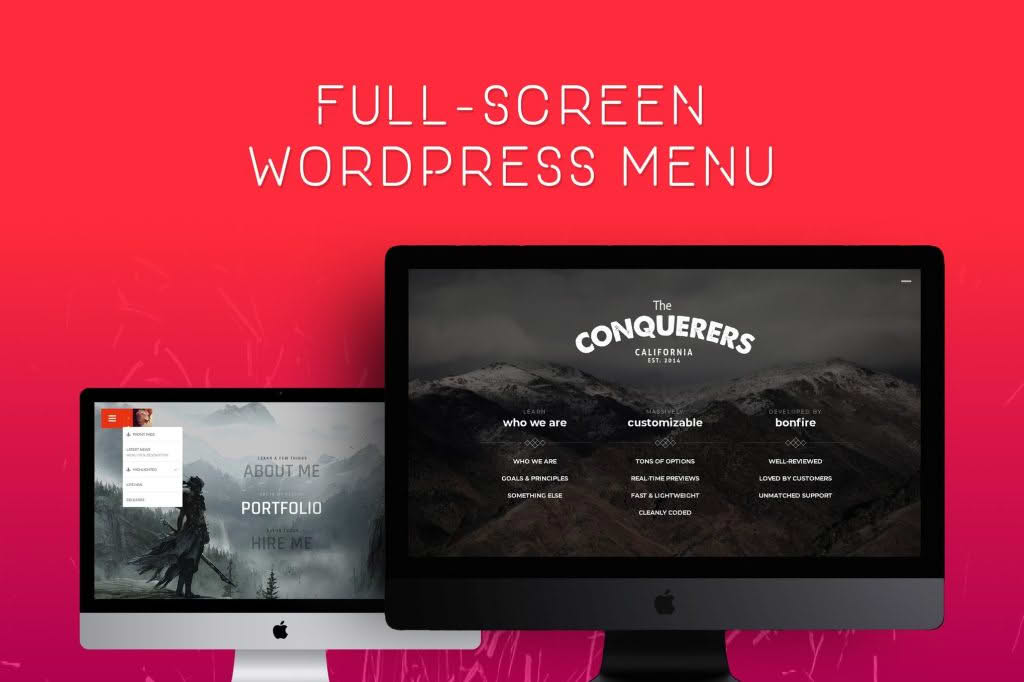
Jumbo: Fullscreen WordPress Menu transforms your website navigation into an immersive, high-impact experience. Designed for modern web aesthetics, this plugin replaces standard, cramped navigation bars with a sleek, responsive, and customizable fullscreen overlay. Whether you are building a creative portfolio, a high-end agency site, or a brand that demands a premium feel, Jumbo ensures your menu is not just a utility, but a memorable part of your user interface.
Key Features
- Immersive Fullscreen Experience: Captivate your visitors with a beautiful, distraction-free overlay that covers the entire screen, ensuring your navigation is the focal point of the user journey.
- Highly Customizable Design: Take full control over the look and feel. Adjust background colors, transparency, typography, and animation speeds to perfectly match your brand identity without needing to touch a single line of code.
- Responsive and Mobile-Ready: Ensure a consistent, seamless experience across all devices. The menu automatically adapts to mobile screens, providing a touch-friendly navigation experience for smartphone and tablet users.
- Multiple Animation Styles: Choose from a variety of smooth, professional transition effects to open and close your menu, adding a layer of sophistication to your site’s interaction design.
- Flexible Content Integration: Beyond standard links, you can easily incorporate social media icons, search bars, contact information, or even custom widgets directly into the fullscreen area.
- Intuitive Menu Builder: Seamlessly integrates with the native WordPress Menu system, allowing you to manage your links, sub-menus, and structure using the interface you are already familiar with.
- Performance Optimized: Built with clean, lightweight code to ensure that your site remains fast and responsive, preventing the “bloat” often associated with complex navigation plugins.
Use Cases: Who It’s For
Jumbo is the ideal solution for website owners who want to break away from traditional design constraints. It is particularly effective for creative professionals, such as photographers, graphic designers, and videographers, who need a portfolio site that feels as artistic as the work they showcase. By moving the navigation into a hidden, fullscreen overlay, you allow your visual content to take center stage, creating a cleaner and more professional layout.
Agencies and corporate brands also benefit from the premium “app-like” feel that Jumbo provides. It is perfect for landing pages where you want to minimize distractions and guide the user toward a specific conversion goal. If your current navigation bar feels cluttered or outdated, Jumbo provides an immediate aesthetic upgrade that signals to your visitors that your brand is modern, organized, and detail-oriented.
Setup: How It Works
Getting started with Jumbo is designed to be straightforward, allowing you to launch your new navigation in minutes:
- Installation: Upload and activate the plugin through your WordPress dashboard just as you would with any other plugin.
- Menu Assignment: Navigate to Appearance > Menus. Create or select the menu you wish to use, and assign it to the specific Jumbo menu location provided by the plugin.
- Customization: Visit the Jumbo settings panel. Here, you can configure your background colors, select your preferred animation style, and toggle specific elements like search bars or social icons.
- Preview and Launch: Use the live preview features to see how your menu looks across different screen sizes, then save your settings to make the changes live on your site.
Similar Plugins
While Jumbo offers a unique set of design options, users exploring fullscreen or advanced navigation solutions may also consider alternatives such as Max Mega Menu, which focuses on complex, content-rich drop-down structures, or UberMenu, a popular choice for highly detailed, high-performance mega menus. Additionally, plugins like WP Mobile Menu are often used by those specifically looking to improve the navigation experience on handheld devices.