
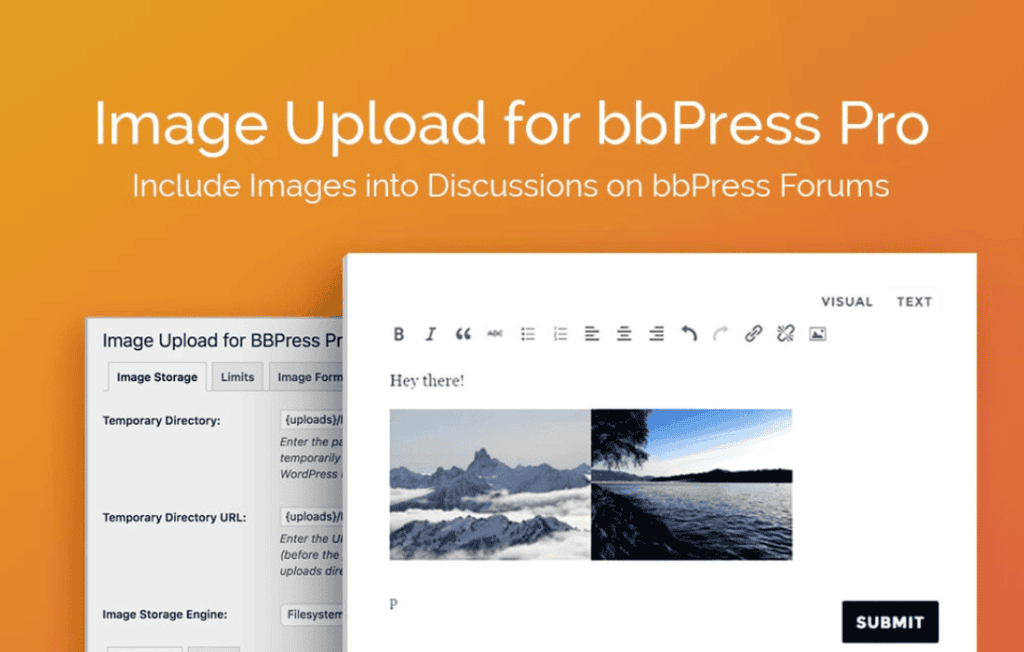
Transform your forum into a vibrant, visual community by allowing your members to easily share images directly within their posts and replies. Image Upload for bbPress Pro bridges the gap between text-heavy discussions and engaging visual storytelling, helping you increase user participation, improve content quality, and keep your forum members on your site longer. Whether you are running a support forum, a hobbyist community, or a professional discussion board, this plugin provides a seamless, secure way for users to upload screenshots, product photos, and personal images without needing external hosting services.
Key Features
- Direct Image Uploading: Empower your users to upload images directly into forum topics and replies using a simple, intuitive interface integrated into the standard bbPress editor.
- Drag-and-Drop Functionality: Enhance user experience with a modern, responsive upload system that supports drag-and-drop, making it faster than ever for members to share content.
- Image Optimization and Resizing: Automatically resize or compress uploaded images to ensure your forum remains fast and your server storage is managed efficiently.
- Robust Security Controls: Protect your site with built-in file type validation and size limits, ensuring only safe, appropriate image files are uploaded to your server.
- Admin Moderation Tools: Maintain community standards with easy-to-use moderation features that allow administrators to review, approve, or delete images attached to forum posts.
- Mobile-Friendly Design: Ensure your community members can contribute from any device, as the upload interface is fully responsive and optimized for mobile browsers.
- Seamless Integration: Designed specifically for the bbPress ecosystem, the plugin works harmoniously with your existing forum structure without requiring complex coding or template overrides.
Use Cases and Who It’s For
Image Upload for bbPress Pro is an essential tool for any community manager looking to foster a more interactive environment. Technical support forums benefit immensely, as users can quickly attach screenshots to troubleshoot issues, significantly reducing the back-and-forth required to resolve tickets. Creative communities—such as photography, art, or DIY hobbyist groups—rely on visual content to share progress, showcase work, and provide feedback. By removing the barrier of third-party image hosting sites, you keep the conversation focused and contained within your own domain, which improves SEO and keeps your community members engaged within your ecosystem.
Setup and How It Works
Getting started with Image Upload for bbPress Pro is designed to be straightforward, allowing you to enhance your forum in minutes.
- Installation: Install and activate the plugin through your WordPress dashboard just like any other standard plugin.
- Configuration: Navigate to the plugin settings page to define your preferences, such as maximum file size, allowed image formats (e.g., JPEG, PNG, GIF), and automatic resizing dimensions.
- User Permissions: Configure which user roles (e.g., subscribers, contributors, or moderators) have the authority to upload images to ensure your forum remains secure.
- Automatic Display: Once configured, the upload button will automatically appear within the bbPress editor for authorized users. When a member uploads an image, the plugin handles the storage and displays it cleanly within the post content for all other members to see.
Similar Plugins
While bbPress provides the core framework for your forum, several other solutions exist to extend its capabilities. Plugins such as bbPress Image Upload (often found in the WordPress repository) or various bbPress attachments add-ons offer similar functionality. When comparing options, look for plugins that offer the best balance of security, server-side image optimization, and compatibility with your current theme to ensure a smooth experience for your community.