
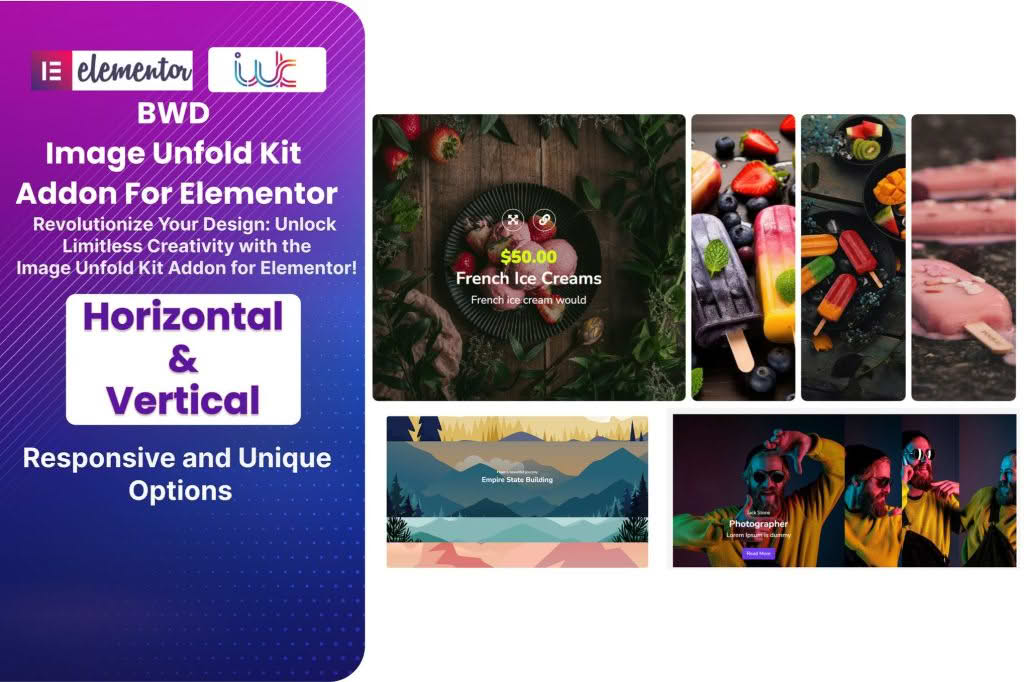
The Image Unfold Kit is a specialized Elementor addon designed to transform static imagery into engaging, interactive visual experiences. By adding sophisticated unfolding animations to your photos, this plugin helps website owners, designers, and marketers capture visitor attention and encourage deeper interaction with their content. Whether you are looking to create a more dynamic portfolio, a captivating product showcase, or an immersive storytelling section, this tool provides the creative flexibility to make your visuals stand out without requiring a single line of code.
Key Features
- Versatile Animation Styles: Choose from a wide variety of unfolding effects, including both horizontal and vertical transitions, to match your brand’s unique personality.
- Interactive Triggers: Engage your audience with flexible trigger options, allowing animations to activate based on user interaction, such as clicks or hover states.
- Elementor Integration: Built specifically for the Elementor page builder, ensuring a seamless drag-and-drop experience that fits perfectly into your existing design workflow.
- Enhanced Functionality: Go beyond simple images by utilizing built-in support for popups, custom icons, and action buttons to drive conversions directly from your visual elements.
- Performance Optimized: Engineered with clean, lightweight code to ensure that your site remains fast, responsive, and SEO-friendly across all devices.
- Highly Customizable: Easily fine-tune animation speed, direction, and layout settings to achieve the exact look and feel you desire for your web pages.
Use Cases / Who It’s For
The Image Unfold Kit is an ideal solution for anyone looking to elevate the visual storytelling on their WordPress site. E-commerce store owners can use it to create interactive product galleries that encourage shoppers to explore product details in a more engaging way. Creative professionals, such as photographers and graphic designers, can leverage the unfolding effects to present their portfolios with a modern, high-end feel that distinguishes their work from competitors. Additionally, marketing teams and bloggers can utilize these animations to highlight key images in landing pages or long-form content, effectively guiding user focus and increasing time-on-page metrics.
Setup / How It Works
Getting started with the Image Unfold Kit is designed to be straightforward for users of all skill levels:
- Install and Activate: Upload the plugin ZIP file to your WordPress dashboard via the Plugins menu and activate it.
- Open Elementor: Navigate to the page or post where you want to add an image and open it with the Elementor editor.
- Drag and Drop: Locate the Image Unfold widget in your Elementor sidebar and drag it into your desired section.
- Configure Settings: Use the intuitive control panel to select your preferred animation style, adjust the trigger settings, and upload your images.
- Publish: Once you are satisfied with the preview, save your changes and publish the page to let your visitors experience the new interactive visuals.