
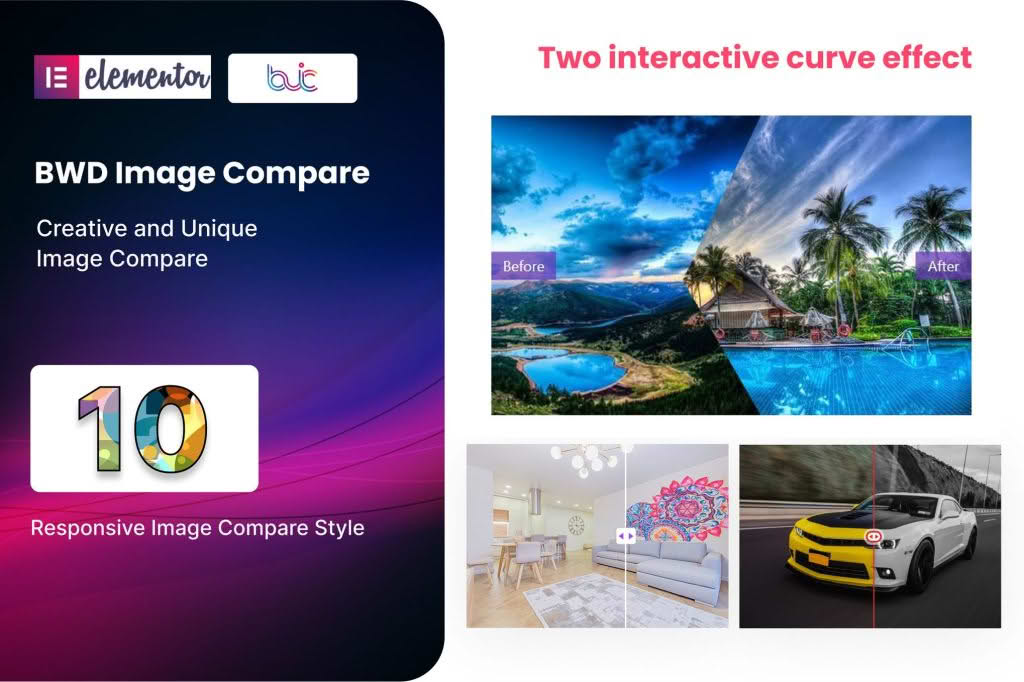
The Image Compare addon for Elementor is a powerful, lightweight tool designed to help you create engaging, interactive before-and-after image sliders directly within your WordPress site. By allowing visitors to manually slide a handle across two overlapping images, you provide a tactile and visually compelling way to showcase transformations, product improvements, or design iterations. This plugin seamlessly integrates with the Elementor page builder, ensuring that you can add professional-grade comparison sliders to any page or post without needing a single line of code.
Key Features
- Intuitive Elementor Integration: Drag and drop the Image Compare widget directly into your Elementor canvas, making it fully compatible with your existing design workflow.
- Horizontal and Vertical Orientations: Choose the best layout for your images, whether you need a classic side-by-side comparison or a top-to-bottom reveal.
- Customizable Handles: Tailor the appearance of the slider handle to match your brand identity with options to adjust colors, icons, and sizing.
- Hover Interaction: Enable the slider to move automatically when a user hovers over the image, providing a seamless and intuitive user experience.
- Responsive Design: Ensure your comparisons look perfect on all devices, from desktop monitors to mobile phones, with built-in responsiveness that adapts to any screen size.
- Labeling Support: Add clear labels to your “Before” and “After” images to guide your visitors and provide necessary context for the comparison.
- Performance Focused: Built with clean code to ensure that your pages remain fast and lightweight, preventing any negative impact on your site’s loading speed or SEO.
Use Cases and Who It’s For
This addon is an essential tool for any website owner who needs to demonstrate change, progress, or quality. If you are a professional photographer, the plugin is perfect for displaying the dramatic impact of your post-processing techniques or color grading. For e-commerce store owners, it serves as a high-conversion tool to highlight product features, such as the difference between a standard model and a premium version, or the effectiveness of a skincare or cleaning product.
Interior designers, architects, and renovation contractors can use the Image Compare addon to showcase stunning before-and-after shots of building projects, helping potential clients visualize the value of their services. Additionally, it is an excellent choice for educational websites or portfolio sites where showing the evolution of a design, a sketch, or a restoration process is key to telling a compelling brand story.
Setup and How It Works
Getting started with the Image Compare addon is designed to be straightforward, even for beginners. Once you have installed and activated the plugin alongside Elementor, you can follow these simple steps:
- Open the Elementor Editor: Navigate to the page or post where you want to display your comparison slider and open it with Elementor.
- Drag the Widget: Locate the “Image Compare” widget in the Elementor sidebar and drag it into your desired section.
- Upload Your Images: Within the widget settings, select your “Before” image and your “After” image from your WordPress media library.
- Configure Settings: Use the content and style tabs to adjust the orientation, handle behavior, labels, and colors to match your site’s aesthetic.
- Publish: Once you are satisfied with the look and feel, update or publish your page to let your visitors interact with your new comparison slider.
Similar Plugins
If you are exploring your options for image comparison functionality within the WordPress ecosystem, there are several alternatives available. Many popular Elementor-focused addon bundles, such as Essential Addons for Elementor, Premium Addons for Elementor, and Crocoblock’s JetElements, include their own versions of an image comparison widget. Additionally, standalone plugins like Twenty20 Image Before-After are widely recognized for providing similar functionality if you prefer a dedicated, non-bundle solution.