
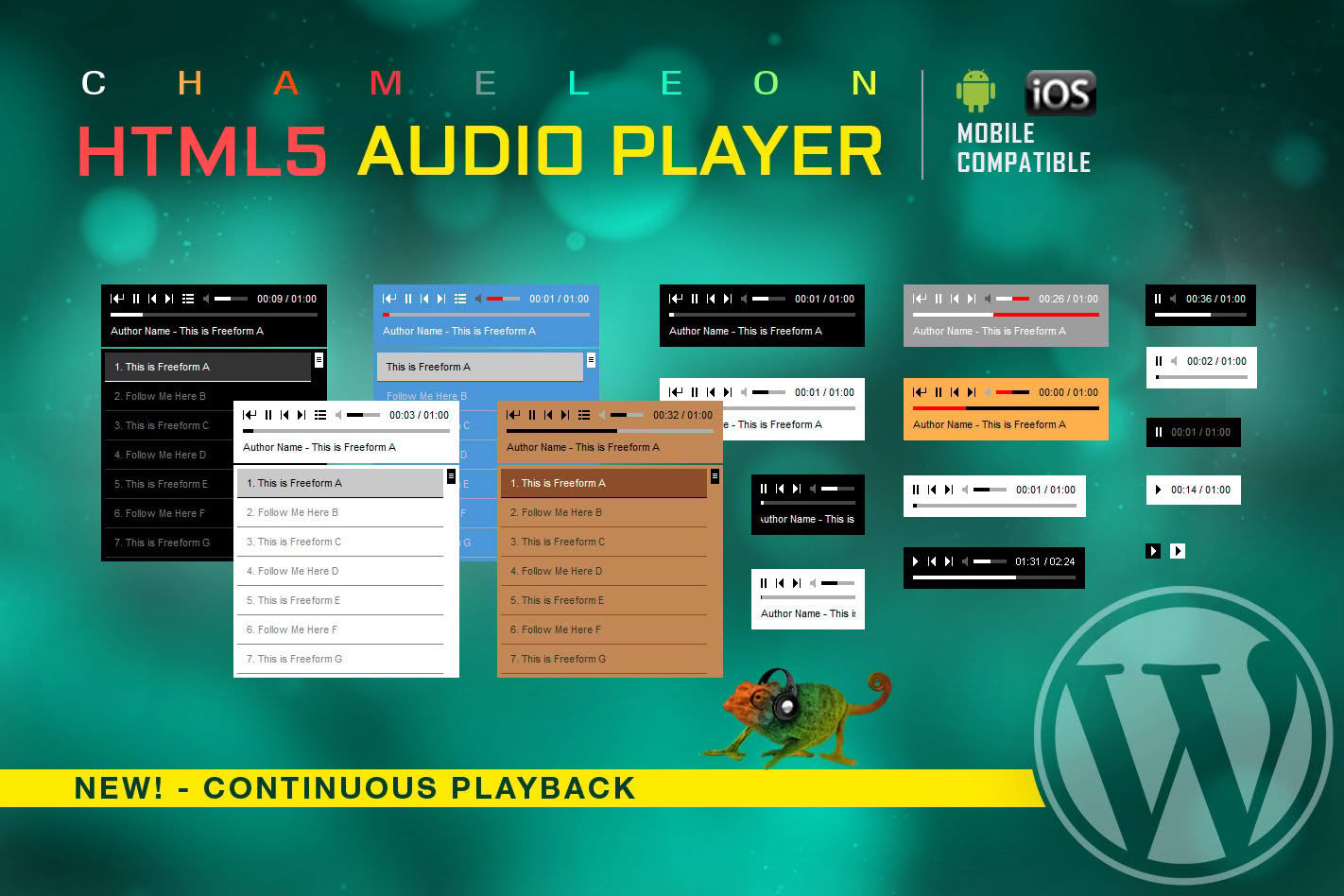
The HTML Audio Player WordPress Plugin provides a seamless, lightweight, and highly customizable solution for embedding audio content directly into your website. Whether you are a podcaster, musician, or business owner looking to enhance user engagement, this plugin ensures your audio files play flawlessly across all devices and browsers. By leveraging native HTML5 technology, it delivers a fast-loading, accessible experience that keeps your visitors on your page longer without the need for complex external media hosting.
Key Features
- Native HTML5 Compatibility: Built on modern web standards, ensuring your audio files play reliably on all desktop and mobile browsers without requiring third-party plugins or external dependencies.
- Responsive Design: The player automatically adjusts its layout to fit perfectly within any container, sidebar, or mobile screen, providing a consistent user experience regardless of the device.
- Customizable Styling: Tailor the appearance of your audio player to match your website’s branding. Adjust colors, player themes, and button layouts to create a seamless visual integration.
- Playlist Management: Easily organize multiple audio tracks into a single player, allowing users to browse and select their preferred content without leaving your page.
- Shortcode Support: Effortlessly embed players anywhere on your site—including posts, pages, and widget areas—using simple, intuitive shortcodes.
- Loop and Autoplay Options: Gain full control over playback behavior with configurable settings for looping tracks or enabling automatic playback when a page loads.
- Lightweight Performance: Engineered for speed, the plugin ensures minimal impact on your site’s load times, helping you maintain optimal performance and SEO rankings.
Use Cases / Who It’s For
This plugin is an essential tool for any WordPress user who needs to integrate audio content into their digital strategy. Podcasters can use it to host episodes directly on their site, offering listeners an easy way to stream content without navigating away. Musicians and bands can showcase their discography, allowing fans to preview tracks or listen to full albums directly from a portfolio page.
Beyond creative professionals, the plugin is perfect for business owners and educators. E-learning sites can provide audio lectures or supplementary materials, while corporate websites can share audio testimonials, interviews, or company announcements. Because it is lightweight and easy to manage, it is an ideal choice for anyone who wants to add professional-grade audio functionality without the bloat of heavier, more complex media management systems.
Setup / How It Works
Getting your audio content live is a straightforward process designed to save you time:
- Installation: Upload and activate the plugin through your WordPress dashboard as you would with any standard plugin.
- Upload Audio: Navigate to the media library or the plugin settings to upload your audio files, or simply provide the direct URL to your hosted audio content.
- Configure Settings: Use the intuitive settings panel to select your preferred player skin, enable or disable features like autoplay, and define your playlist structure.
- Embed: Copy the generated shortcode and paste it into any post, page, or text widget. The player will instantly appear on your site, ready for your visitors to enjoy.
Similar Plugins
If you are exploring your options, there are other reputable solutions in the WordPress ecosystem that offer audio playback functionality. Popular alternatives include the Compact WP Audio Player, which is well-regarded for its minimal footprint, and the Seriously Simple Podcasting plugin, which is specifically optimized for managing and distributing podcast feeds. Additionally, PowerPress remains a standard choice for users who require advanced podcasting features and deep integration with media hosting platforms.