
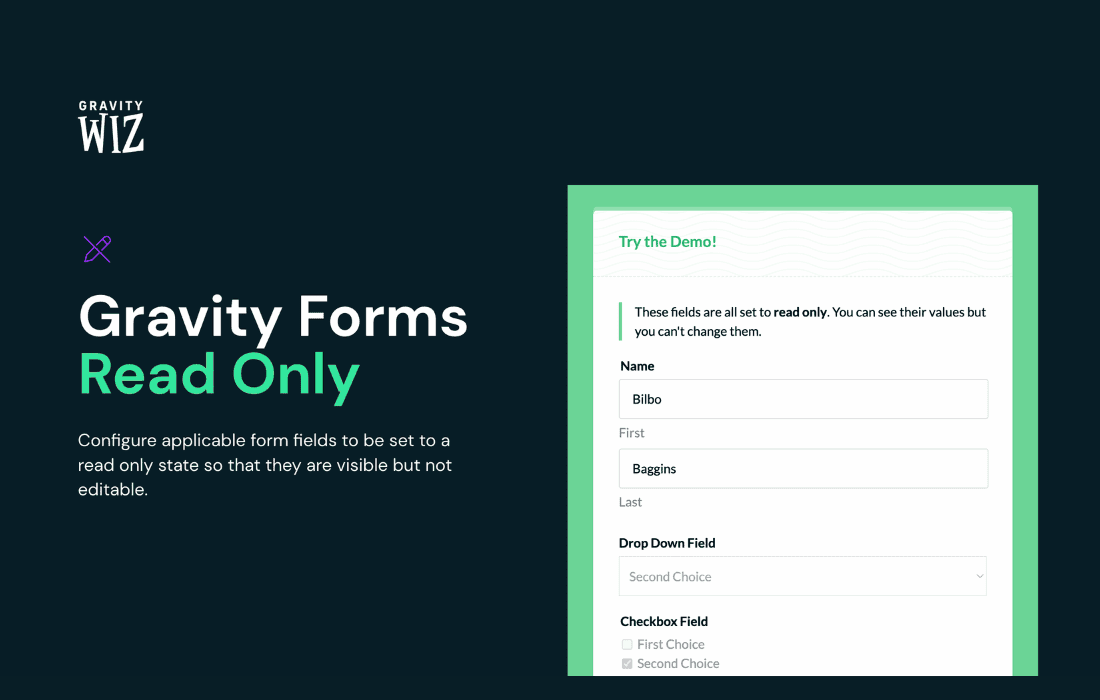
Gravity Perks Read Only is a powerful extension for Gravity Forms designed to give you precise control over how users interact with your forms. Whether you need to display information that users can see but not change, or you want to lock specific fields after an initial submission, this plugin ensures your data remains accurate and secure. It is the perfect solution for site administrators who need to present pre-filled data without the risk of accidental or unauthorized modifications.
Key Features
- Field-Level Locking: Easily toggle any field to read-only mode, preventing users from editing the content while still allowing them to view it.
- Dynamic Read-Only Control: Configure fields to be read-only based on specific conditions, giving you the flexibility to lock data only when necessary.
- Support for Diverse Field Types: Works seamlessly with a wide range of Gravity Forms field types, including text, number, email, date, and more.
- Enhanced Data Integrity: Prevent users from altering critical information—such as account IDs, reference numbers, or pre-populated personal details—during the submission process.
- User-Friendly Interface: Integrates directly into the standard Gravity Forms field settings, making it incredibly simple to enable read-only status without needing to touch a line of code.
- Seamless Integration: Designed to work perfectly alongside other Gravity Perks plugins, ensuring a robust and reliable experience across your entire form ecosystem.
Use Cases / Who It’s For
Gravity Perks Read Only is an essential tool for any business or organization that relies on Gravity Forms for data management and workflow automation. It is particularly valuable for developers and site owners who need to maintain strict control over form data.
For example, if you are running an internal employee portal, you might use this plugin to display an employee’s ID or department code as a read-only field, ensuring that the information is visible for reference but cannot be tampered with by the user. In customer support scenarios, you can use it to display ticket details or account information that a user needs to verify but should not be able to change.
It is also highly effective for multi-step workflows. If a user submits a form that is later reviewed by an administrator, you can use Gravity Perks Read Only to lock specific fields once the form enters the review stage, preventing the user from modifying their answers after the process has begun. By ensuring that sensitive or verified data remains immutable, you reduce the risk of errors and maintain the integrity of your database.
Setup / How It Works
Getting started with Gravity Perks Read Only is straightforward, as it is designed to integrate natively into the Gravity Forms builder interface.
- Install and Activate: Ensure you have the Gravity Perks plugin manager installed, then activate the Read Only perk from your dashboard.
- Access Field Settings: Navigate to your form editor and click on the specific field you wish to restrict.
- Enable Read-Only: Within the field settings sidebar, look for the Read Only option. Toggle the setting to enable it for that specific field.
- Configure Conditions (Optional): If you do not want the field to be read-only at all times, utilize the conditional logic settings to define exactly when the field should become locked.
- Save and Test: Save your form and preview it on the front end to ensure the field appears as read-only to your users.
Similar Plugins
While various snippets and custom code solutions exist to disable form inputs, Gravity Perks Read Only stands out as a dedicated, supported, and user-friendly solution specifically built for the Gravity Forms ecosystem. Other alternatives often involve manual coding or lack the deep integration and conditional logic support provided by this plugin, making Gravity Perks Read Only the preferred choice for those seeking a reliable, “set-it-and-forget-it” method for managing form field accessibility.