
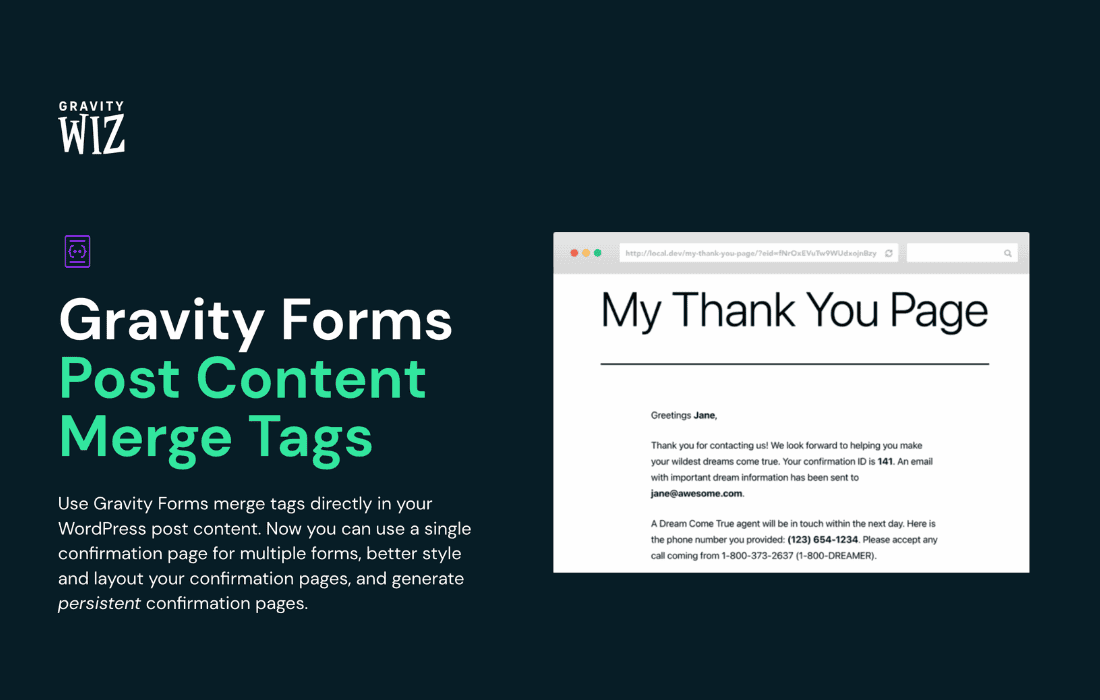
Gravity Perks Post Content Merge Tags is a powerful utility for Gravity Forms users who need to dynamically pull post content directly into their form notifications, confirmations, or even form fields. By unlocking the ability to reference specific post data—such as post titles, excerpts, custom fields, or the full post body—within your merge tags, this perk eliminates manual data entry and ensures your automated communications are always perfectly personalized and up-to-date.
Key Features
- Dynamic Content Injection: Seamlessly inject post content into any Gravity Forms merge tag field, allowing you to include post-specific information in email notifications or confirmation messages without complex custom coding.
- Support for Standard and Custom Fields: Beyond standard post titles and content, this perk supports custom fields (post meta), enabling you to pull specialized data attached to your posts directly into your forms.
- Context-Aware Processing: The plugin intelligently detects the post context, ensuring that when a form is submitted from a specific page or post, the correct information is pulled for that specific instance.
- Enhanced Notification Personalization: Create highly relevant automated emails by including snippets of the post the user was viewing when they filled out the form, significantly increasing engagement and clarity.
- Seamless Gravity Perks Integration: Built to work harmoniously with the Gravity Perks ecosystem, ensuring stability, regular updates, and compatibility with the latest versions of Gravity Forms.
Use Cases and Who It’s For
This plugin is an essential tool for developers, site administrators, and content managers who rely on Gravity Forms to handle complex workflows involving post data. If you are building a site where users interact with specific posts, this perk provides the bridge needed to connect those interactions with automated feedback.
For example, if you run a real estate website, you can use this perk to automatically include the property address and price in a “Request More Info” form notification simply by pulling that data from the post the user is currently viewing. Similarly, for educational platforms or documentation sites, you can ensure that support tickets submitted from a specific article include the article title in the email subject line, making it significantly easier for your team to triage and respond to inquiries quickly.
It is also an ideal solution for membership sites or directories where users submit reviews or feedback on specific listings. By pulling the listing title or author into the confirmation message, you provide a professional, polished user experience that confirms exactly what the user has interacted with.
Setup and How It Works
Getting started with Gravity Perks Post Content Merge Tags is designed to be straightforward, requiring no advanced programming knowledge.
- Install and Activate: Ensure you have both Gravity Forms and the Gravity Perks plugin installed, then activate the Post Content Merge Tags perk.
- Configure Your Form: Navigate to the notification or confirmation settings of your chosen Gravity Form.
- Utilize Merge Tags: Use the standard Gravity Forms merge tag selector. You will now see additional options available that allow you to reference post-specific data.
- Select Your Data: Choose the desired post attribute (such as Gravity Perks Post Content Merge Tags,
Gravity Perks Post Content Merge Tags is a powerful utility for Gravity Forms users who need to dynamically pull post content directly into their form notifications, confirmations, or even form fields. By unlocking the ability to reference specific post data—such as post titles, excerpts, custom fields, or the full post body—within your merge tags, this perk eliminates manual data entry and ensures your automated communications are always perfectly personalized and up-to-date.
Key Features
- Dynamic Content Injection: Seamlessly inject post content into any Gravity Forms merge tag field, allowing you to include post-specific information in email notifications or confirmation messages without complex custom coding.
- Support for Standard and Custom Fields: Beyond standard post titles and content, this perk supports custom fields (post meta), enabling you to pull specialized data attached to your posts directly into your forms.
- Context-Aware Processing: The plugin intelligently detects the post context, ensuring that when a form is submitted from a specific page or post, the correct information is pulled for that specific instance.
- Enhanced Notification Personalization: Create highly relevant automated emails by including snippets of the post the user was viewing when they filled out the form, significantly increasing engagement and clarity.
- Seamless Gravity Perks Integration: Built to work harmoniously with the Gravity Perks ecosystem, ensuring stability, regular updates, and compatibility with the latest versions of Gravity Forms.
Use Cases and Who It’s For
This plugin is an essential tool for developers, site administrators, and content managers who rely on Gravity Forms to handle complex workflows involving post data. If you are building a site where users interact with specific posts, this perk provides the bridge needed to connect those interactions with automated feedback.
For example, if you run a real estate website, you can use this perk to automatically include the property address and price in a “Request More Info” form notification simply by pulling that data from the post the user is currently viewing. Similarly, for educational platforms or documentation sites, you can ensure that support tickets submitted from a specific article include the article title in the email subject line, making it significantly easier for your team to triage and respond to inquiries quickly.
It is also an ideal solution for membership sites or directories where users submit reviews or feedback on specific listings. By pulling the listing title or author into the confirmation message, you provide a professional, polished user experience that confirms exactly what the user has interacted with.
Setup and How It Works
Getting started with Gravity Perks Post Content Merge Tags is designed to be straightforward, requiring no advanced programming knowledge.
- Install and Activate: Ensure you have both Gravity Forms and the Gravity Perks plugin installed, then activate the Post Content Merge Tags perk.
- Configure Your Form: Navigate to the notification or confirmation settings of your chosen Gravity Form.
- Utilize Merge Tags: Use the standard Gravity Forms merge tag selector. You will now see additional options available that allow you to reference post-specific data.
- Select Your Data: Choose the desired post attribute (such as Gravity Perks Post Content Merge Tags,
Gravity Perks Post Content Merge Tags is a powerful utility for Gravity Forms users who need to dynamically pull post content directly into their form notifications, confirmations, or even form fields. By unlocking the ability to reference specific post data—such as post titles, excerpts, custom fields, or the full post body—within your merge tags, this perk eliminates manual data entry and ensures your automated communications are always perfectly personalized and up-to-date.
Key Features
- Dynamic Content Injection: Seamlessly inject post content into any Gravity Forms merge tag field, allowing you to include post-specific information in email notifications or confirmation messages without complex custom coding.
- Support for Standard and Custom Fields: Beyond standard post titles and content, this perk supports custom fields (post meta), enabling you to pull specialized data attached to your posts directly into your forms.
- Context-Aware Processing: The plugin intelligently detects the post context, ensuring that when a form is submitted from a specific page or post, the correct information is pulled for that specific instance.
- Enhanced Notification Personalization: Create highly relevant automated emails by including snippets of the post the user was viewing when they filled out the form, significantly increasing engagement and clarity.
- Seamless Gravity Perks Integration: Built to work harmoniously with the Gravity Perks ecosystem, ensuring stability, regular updates, and compatibility with the latest versions of Gravity Forms.
Use Cases and Who It’s For
This plugin is an essential tool for developers, site administrators, and content managers who rely on Gravity Forms to handle complex workflows involving post data. If you are building a site where users interact with specific posts, this perk provides the bridge needed to connect those interactions with automated feedback.
For example, if you run a real estate website, you can use this perk to automatically include the property address and price in a “Request More Info” form notification simply by pulling that data from the post the user is currently viewing. Similarly, for educational platforms or documentation sites, you can ensure that support tickets submitted from a specific article include the article title in the email subject line, making it significantly easier for your team to triage and respond to inquiries quickly.
It is also an ideal solution for membership sites or directories where users submit reviews or feedback on specific listings. By pulling the listing title or author into the confirmation message, you provide a professional, polished user experience that confirms exactly what the user has interacted with.
Setup and How It Works
Getting started with Gravity Perks Post Content Merge Tags is designed to be straightforward, requiring no advanced programming knowledge.
- Install and Activate: Ensure you have both Gravity Forms and the Gravity Perks plugin installed, then activate the Post Content Merge Tags perk.
- Configure Your Form: Navigate to the notification or confirmation settings of your chosen Gravity Form.
- Utilize Merge Tags: Use the standard Gravity Forms merge tag selector. You will now see additional options available that allow you to reference post-specific data.
- Select Your Data: Choose the desired post attribute (such as Gravity Perks Post Content Merge Tags,
Gravity Perks Post Content Merge Tags is a powerful utility for Gravity Forms users who need to dynamically pull post content directly into their form notifications, confirmations, or even form fields. By unlocking the ability to reference specific post data—such as post titles, excerpts, custom fields, or the full post body—within your merge tags, this perk eliminates manual data entry and ensures your automated communications are always perfectly personalized and up-to-date.
Key Features
- Dynamic Content Injection: Seamlessly inject post content into any Gravity Forms merge tag field, allowing you to include post-specific information in email notifications or confirmation messages without complex custom coding.
- Support for Standard and Custom Fields: Beyond standard post titles and content, this perk supports custom fields (post meta), enabling you to pull specialized data attached to your posts directly into your forms.
- Context-Aware Processing: The plugin intelligently detects the post context, ensuring that when a form is submitted from a specific page or post, the correct information is pulled for that specific instance.
- Enhanced Notification Personalization: Create highly relevant automated emails by including snippets of the post the user was viewing when they filled out the form, significantly increasing engagement and clarity.
- Seamless Gravity Perks Integration: Built to work harmoniously with the Gravity Perks ecosystem, ensuring stability, regular updates, and compatibility with the latest versions of Gravity Forms.
Use Cases and Who It’s For
This plugin is an essential tool for developers, site administrators, and content managers who rely on Gravity Forms to handle complex workflows involving post data. If you are building a site where users interact with specific posts, this perk provides the bridge needed to connect those interactions with automated feedback.
For example, if you run a real estate website, you can use this perk to automatically include the property address and price in a “Request More Info” form notification simply by pulling that data from the post the user is currently viewing. Similarly, for educational platforms or documentation sites, you can ensure that support tickets submitted from a specific article include the article title in the email subject line, making it significantly easier for your team to triage and respond to inquiries quickly.
It is also an ideal solution for membership sites or directories where users submit reviews or feedback on specific listings. By pulling the listing title or author into the confirmation message, you provide a professional, polished user experience that confirms exactly what the user has interacted with.
Setup and How It Works
Getting started with Gravity Perks Post Content Merge Tags is designed to be straightforward, requiring no advanced programming knowledge.
- Install and Activate: Ensure you have both Gravity Forms and the Gravity Perks plugin installed, then activate the Post Content Merge Tags perk.
- Configure Your Form: Navigate to the notification or confirmation settings of your chosen Gravity Form.
- Utilize Merge Tags: Use the standard Gravity Forms merge tag selector. You will now see additional options available that allow you to reference post-specific data.
- Select Your Data: Choose the desired post attribute (such as Gravity Perks Post Content Merge Tags,
Gravity Perks Post Content Merge Tags is a powerful utility for Gravity Forms users who need to dynamically pull post content directly into their form notifications, confirmations, or even form fields. By unlocking the ability to reference specific post data—such as post titles, excerpts, custom fields, or the full post body—within your merge tags, this perk eliminates manual data entry and ensures your automated communications are always perfectly personalized and up-to-date.
Key Features
- Dynamic Content Injection: Seamlessly inject post content into any Gravity Forms merge tag field, allowing you to include post-specific information in email notifications or confirmation messages without complex custom coding.
- Support for Standard and Custom Fields: Beyond standard post titles and content, this perk supports custom fields (post meta), enabling you to pull specialized data attached to your posts directly into your forms.
- Context-Aware Processing: The plugin intelligently detects the post context, ensuring that when a form is submitted from a specific page or post, the correct information is pulled for that specific instance.
- Enhanced Notification Personalization: Create highly relevant automated emails by including snippets of the post the user was viewing when they filled out the form, significantly increasing engagement and clarity.
- Seamless Gravity Perks Integration: Built to work harmoniously with the Gravity Perks ecosystem, ensuring stability, regular updates, and compatibility with the latest versions of Gravity Forms.
Use Cases and Who It’s For
This plugin is an essential tool for developers, site administrators, and content managers who rely on Gravity Forms to handle complex workflows involving post data. If you are building a site where users interact with specific posts, this perk provides the bridge needed to connect those interactions with automated feedback.
For example, if you run a real estate website, you can use this perk to automatically include the property address and price in a “Request More Info” form notification simply by pulling that data from the post the user is currently viewing. Similarly, for educational platforms or documentation sites, you can ensure that support tickets submitted from a specific article include the article title in the email subject line, making it significantly easier for your team to triage and respond to inquiries quickly.
It is also an ideal solution for membership sites or directories where users submit reviews or feedback on specific listings. By pulling the listing title or author into the confirmation message, you provide a professional, polished user experience that confirms exactly what the user has interacted with.
Setup and How It Works
Getting started with Gravity Perks Post Content Merge Tags is designed to be straightforward, requiring no advanced programming knowledge.
- Install and Activate: Ensure you have both Gravity Forms and the Gravity Perks plugin installed, then activate the Post Content Merge Tags perk.
- Configure Your Form: Navigate to the notification or confirmation settings of your chosen Gravity Form.
- Utilize Merge Tags: Use the standard Gravity Forms merge tag selector. You will now see additional options available that allow you to reference post-specific data.
- Select Your Data: Choose the desired post attribute (such as Gravity Perks Post Content Merge Tags,
Gravity Perks Post Content Merge Tags is a powerful utility for Gravity Forms users who need to dynamically pull post content directly into their form notifications, confirmations, or even form fields. By unlocking the ability to reference specific post data—such as post titles, excerpts, custom fields, or the full post body—within your merge tags, this perk eliminates manual data entry and ensures your automated communications are always perfectly personalized and up-to-date.
Key Features
- Dynamic Content Injection: Seamlessly inject post content into any Gravity Forms merge tag field, allowing you to include post-specific information in email notifications or confirmation messages without complex custom coding.
- Support for Standard and Custom Fields: Beyond standard post titles and content, this perk supports custom fields (post meta), enabling you to pull specialized data attached to your posts directly into your forms.
- Context-Aware Processing: The plugin intelligently detects the post context, ensuring that when a form is submitted from a specific page or post, the correct information is pulled for that specific instance.
- Enhanced Notification Personalization: Create highly relevant automated emails by including snippets of the post the user was viewing when they filled out the form, significantly increasing engagement and clarity.
- Seamless Gravity Perks Integration: Built to work harmoniously with the Gravity Perks ecosystem, ensuring stability, regular updates, and compatibility with the latest versions of Gravity Forms.
Use Cases and Who It’s For
This plugin is an essential tool for developers, site administrators, and content managers who rely on Gravity Forms to handle complex workflows involving post data. If you are building a site where users interact with specific posts, this perk provides the bridge needed to connect those interactions with automated feedback.
For example, if you run a real estate website, you can use this perk to automatically include the property address and price in a “Request More Info” form notification simply by pulling that data from the post the user is currently viewing. Similarly, for educational platforms or documentation sites, you can ensure that support tickets submitted from a specific article include the article title in the email subject line, making it significantly easier for your team to triage and respond to inquiries quickly.
It is also an ideal solution for membership sites or directories where users submit reviews or feedback on specific listings. By pulling the listing title or author into the confirmation message, you provide a professional, polished user experience that confirms exactly what the user has interacted with.
Setup and How It Works
Getting started with Gravity Perks Post Content Merge Tags is designed to be straightforward, requiring no advanced programming knowledge.
- Install and Activate: Ensure you have both Gravity Forms and the Gravity Perks plugin installed, then activate the Post Content Merge Tags perk.
- Configure Your Form: Navigate to the notification or confirmation settings of your chosen Gravity Form.
- Utilize Merge Tags: Use the standard Gravity Forms merge tag selector. You will now see additional options available that allow you to reference post-specific data.
- Select Your Data: Choose the desired post attribute (such as Gravity Perks Post Content Merge Tags,
Gravity Perks Post Content Merge Tags is a powerful utility for Gravity Forms users who need to dynamically pull post content directly into their form notifications, confirmations, or even form fields. By unlocking the ability to reference specific post data—such as post titles, excerpts, custom fields, or the full post body—within your merge tags, this perk eliminates manual data entry and ensures your automated communications are always perfectly personalized and up-to-date.
Key Features
- Dynamic Content Injection: Seamlessly inject post content into any Gravity Forms merge tag field, allowing you to include post-specific information in email notifications or confirmation messages without complex custom coding.
- Support for Standard and Custom Fields: Beyond standard post titles and content, this perk supports custom fields (post meta), enabling you to pull specialized data attached to your posts directly into your forms.
- Context-Aware Processing: The plugin intelligently detects the post context, ensuring that when a form is submitted from a specific page or post, the correct information is pulled for that specific instance.
- Enhanced Notification Personalization: Create highly relevant automated emails by including snippets of the post the user was viewing when they filled out the form, significantly increasing engagement and clarity.
- Seamless Gravity Perks Integration: Built to work harmoniously with the Gravity Perks ecosystem, ensuring stability, regular updates, and compatibility with the latest versions of Gravity Forms.
Use Cases and Who It’s For
This plugin is an essential tool for developers, site administrators, and content managers who rely on Gravity Forms to handle complex workflows involving post data. If you are building a site where users interact with specific posts, this perk provides the bridge needed to connect those interactions with automated feedback.
For example, if you run a real estate website, you can use this perk to automatically include the property address and price in a “Request More Info” form notification simply by pulling that data from the post the user is currently viewing. Similarly, for educational platforms or documentation sites, you can ensure that support tickets submitted from a specific article include the article title in the email subject line, making it significantly easier for your team to triage and respond to inquiries quickly.
It is also an ideal solution for membership sites or directories where users submit reviews or feedback on specific listings. By pulling the listing title or author into the confirmation message, you provide a professional, polished user experience that confirms exactly what the user has interacted with.
Setup and How It Works
Getting started with Gravity Perks Post Content Merge Tags is designed to be straightforward, requiring no advanced programming knowledge.
- Install and Activate: Ensure you have both Gravity Forms and the Gravity Perks plugin installed, then activate the Post Content Merge Tags perk.
- Configure Your Form: Navigate to the notification or confirmation settings of your chosen Gravity Form.
- Utilize Merge Tags: Use the standard Gravity Forms merge tag selector. You will now see additional options available that allow you to reference post-specific data.
- Select Your Data: Choose the desired post attribute (such as Gravity Perks Post Content Merge Tags,
Gravity Perks Post Content Merge Tags is a powerful utility for Gravity Forms users who need to dynamically pull post content directly into their form notifications, confirmations, or even form fields. By unlocking the ability to reference specific post data—such as post titles, excerpts, custom fields, or the full post body—within your merge tags, this perk eliminates manual data entry and ensures your automated communications are always perfectly personalized and up-to-date.
Key Features
- Dynamic Content Injection: Seamlessly inject post content into any Gravity Forms merge tag field, allowing you to include post-specific information in email notifications or confirmation messages without complex custom coding.
- Support for Standard and Custom Fields: Beyond standard post titles and content, this perk supports custom fields (post meta), enabling you to pull specialized data attached to your posts directly into your forms.
- Context-Aware Processing: The plugin intelligently detects the post context, ensuring that when a form is submitted from a specific page or post, the correct information is pulled for that specific instance.
- Enhanced Notification Personalization: Create highly relevant automated emails by including snippets of the post the user was viewing when they filled out the form, significantly increasing engagement and clarity.
- Seamless Gravity Perks Integration: Built to work harmoniously with the Gravity Perks ecosystem, ensuring stability, regular updates, and compatibility with the latest versions of Gravity Forms.
Use Cases and Who It’s For
This plugin is an essential tool for developers, site administrators, and content managers who rely on Gravity Forms to handle complex workflows involving post data. If you are building a site where users interact with specific posts, this perk provides the bridge needed to connect those interactions with automated feedback.
For example, if you run a real estate website, you can use this perk to automatically include the property address and price in a “Request More Info” form notification simply by pulling that data from the post the user is currently viewing. Similarly, for educational platforms or documentation sites, you can ensure that support tickets submitted from a specific article include the article title in the email subject line, making it significantly easier for your team to triage and respond to inquiries quickly.
It is also an ideal solution for membership sites or directories where users submit reviews or feedback on specific listings. By pulling the listing title or author into the confirmation message, you provide a professional, polished user experience that confirms exactly what the user has interacted with.
Setup and How It Works
Getting started with Gravity Perks Post Content Merge Tags is designed to be straightforward, requiring no advanced programming knowledge.
- Install and Activate: Ensure you have both Gravity Forms and the Gravity Perks plugin installed, then activate the Post Content Merge Tags perk.
- Configure Your Form: Navigate to the notification or confirmation settings of your chosen Gravity Form.
- Utilize Merge Tags: Use the standard Gravity Forms merge tag selector. You will now see additional options available that allow you to reference post-specific data.
- Select Your Data: Choose the desired post attribute (such as {post_title}, {post_content}, or specific custom meta keys) to be dynamically inserted.
- Test and Deploy: Submit a test entry from a post on your site to verify that the information is being pulled and formatted exactly as expected in your notification or confirmation message.
Once configured, the perk handles the heavy lifting in the background. Every time a form is submitted, the plugin identifies the post context and replaces the merge tags with the corresponding data from the database, ensuring your automated processes remain accurate and efficient.
, or specific custom meta keys) to be dynamically inserted. - Test and Deploy: Submit a test entry from a post on your site to verify that the information is being pulled and formatted exactly as expected in your notification or confirmation message.
Once configured, the perk handles the heavy lifting in the background. Every time a form is submitted, the plugin identifies the post context and replaces the merge tags with the corresponding data from the database, ensuring your automated processes remain accurate and efficient.
, or specific custom meta keys) to be dynamically inserted. - Test and Deploy: Submit a test entry from a post on your site to verify that the information is being pulled and formatted exactly as expected in your notification or confirmation message.
Once configured, the perk handles the heavy lifting in the background. Every time a form is submitted, the plugin identifies the post context and replaces the merge tags with the corresponding data from the database, ensuring your automated processes remain accurate and efficient.
, or specific custom meta keys) to be dynamically inserted. - Test and Deploy: Submit a test entry from a post on your site to verify that the information is being pulled and formatted exactly as expected in your notification or confirmation message.
Once configured, the perk handles the heavy lifting in the background. Every time a form is submitted, the plugin identifies the post context and replaces the merge tags with the corresponding data from the database, ensuring your automated processes remain accurate and efficient.
, or specific custom meta keys) to be dynamically inserted. - Test and Deploy: Submit a test entry from a post on your site to verify that the information is being pulled and formatted exactly as expected in your notification or confirmation message.
Once configured, the perk handles the heavy lifting in the background. Every time a form is submitted, the plugin identifies the post context and replaces the merge tags with the corresponding data from the database, ensuring your automated processes remain accurate and efficient.
, or specific custom meta keys) to be dynamically inserted. - Test and Deploy: Submit a test entry from a post on your site to verify that the information is being pulled and formatted exactly as expected in your notification or confirmation message.
Once configured, the perk handles the heavy lifting in the background. Every time a form is submitted, the plugin identifies the post context and replaces the merge tags with the corresponding data from the database, ensuring your automated processes remain accurate and efficient.
, or specific custom meta keys) to be dynamically inserted. - Test and Deploy: Submit a test entry from a post on your site to verify that the information is being pulled and formatted exactly as expected in your notification or confirmation message.
Once configured, the perk handles the heavy lifting in the background. Every time a form is submitted, the plugin identifies the post context and replaces the merge tags with the corresponding data from the database, ensuring your automated processes remain accurate and efficient.
, or specific custom meta keys) to be dynamically inserted. - Test and Deploy: Submit a test entry from a post on your site to verify that the information is being pulled and formatted exactly as expected in your notification or confirmation message.
Once configured, the perk handles the heavy lifting in the background. Every time a form is submitted, the plugin identifies the post context and replaces the merge tags with the corresponding data from the database, ensuring your automated processes remain accurate and efficient.