
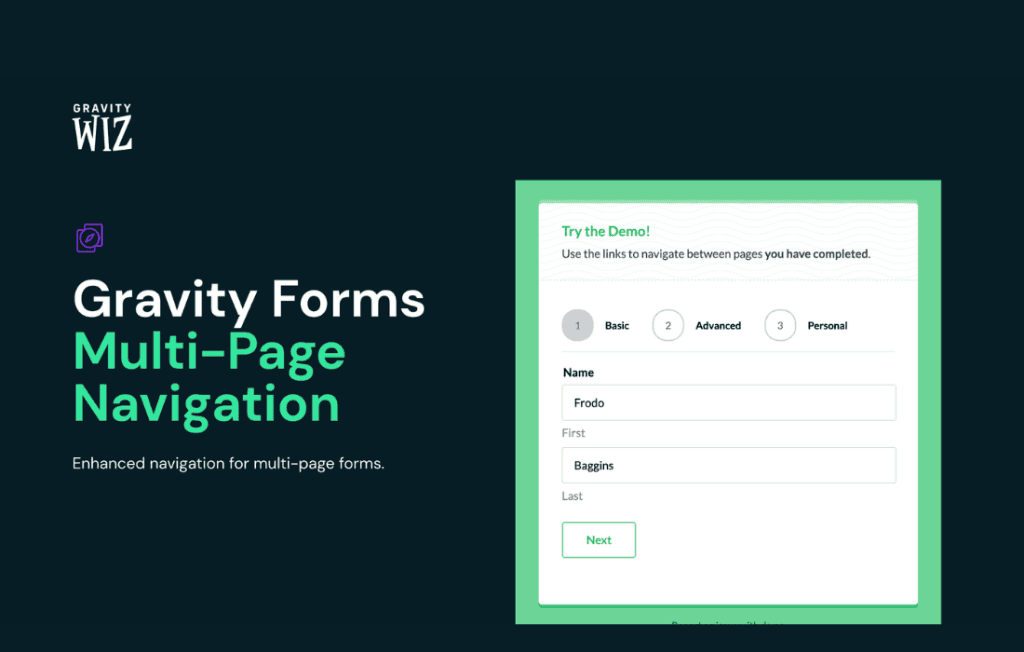
Gravity Perks Multi-page Navigation transforms the standard, linear experience of multi-page Gravity Forms into a fluid, user-friendly journey. By adding intuitive navigation controls‚Äîsuch as progress bars, clickable step indicators, and “Back” buttons‚Äîdirectly to your forms, this plugin helps reduce abandonment rates and ensures your users always know exactly where they are in the process. Whether you are building complex application forms, multi-step surveys, or lengthy registration processes, this perk provides the professional polish needed to keep users engaged from the first page to the final submission.
Key Features
- Customizable Navigation Controls: Easily add “Previous” and “Next” buttons to your form pages, giving users the freedom to review their answers and correct mistakes without losing their progress.
- Clickable Step Indicators: Enable users to jump between form pages by clicking on the step titles or numbers in the progress bar, making long forms feel less daunting and more interactive.
- Enhanced Progress Visibility: Provide clear visual feedback on how much of the form remains, which is proven to increase completion rates for longer data-entry tasks.
- Seamless Gravity Forms Integration: Built specifically for the Gravity Forms ecosystem, this perk works natively with your existing forms, ensuring compatibility and stability without requiring complex custom code.
- Mobile-Responsive Design: Navigation elements automatically adapt to smaller screens, ensuring that your multi-page forms remain accessible and easy to use on smartphones and tablets.
- Flexible Positioning: Control where your navigation buttons appear on the page, allowing you to align them with your site’s design and user experience goals.
Use Cases / Who It’s For
Gravity Perks Multi-page Navigation is an essential tool for any WordPress site owner who relies on Gravity Forms to collect data. If you are managing a high-volume website, you know that the longer a form is, the higher the risk of user fatigue and abandonment. This plugin is perfect for:
- Educational Institutions: Streamline lengthy student enrollment or course registration forms by breaking them into logical, manageable sections.
- E-commerce Store Owners: Simplify complex checkout or quote-request processes where customers need to input shipping, billing, and order details across multiple steps.
- Human Resources Departments: Improve the candidate experience for job applications or internal employee surveys by providing a clear, navigable path through the required information.
- Service Providers: Collect detailed project requirements or lead information from potential clients without overwhelming them with a single, endless page of questions.
By providing a structured and navigable experience, you demonstrate professionalism and respect for your user’s time, which ultimately leads to higher-quality submissions and better conversion rates.
Setup / How It Works
Getting started with Gravity Perks Multi-page Navigation is straightforward, designed to get your enhanced forms up and running in minutes:
- Install the Perk: Ensure you have the Gravity Perks plugin installed on your WordPress site, then activate the Multi-page Navigation perk from your dashboard.
- Configure Your Form: Navigate to your existing Gravity Form and ensure it is set up with multiple pages using the “Page Break” field.
- Enable Navigation Settings: Access the perk settings within the form editor. Here, you can toggle the navigation buttons and customize the behavior of the step indicators.
- Customize Labels: Easily rename your “Next” and “Previous” buttons to match your brand voice or the specific context of your form.
- Save and Preview: Once configured, save your form settings and preview the front end to see the new navigation elements in action. The changes will be applied instantly to your live form.