
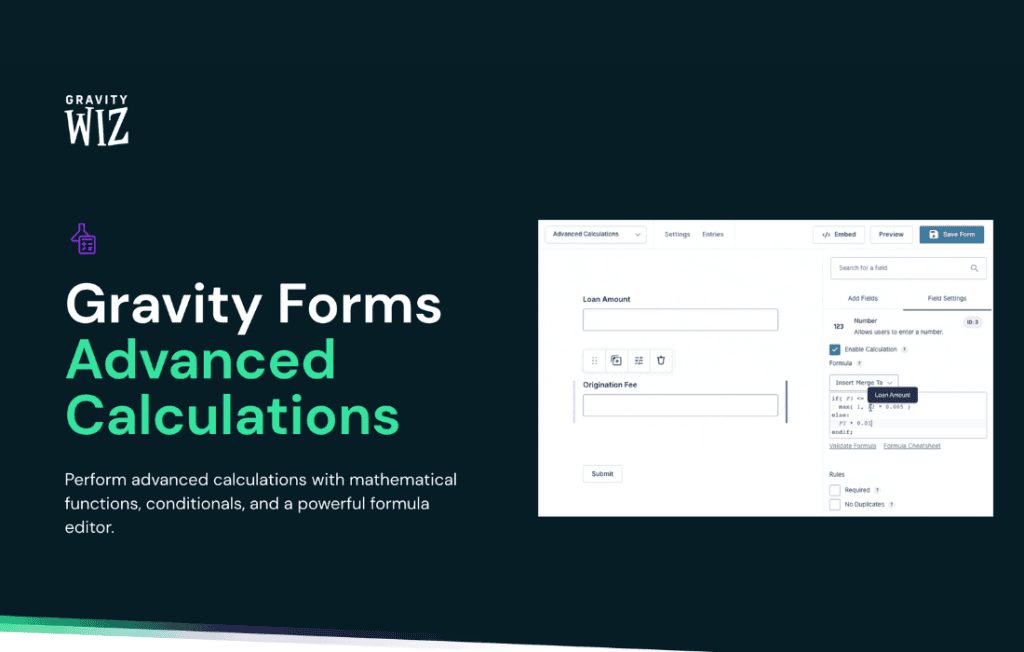
Gravity Perks Advanced Calculations transforms your standard Gravity Forms into a powerful, dynamic calculation engine. If you have ever felt limited by the basic math capabilities of Gravity Forms, this perk is the solution you need to build sophisticated quoting tools, complex order forms, and interactive calculators directly within your WordPress site. It empowers store owners, developers, and site administrators to perform high-level mathematical operations, conditional logic calculations, and data manipulation without writing a single line of custom code.
Key Features
- Advanced Mathematical Operations: Go beyond simple addition and subtraction. Perform complex calculations using standard math functions, including exponents, square roots, rounding, and more.
- Conditional Logic Calculations: Execute different formulas based on user input. You can create dynamic pricing models that change based on the specific options a customer selects in your form.
- Support for Multiple Field Types: Seamlessly integrate with Number, Drop Down, Radio Button, Checkbox, and Product fields. You can pull values from almost any field type to use in your formulas.
- Live Calculation Previews: Provide an immediate, real-time feedback loop for your users. As they interact with your form, the calculated result updates instantly, increasing user engagement and reducing form abandonment.
- Easy Formula Builder: Utilize a user-friendly interface to construct your formulas. The plugin handles the heavy lifting, ensuring your mathematical logic is applied correctly across your forms.
- Data Formatting Options: Control exactly how your calculated results appear to the user. Easily format numbers as currency, percentages, or custom decimal precision to match your business requirements.
Use Cases and Who It’s For
Gravity Perks Advanced Calculations is designed for anyone who needs to capture data and provide an immediate, calculated output. It is an essential tool for businesses that rely on accurate, dynamic form data to drive their operations.
E-commerce Store Owners: Build complex product configurators where the final price updates dynamically based on the size, material, or add-ons selected by the customer. This provides a professional, transparent shopping experience that helps close sales.
Service Providers and Agencies: Create professional quote request forms. Whether you are a web designer, a contractor, or a consultant, you can allow potential clients to input their requirements and receive an instant estimate, helping you qualify leads before you even pick up the phone.
Financial and Real Estate Professionals: Develop interactive mortgage calculators, loan repayment estimators, or investment growth projections. By placing these tools directly on your website, you provide immense value to your visitors and establish your site as an authoritative resource.
Educational and Non-Profit Organizations: Use the plugin to create assessment tools, eligibility checkers, or donation impact calculators that help users understand the tangible results of their contributions or specific program requirements.
Setup and How It Works
Getting started with Advanced Calculations is designed to be intuitive for anyone already familiar with the Gravity Forms interface.
- Install and Activate: Once you have Gravity Forms and the Gravity Perks plugin suite installed, simply activate the Advanced Calculations perk from your dashboard.
- Add a Calculation Field: Within the Gravity Forms editor, add a Number field or a Product field to your form.
- Configure the Formula: Open the field settings and locate the calculation section. Here, you can enter your mathematical formula using the field merge tags provided by Gravity Forms.
- Define Logic: Use the built-in settings to define when the calculation should trigger or how the result should be formatted (e.g., currency or decimal places).
- Test and Deploy: Preview your form to ensure the math functions as expected. Once satisfied, embed your form on any page or post using the standard Gravity Forms shortcode or block.
Similar Plugins
While Gravity Forms offers basic calculation functionality out of the box, users looking for similar advanced mathematical capabilities often explore tools like Calculated Fields Form, which is a standalone plugin dedicated entirely to creating forms with complex mathematical logic. Additionally, developers sometimes use Formidable Forms, which includes built-in calculation features as part of its core offering. However, for those already committed to the Gravity Forms ecosystem, Advanced Calculations remains the most seamless and integrated solution for extending form functionality.