
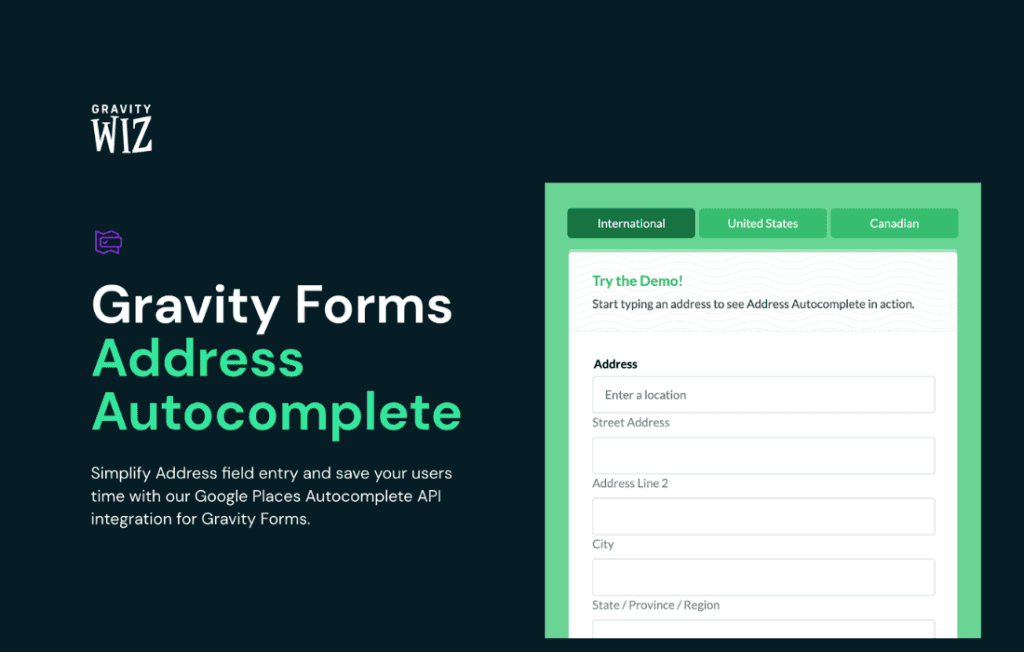
Stop losing sales and frustrating your customers with tedious address entry forms. Gravity Perks Address Autocomplete transforms your Gravity Forms address fields by integrating Google Maps Platform, allowing users to select their address from a real-time, predictive dropdown menu. By reducing the number of keystrokes required to complete a form, you significantly minimize typos, improve data accuracy, and create a seamless, professional experience that boosts conversion rates.
Key Features
- Google Maps Integration: Leverages the industry-standard Google Maps Places API to provide accurate, global address suggestions as users type.
- Automatic Field Population: Automatically maps address components—such as street, city, state, zip code, and country—into the corresponding fields in your Gravity Forms address block.
- Improved Data Quality: Eliminate common shipping and billing errors caused by manual typing, ensuring that the data reaching your CRM or e-commerce system is clean and standardized.
- Enhanced User Experience: Dramatically reduces form abandonment by cutting down the time it takes for a user to complete their address information.
- Flexible Configuration: Easily toggle the autocomplete feature on or off for specific address fields within your forms, giving you full control over where the functionality is applied.
- Mobile-Friendly Design: Optimized for mobile devices, making it incredibly easy for users on smartphones and tablets to select their location without struggling with small keyboards.
- Restrict by Country: Optionally limit address suggestions to specific countries, helping to keep results relevant to your target audience and reducing noise in the suggestions list.
Use Cases and Who It’s For
Gravity Perks Address Autocomplete is an essential tool for any website owner relying on accurate address data. If you run an e-commerce store using Gravity Forms for checkout, this plugin is a must-have to ensure shipping addresses are valid, preventing failed deliveries and costly reshipments. It is equally valuable for service-based businesses that require accurate location data for dispatching technicians, scheduling appointments, or verifying service areas.
This plugin is perfect for developers and site administrators who want to professionalize their lead generation forms. By removing friction, you encourage more users to complete your sign-up or inquiry forms. Whether you are managing a real estate portal, a local delivery service, or a large-scale membership site, providing a “type-ahead” address experience signals to your users that your platform is modern, efficient, and cares about their time.
Setup and How It Works
Getting started with Gravity Perks Address Autocomplete is designed to be straightforward, allowing you to enhance your forms in just a few minutes.
- Install and Activate: Ensure you have the Gravity Perks core plugin installed, then activate the Address Autocomplete perk.
- Configure API Keys: Navigate to the plugin settings and enter your Google Maps Platform API key. You will need to ensure that the Places API and Maps JavaScript API are enabled in your Google Cloud Console.
- Enable on Fields: Open any Gravity Form containing an Address field. You will see a new setting tab or checkbox specifically for Address Autocomplete. Enable this feature for the desired fields.
- Map Your Components: The plugin automatically detects the address components. You can verify the mapping settings to ensure that the street, city, state, and zip code fields are correctly linked to your form inputs.
- Save and Test: Save your form and preview it on the front end. As you begin typing an address into the field, you will see the Google-powered suggestions appear instantly.
Similar Plugins
While various address autocomplete solutions exist for the WordPress ecosystem, most are standalone plugins that may not offer the same level of deep integration with the Gravity Forms ecosystem. Other solutions often include:
- Gravity Forms Address Autocomplete (Third-Party): Various standalone plugins available on the WordPress repository that offer basic Google Maps integration for Gravity Forms.
- General Form Autocomplete Plugins: Plugins that provide address autocomplete functionality for multiple form builders (like WPForms or Contact Form 7) but may lack the specific field-mapping precision provided by the Gravity Perks ecosystem.