
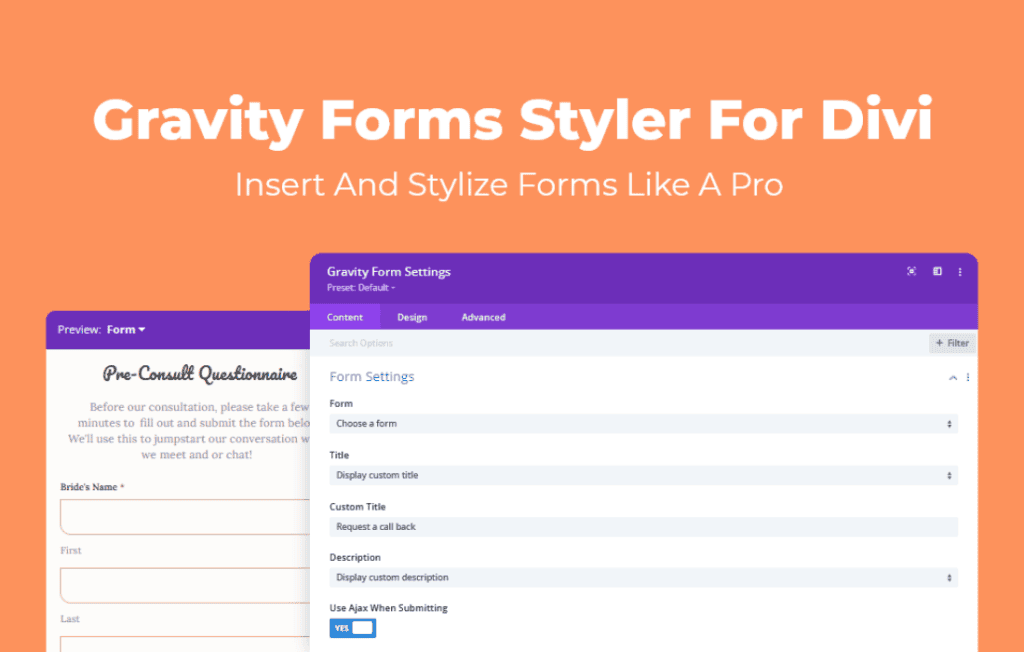
If you use Gravity Forms to collect data on your WordPress site but find yourself frustrated by the default styling limitations when building with Divi, the Gravity Forms Styler for Divi is your solution. This plugin bridges the gap between the powerful form-building capabilities of Gravity Forms and the intuitive design interface of the Divi Builder. By providing dedicated design modules, it empowers you to create stunning, brand-aligned forms that look exactly how you want them to, without requiring a single line of custom CSS.
Key Features
- Full Design Control: Access a comprehensive suite of design settings directly within the Divi Builder. Customize fonts, colors, borders, shadows, and spacing for every element of your form.
- Granular Control Over Form Elements: Style labels, input fields, textareas, checkboxes, radio buttons, and submit buttons independently to ensure a cohesive look that matches your website’s aesthetic.
- Responsive Design Options: Easily adjust form styling for desktop, tablet, and mobile devices, ensuring your forms look perfect and remain user-friendly on every screen size.
- Advanced Field Styling: Apply specific styles to focused states, error messages, and success messages to improve user experience and accessibility.
- Seamless Integration: Designed specifically for the Divi ecosystem, the plugin ensures that your styled forms integrate perfectly with Divi sections, rows, and columns.
- No Coding Required: Eliminate the need for complex CSS snippets. Use the familiar Divi design tab interface to make professional-grade design changes instantly.
- Consistent Branding: Maintain your brand identity across all touchpoints, including contact forms, lead generation forms, and registration forms, by applying global design presets.
Use Cases / Who It’s For
This plugin is essential for web designers, developers, and business owners who prioritize both functionality and aesthetics. If you are a freelance web designer, this tool allows you to deliver polished, high-end websites to your clients faster by removing the bottleneck of custom CSS styling for forms. You can easily match the form design to the client’s specific branding guidelines without spending hours debugging code.
For marketing professionals and business owners, the Gravity Forms Styler for Divi helps increase conversion rates. A well-designed, professional-looking form builds trust with your visitors. By ensuring your forms look like an integral part of your site rather than an afterthought, you can reduce bounce rates and encourage more users to complete your contact forms, newsletter signups, or lead magnets.
It is also a perfect fit for e-commerce store owners who use Gravity Forms for product customization or customer inquiries. You can style your forms to match your product pages, creating a seamless shopping experience that guides the user through the process without visual distractions.
Setup / How It Works
Getting started with the Gravity Forms Styler for Divi is straightforward and designed to fit into your existing Divi workflow:
- Install and Activate: Upload and activate the plugin on your WordPress site just like any other plugin.
- Create Your Form: Build your desired form within the Gravity Forms interface as you normally would.
- Add to Divi: Open your page in the Divi Builder and add the Gravity Forms module to your layout.
- Select Your Form: Choose the form you created from the dropdown menu within the module settings.
- Style Away: Navigate to the Design tab within the module settings. You will now see dedicated, intuitive controls for every aspect of your form, allowing you to customize the look and feel to your exact specifications.
- Save and Publish: Once you are satisfied with the design, save your changes and publish the page. Your beautiful, custom-styled form is now live.
Similar Plugins
While the Gravity Forms Styler for Divi is optimized for the Divi ecosystem, other solutions exist for styling Gravity Forms, such as the Gravity Forms CSS Ready Classes (built-in functionality) or third-party add-ons like Styles & Layouts for Gravity Forms. However, if your primary workflow relies on the Divi Builder, this plugin offers the most native and streamlined experience.