
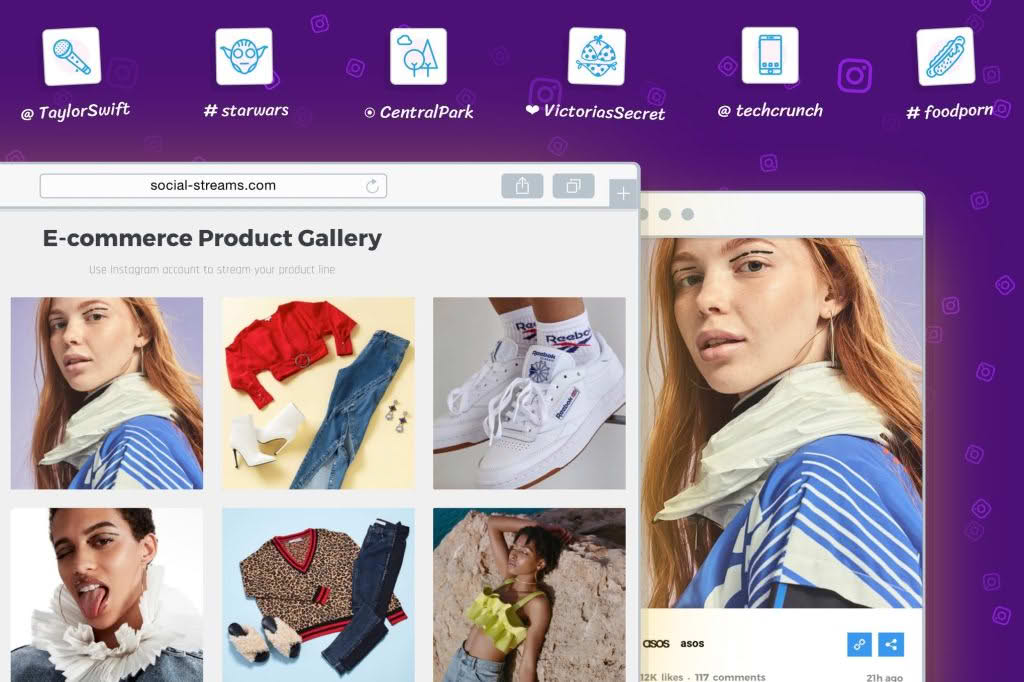
Transform your WordPress website into a dynamic visual hub by seamlessly integrating your Instagram content with the Grace Ñ WordPress Photo Feed plugin. Designed for creators, influencers, and business owners who want to keep their websites fresh without manual updates, this plugin bridges the gap between your social media presence and your site visitors. By displaying your latest Instagram posts directly on your pages, you can increase time-on-site, boost social engagement, and build trust with your audience through authentic, real-time visual storytelling.
Key Features
- Automated Synchronization: Effortlessly pull your latest Instagram posts into your website, ensuring your content is always up-to-date without requiring manual intervention.
- Customizable Layouts: Choose from various display options to match your website’s design language, ensuring your feed looks like an organic part of your brand rather than an afterthought.
- Responsive Design: Your Instagram feed will automatically adjust and look stunning on all devices, from desktop monitors to smartphones and tablets.
- Lightweight Performance: Engineered to prioritize site speed, the plugin ensures that your feed loads efficiently without negatively impacting your core web vitals or SEO rankings.
- User-Friendly Interface: Manage your feed settings directly from the WordPress dashboard with an intuitive interface that requires no coding knowledge to configure.
- Media Filtering: Control exactly what appears on your site by utilizing filtering options that help you curate the perfect aesthetic for your visitors.
Use Cases and Who It’s For
Grace Ñ is the ideal solution for anyone looking to leverage the power of visual social proof. If you are a lifestyle blogger, you can use the plugin to showcase your daily adventures and keep your home page vibrant and active. E-commerce store owners benefit significantly by displaying user-generated content or product lifestyle shots, which can act as powerful social proof to encourage conversions and build brand authority.
Photographers and artists can use the plugin as an automated portfolio, ensuring that their latest work is always showcased to potential clients visiting their website. Even local businesses and restaurants can utilize the feed to display daily specials, event photos, or customer interactions, creating a sense of community and urgency that static images simply cannot achieve.
Setup and How It Works
Getting your Instagram feed live on your site is a straightforward process designed to get you up and running in minutes:
- Installation: Install and activate the Grace Ñ plugin through your WordPress dashboard just as you would with any other standard plugin.
- Authentication: Connect your Instagram account securely via the plugin settings. This authorizes the plugin to fetch your posts while maintaining strict security standards.
- Configuration: Select your preferred layout, define how many posts to display, and adjust any visual settings to ensure the feed aligns with your current theme.
- Display: Use the provided shortcode or block editor element to place your feed anywhere on your site—whether it is in a sidebar, a footer, or embedded directly into a landing page.
Similar Plugins
If you are exploring your options for Instagram integration, there are several other notable plugins in the WordPress ecosystem that offer similar functionality, such as Smash Balloon Social Photo Feed, Feed Them Social, and Instagram Feed by 10Web. Each of these alternatives provides unique approaches to feed customization and management, allowing you to choose the tool that best fits your specific technical requirements and design preferences.